Windows for business | Windows Server | Storage high availability | Clustering and high availability

This browser is no longer supported.
Upgrade to Microsoft Edge to take advantage of the latest features, security updates, and technical support.
' cx='32' cy='32' r='32' /%3E%3Ctext x='50%25' y='55%25' dominant-baseline='middle' text-anchor='middle' fill='%23FFF' %3EQ%3C/text%3E%3C/svg%3E)
Hello together
I am now turning to the community as I am slowly running out of ideas. I have created 3 virtual Windows Server 2016 on a Hyper-V. 2 servers serve as SQL clusters and the other as an ISCSI target. On the ISCSI target I have created two disks, one of which serves as a quorum and the other for the SQL.
In addition, I created all 3 VM an additional NIC which go with the IP addresses 10.10.10.x1 to 10.10.10.x3 (respectively on the hosts). The network is visible in WSFC as well as the disks which are visible in the cluster.
Now there is the following problem. The one disk which is used for SQL storage simply loses connection from time to time. As soon as I restart the ISCSI target server, everything is fine again for a moment. The Quroum disk always has the same owner node, even when the failover occurs. I have this set up with MPIO and no antivirus is running on the hosts.


And from yesterday there is also a message regarding the SQL node2 (But this node is shown as online and everything seems to be ok). Do you have any idea what could be the cause here? My head is smoking and I can't find any answers.

I thank you very much for your time and knowhow
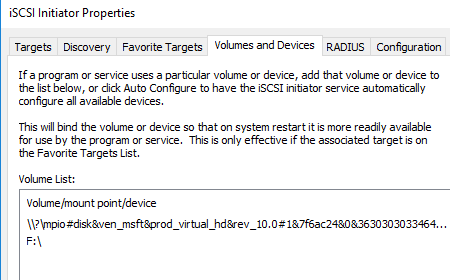
And something else caught my eye. With both SQL servers, both systems should be specified as mpio in the ISCSI initiator for the disks, or am I mistaken?

Hey,
The issue could be related to either networking or an iSCSI Target Service. As an alternative, you can try using StarWind VSAN free as an iSCSI storage for the cluster to see whether it is related to iSCSI Target Service. The following guide covers the configuration process: https://www.starwindsoftware.com/resource-library/starwind-virtual-san-installing-and-configuring-sql-server-2019-tp-failover-cluster-instance-on-windows-server-2016/
In addition, the following article might help troubleshoot 1135 event. https://learn.microsoft.com/en-us/windows-server/troubleshoot/troubleshooting-cluster-event-id-1135
Cheers,
Alex Bykovskyi
StarWind Software
Note: Posts are provided “AS IS” without warranty of any kind, either expressed or implied, including but not limited to the implied warranties of merchantability and/or fitness for a particular purpose.