Microsoft Teams | Microsoft Teams for business | Other
Additional features, settings, or issues not covered by specific Microsoft Teams categories

This browser is no longer supported.
Upgrade to Microsoft Edge to take advantage of the latest features, security updates, and technical support.
' cx='32' cy='32' r='32' /%3E%3Ctext x='50%25' y='55%25' dominant-baseline='middle' text-anchor='middle' fill='%23FFF' %3EJC%3C/text%3E%3C/svg%3E)
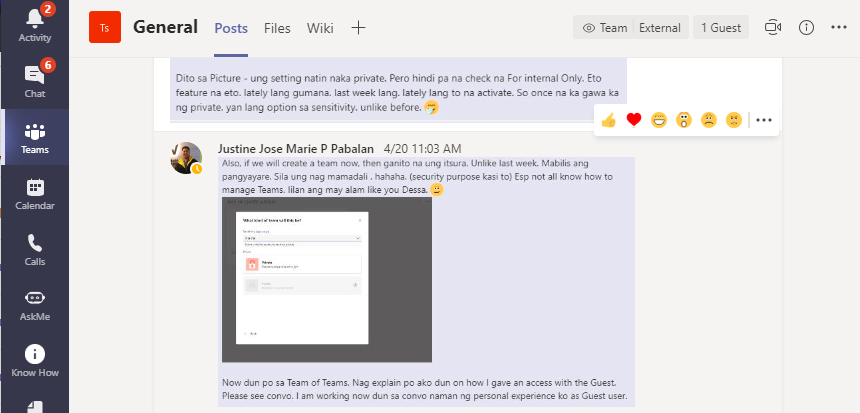
See screenshot.
It used to look like this.
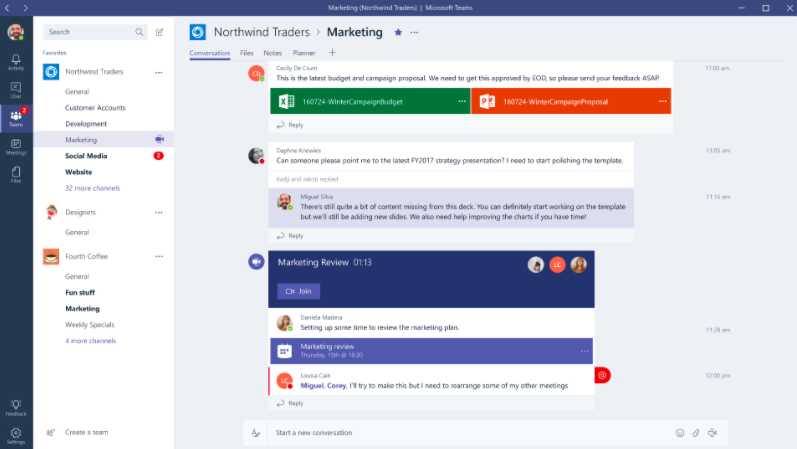
But yesterday it turned to this. Which made it hard for me to navigate.
Additional features, settings, or issues not covered by specific Microsoft Teams categories
Answer accepted by question author

Do you adjust the size of Teams windows?
As I know, if the size of Teams window is smaller than the normal, the tab will be hidden. When you click and hover over the left side, the panel will display.
It recommends you zoom in the size of Teams windows to unhide the panel.
If the response is helpful, please click "Accept Answer" and upvote it.
Note: Please follow the steps in our documentation to enable e-mail notifications if you want to receive the related email notification for this thread.
I am using a smaller window however during my first few months of using teams this was not an issue. Right now, I am using the full size just so I can see the previews. Maybe there is a way to still see the previews even if I am using a smaller window just like before. I was thinking maybe I just misclicked something yesterday
@JM Cadiz ,
I review the settings on Teams client but find nothing related to the previews. It seems by design.