Azure Virtual Desktop
A Microsoft desktop and app virtualization service that runs on Azure. Previously known as Windows Virtual Desktop.
This browser is no longer supported.
Upgrade to Microsoft Edge to take advantage of the latest features, security updates, and technical support.
' cx='32' cy='32' r='32' /%3E%3Ctext x='50%25' y='55%25' dominant-baseline='middle' text-anchor='middle' fill='%23FFF' %3ES%3C/text%3E%3C/svg%3E)
I deployed (and re-deployed and redeployed) an AVD host pool. The tenant environment is hybrid, but the users that will be logging in aren't being synced with AD and only exist in the cloud. I had to add
enablecredsspsupport:i:0;authentication level:i:2;targetisaadjoined:i:1;
to the host pool RDP custom properties and then manually add the azure users with cmd to the remote desktop users group on the VM before it would even allow an AAD-only user to login.
Users added with net localgroup "remote desktop users" /add "AzureAD\******@domain.com"
I also tried adding them without the "AzureAD\" but got an error saying there is no such global user or group.
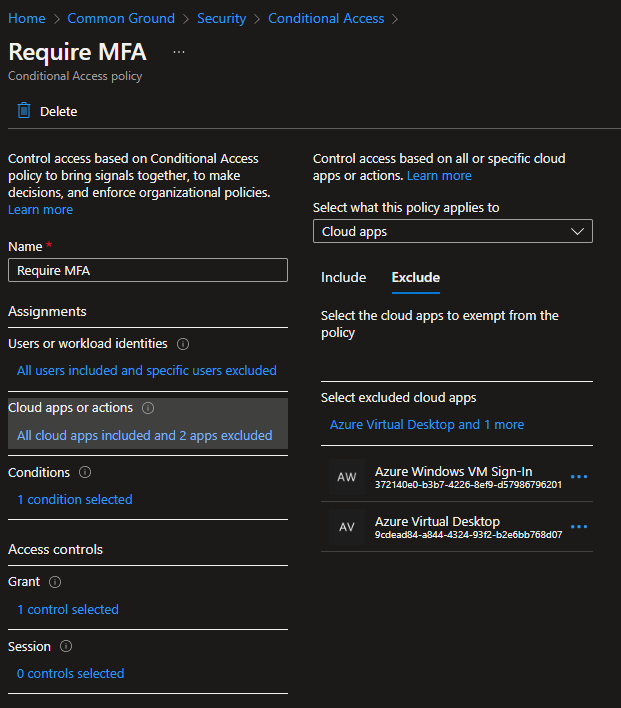
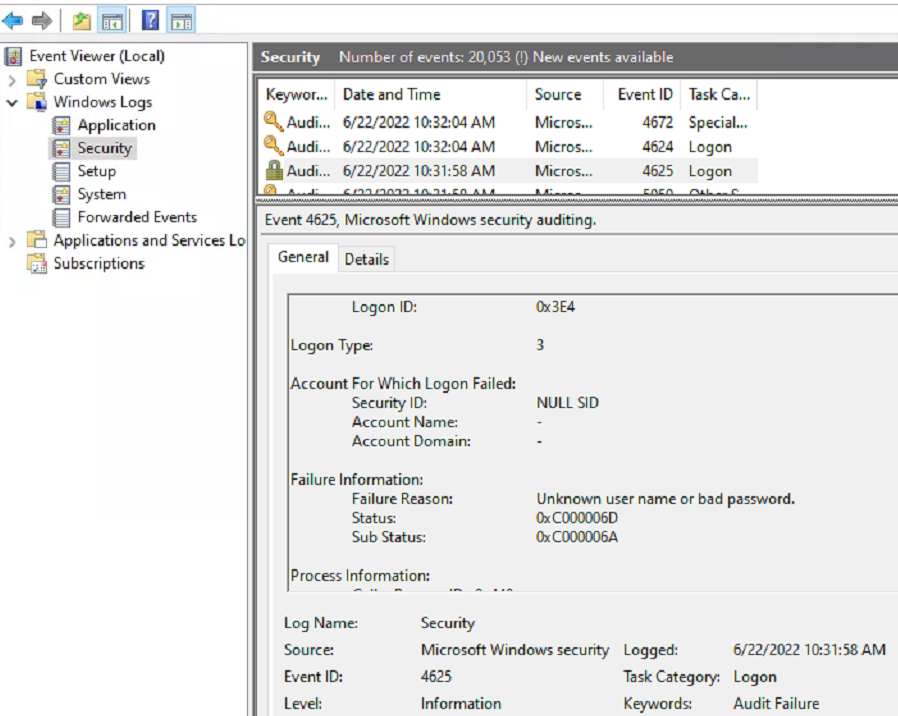
Users are able to log in via the web portal entering their username as "AzureAD\username@keyman .com". I've excluded the "Azure Windows VM Sign-in" and "Azure Virtual Desktop" from the CAP requiring MFA. My problem is that the users cannot login via the desktop client. These are remote users that will be using their own equipment and will require camera redirection (which isn't available in the web client). When signing in with the desktop client it allows signing into the app, but just spins when connecting to the session host displaying alternating "Initiating remote connection" and "Securing remote connection" messages. When refreshing the event log on the session host during the login attempt it's showing "Event 4625: Unkown user name or bad password". The other (but not as important) issue is that hybrid users that are synced with onsite-AD cannot log in via the web client or desktop client after being added in the same fashion. We don't need to be able to give them access at this point, but may be useful in the future.
' cx='32' cy='32' r='32' /%3E%3Ctext x='50%25' y='55%25' dominant-baseline='middle' text-anchor='middle' fill='%23FFF' %3EKM%3C/text%3E%3C/svg%3E)
@Steve I need some more information regarding your scenario:
Are you trying to sign into the VM from a machine that is also AAD joined to the SAME AAD as the target VM?
This one details often gets missed after customers get past the proper UPN suffix (which you seem to have)
As described here,
"Remote connection to VMs joined to Azure AD is only allowed from Windows 10 or newer PCs that are either Azure AD registered (minimum required build is 20H1) or Azure AD joined or hybrid Azure AD joined to the same directory as the VM."
Also, please refer to this document and make sure that all the steps are followed, especially assigning the proper RBAC role to the user.
https://learn.microsoft.com/en-us/azure/virtual-desktop/deploy-azure-ad-joined-vm

For the permission to log in to the Azure VM you should just assign the users to one of the following RBACs roles. No need to add them manually to groups on the VM.
This allows login to the Azure AD Joined machine.
That combined with the targetisaadjoined:1 added to the RDP Properties should be all you need to allow access.
