Community Center | Not monitored
Tag not monitored by Microsoft.

This browser is no longer supported.
Upgrade to Microsoft Edge to take advantage of the latest features, security updates, and technical support.
' cx='32' cy='32' r='32' /%3E%3Ctext x='50%25' y='55%25' dominant-baseline='middle' text-anchor='middle' fill='%23FFF' %3EAF%3C/text%3E%3C/svg%3E)
Allthough we have the basic plan and want to create a billing ticket, the system does not allow us to create one;
Ticket details here:
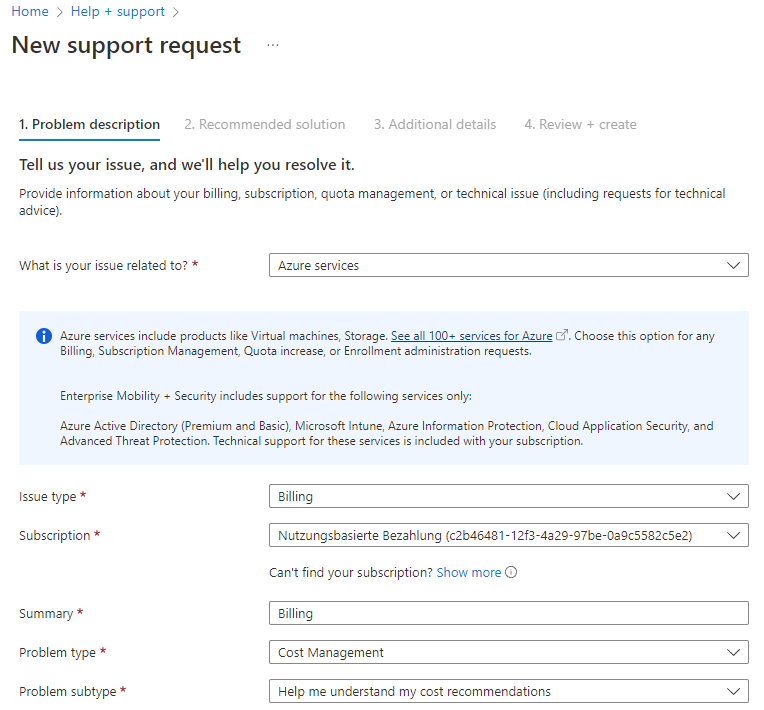
I'm stuck here:
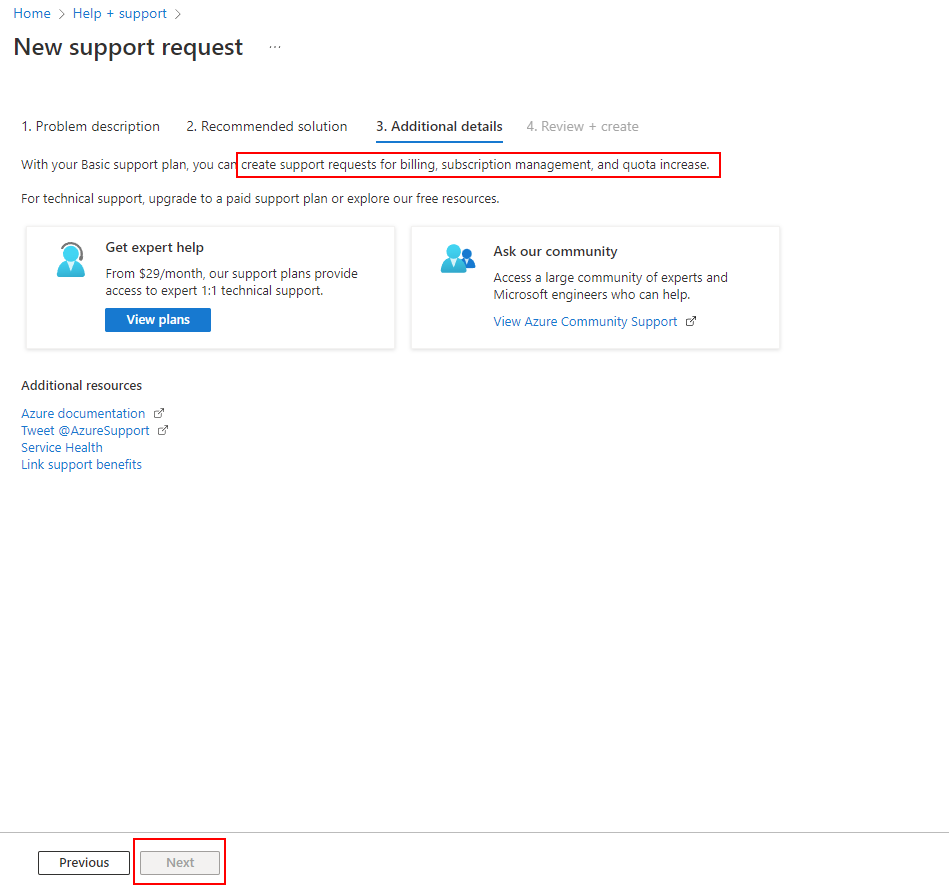
I do not know how to contact somebody at microsoft in another way than creating a community question ;)
Thanks!
' cx='32' cy='32' r='32' /%3E%3Ctext x='50%25' y='55%25' dominant-baseline='middle' text-anchor='middle' fill='%23FFF' %3EMM%3C/text%3E%3C/svg%3E)
Hello @Andreas F - Welcome to Microsoft Q&A and thanks for reaching out.
Sorry for the inconvenience this must have caused!
Microsoft Azure subscription and billing related issues are currently not supported in the Q&A forums, the supported products are listed over here : https://learn.microsoft.com/en-us/answers/products (more to be added later on).
I suggest you create a support request over here: https://azure.microsoft.com/en-us/support/create-ticket/. The ticket enables you to work closely with the support engineers and get a quick resolution to your issue.
FYI: Azure Billing and Subscription Management support is included in the Basic Support Plan without any charge. https://azure.microsoft.com/en-us/support/plans/
You can also try https://azure.microsoft.com/en-us/support/options/#support-plans and ideally the “Submit a support ticket” button will work on this page for them as a first step too.
Hope this helps. and please feel free to reach out if you have any further questions.
------------------------------------------------------------------
If the above response was helpful, please feel free to "Accept as Answer" and "Upvote" the same so it can be beneficial to the community.
' cx='32' cy='32' r='32' /%3E%3Ctext x='50%25' y='55%25' dominant-baseline='middle' text-anchor='middle' fill='%23FFF' %3EME%3C/text%3E%3C/svg%3E)
I added the Dev support plan for $29/mo but it is still routingi me to bots for my billing question. The bots don't have an answer, but I am not presented with an option to ask a billing support person. Where is that interface?
' cx='32' cy='32' r='32' /%3E%3Ctext x='50%25' y='55%25' dominant-baseline='middle' text-anchor='middle' fill='%23FFF' %3ECM%3C/text%3E%3C/svg%3E)
Monalla-MSFT it shows no permission when i try to “Submit a support ticket” request
How i create a resuest ticket directly?
Thanks!