Azure App Service
Azure App Service is a service used to create and deploy scalable, mission-critical web apps.
This browser is no longer supported.
Upgrade to Microsoft Edge to take advantage of the latest features, security updates, and technical support.
' cx='32' cy='32' r='32' /%3E%3Ctext x='50%25' y='55%25' dominant-baseline='middle' text-anchor='middle' fill='%23FFF' %3EA%3C/text%3E%3C/svg%3E)
I know both are different. Willing to know that can we deploy both web apps in a single Azure Web App Service which is built on .NET Framework 4.8.
When we host a web app, it will store in wwwroot folder of the Azure Web App Service, along with this can we host the 2nd application (.NET 6) in the subfolder of wwwroot.
Is it possible to host/run the Core web App on Framework Versioned Azure App Service?
Could anyone please clarify?

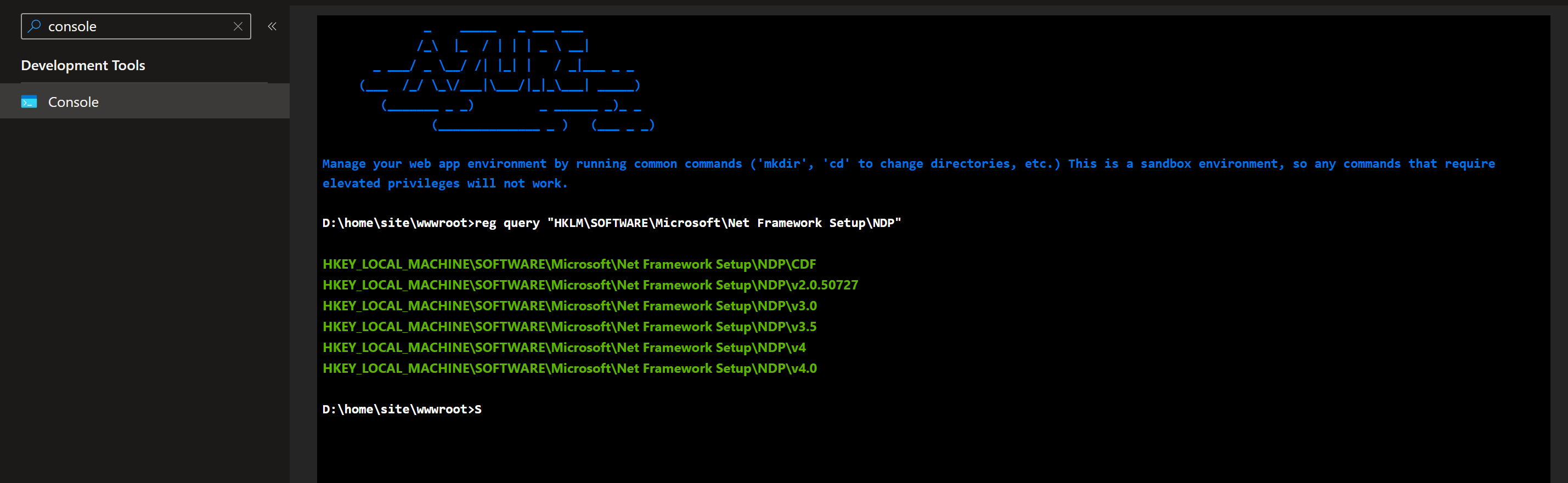
The host has both frameworks installed which you can be verified by running dotnet --info and reg query "HKLM\SOFTWARE\Microsoft\Net Framework Setup\NDP" from the console. Now theoretically, you should be able to run the dotnet core app as a virtual application, just make sure you don't have any conflicting web.config files.
reg query "HKLM\SOFTWARE\Microsoft\Net Framework Setup\NDP" - Is this applicable to Azure Web App Service?
It is. You can run it from the console.