SQL Server Integration Services
A Microsoft platform for building enterprise-level data integration and data transformations solutions.
This browser is no longer supported.
Upgrade to Microsoft Edge to take advantage of the latest features, security updates, and technical support.
' cx='32' cy='32' r='32' /%3E%3Ctext x='50%25' y='55%25' dominant-baseline='middle' text-anchor='middle' fill='%23FFF' %3EN%3C/text%3E%3C/svg%3E)
how can i generate a excel file with date in filename (e.g. filename_yyyymmdd.xlsx)
or how to make the output expression by getdate() to yyyymmdd ?
any sample to reference.

Hi @nononame2021 ,
You may refer to 0395-sql-server-ssis-adding-date-and-time-to-a-file-name-after-processing.
It's detailed tutorial, you may follow it step by step.
Regards,
Zoe
If the answer is the right solution, please click "Accept Answer" and kindly upvote it. If you have extra questions about this answer, please click "Comment".
Note: Please follow the steps in our documentation to enable e-mail notifications if you want to receive the related email notification for this thread.
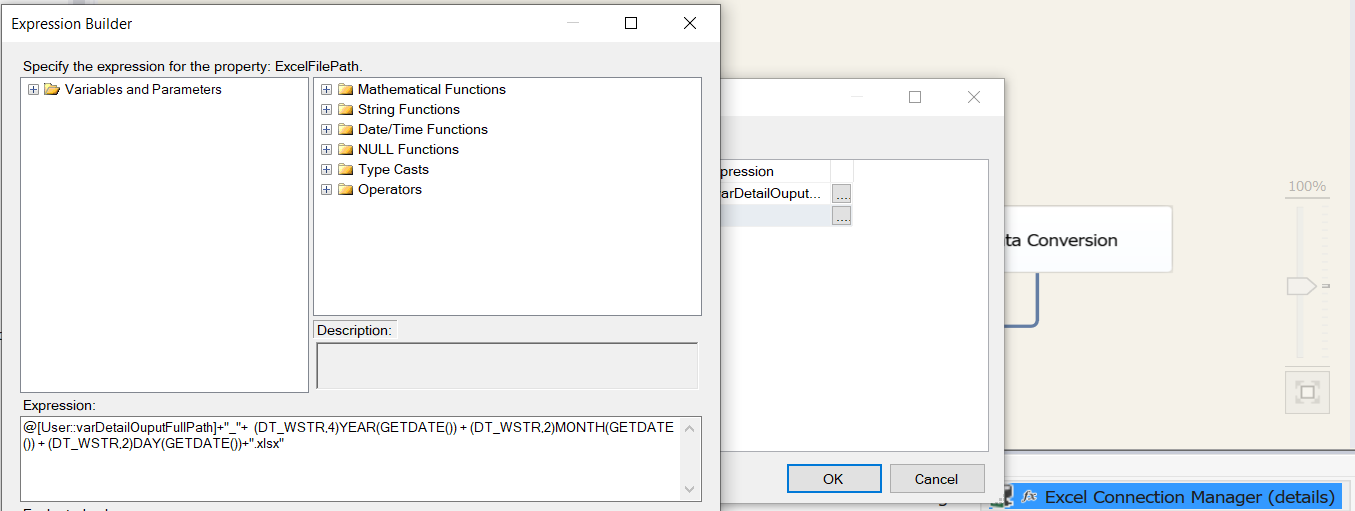
because the output excel file path is added the current date to the file name as below:
@[User::varDetailOuputFullPath]+"_" + (DT_WSTR,4)YEAR(GETDATE()) + (DT_WSTR,2)MONTH(GETDATE()) + (DT_WSTR,2)DAY(GETDATE())+".xlsx"
C:\Temp\Filename_20220627.xlsx
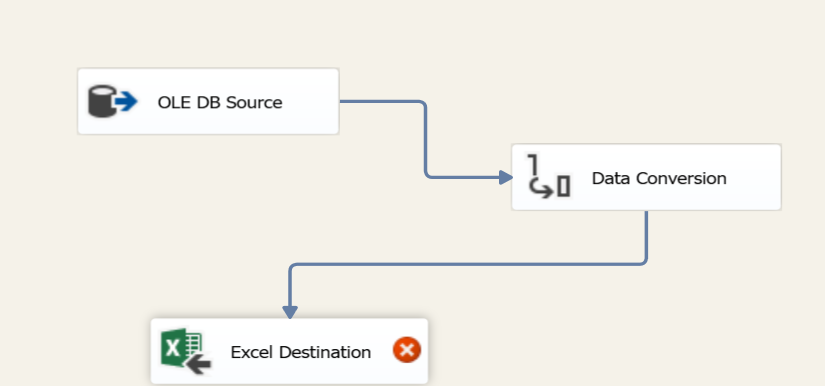
then i go to data flow task, the "Excel destination" object appear Error icon. and double click the "Excel Destination", i can't select the excel sheet. how to fix this it?

Hi @nononame2021 ,
You cannot directly change the file name with excel destination.
You need to use file system task to copy template file from template folder to destination folder and then change the file name.
Check ssis-tutorial-part-17-create-excel-file.html.
Regards,
Zoe
If the answer is the right solution, please click "Accept Answer" and kindly upvote it. If you have extra questions about this answer, please click "Comment".
Note: Please follow the steps in our documentation to enable e-mail notifications if you want to receive the related email notification for this thread.
Hi @nononame2021 ,
Do you have further question on this , could we offer more support?
If this helps on your issue, you could mark it as answer so other user with similar problem could see this easier. :)