Microsoft Security | Microsoft Entra | Microsoft Entra ID
A cloud-based identity and access management service for securing user authentication and resource access

This browser is no longer supported.
Upgrade to Microsoft Edge to take advantage of the latest features, security updates, and technical support.
' cx='32' cy='32' r='32' /%3E%3Ctext x='50%25' y='55%25' dominant-baseline='middle' text-anchor='middle' fill='%23FFF' %3EJE%3C/text%3E%3C/svg%3E)
How to configure Conditional Access policy in your SSLVPN Azure Enterprise Application to require sign-in frequency of 1 hour
' cx='32' cy='32' r='32' /%3E%3Ctext x='50%25' y='55%25' dominant-baseline='middle' text-anchor='middle' fill='%23FFF' %3EA%3C/text%3E%3C/svg%3E)
Hi @Jeremy Edmond , if I understand your question correctly you should be able to do this by creating a conditional access policy and following this document.
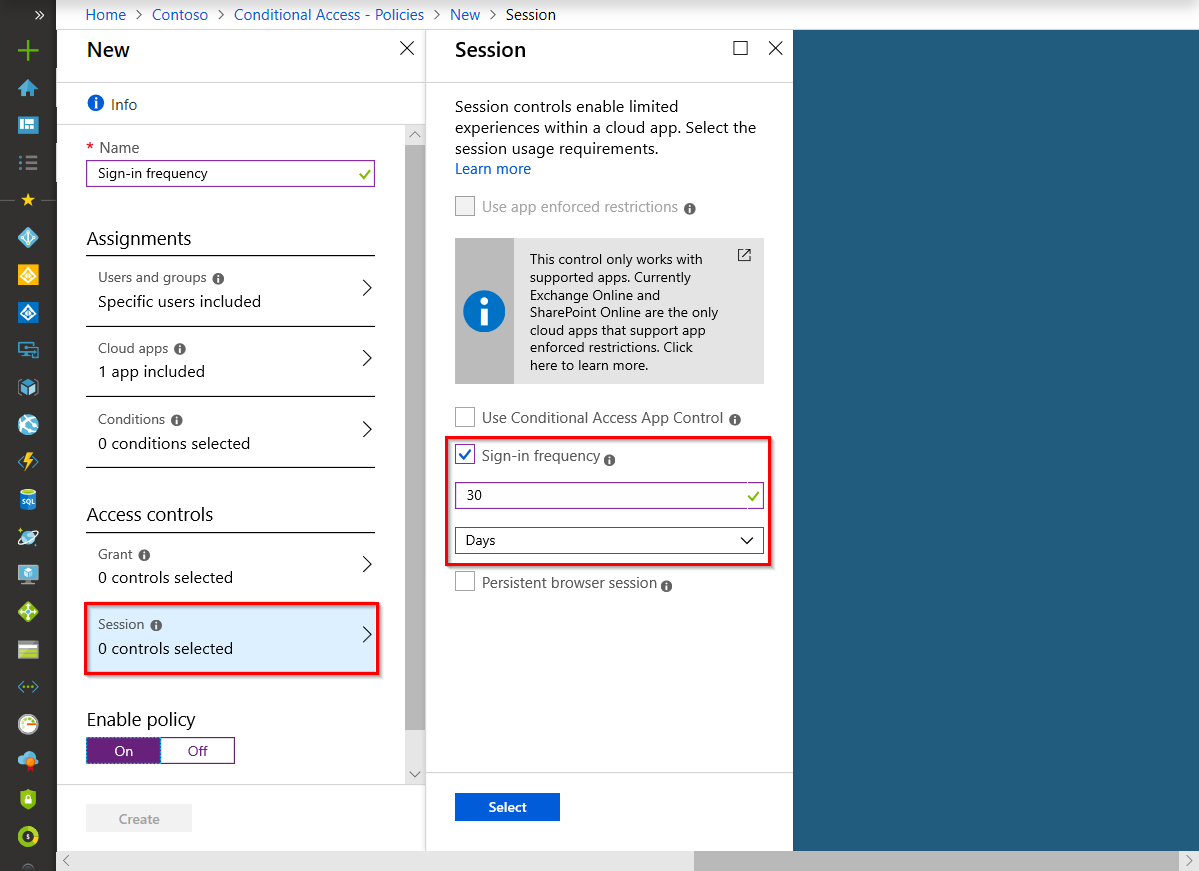
If this doesn't work please let me know, or if you have any questions!
If this answer helped you please mark it as "Verified" so other users can reference it.
Thank you,
James