Azure Data Factory
An Azure service for ingesting, preparing, and transforming data at scale.
This browser is no longer supported.
Upgrade to Microsoft Edge to take advantage of the latest features, security updates, and technical support.

Hi,
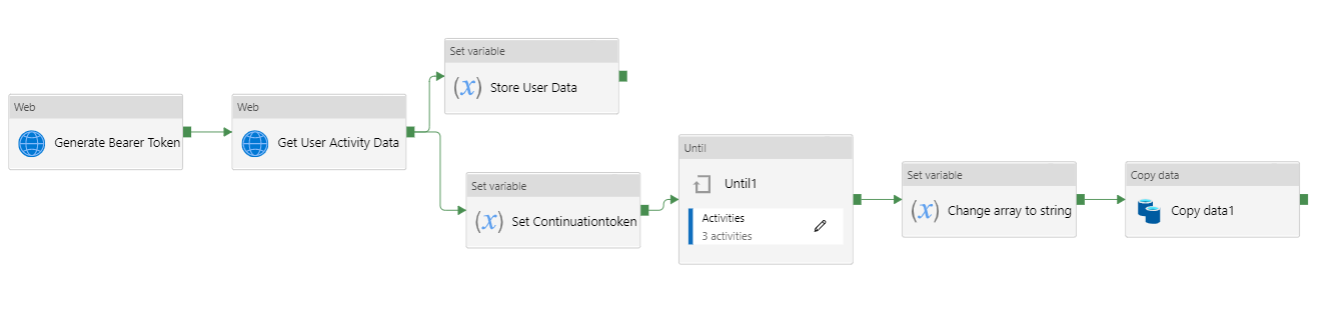
I have created a pipeline which is using two web activities for api call and the one outside the until loop and other inside the until loop
This is the pipeline -
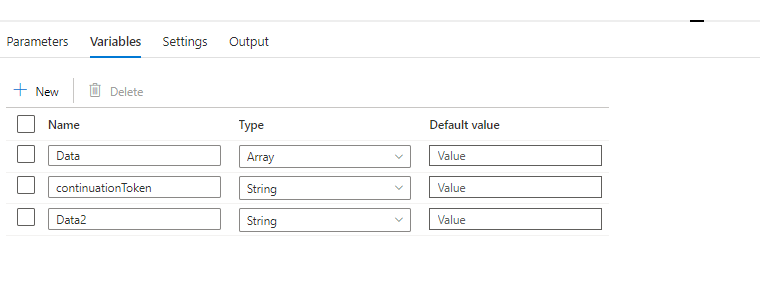
i have declared these variables -
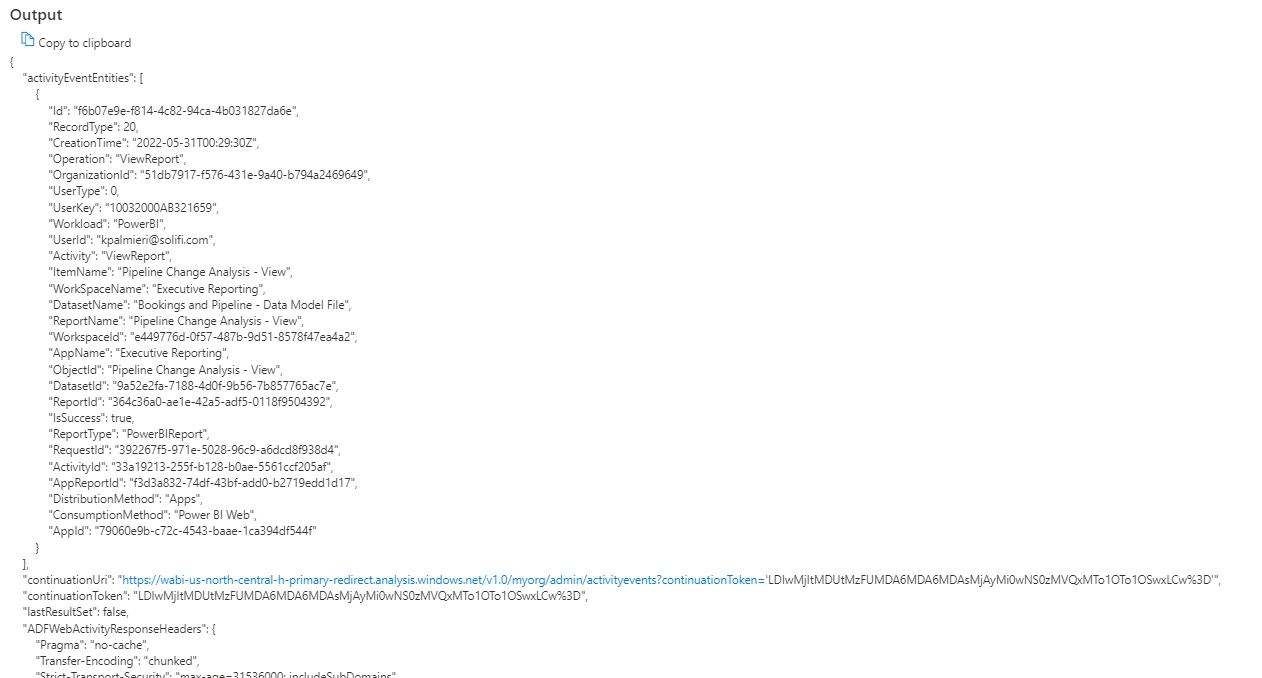
When i run this pipeline this is the output of first web activity "Get User Activity Data" . the out put is in json format
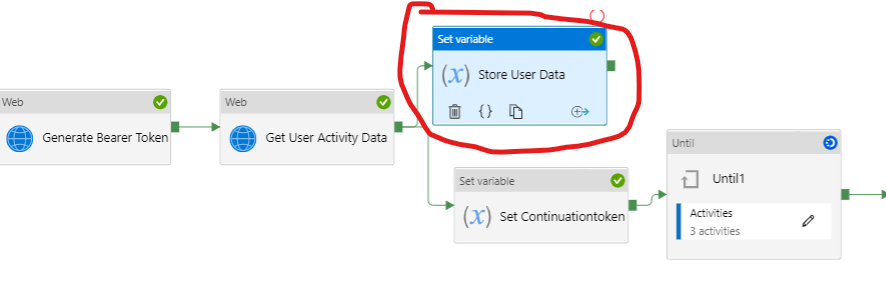
and i am storing this output to an array variable "Data"
Now another web activity inside until loop is also generating output in multiple iterations and i want to append that out put to this array variable "Data" but when i tried to do that i got this error

It says that an array can not be appended to an array variable
Now when i converted the array output to string and then tried then it got appended to array variable and this is my final output in array variable -
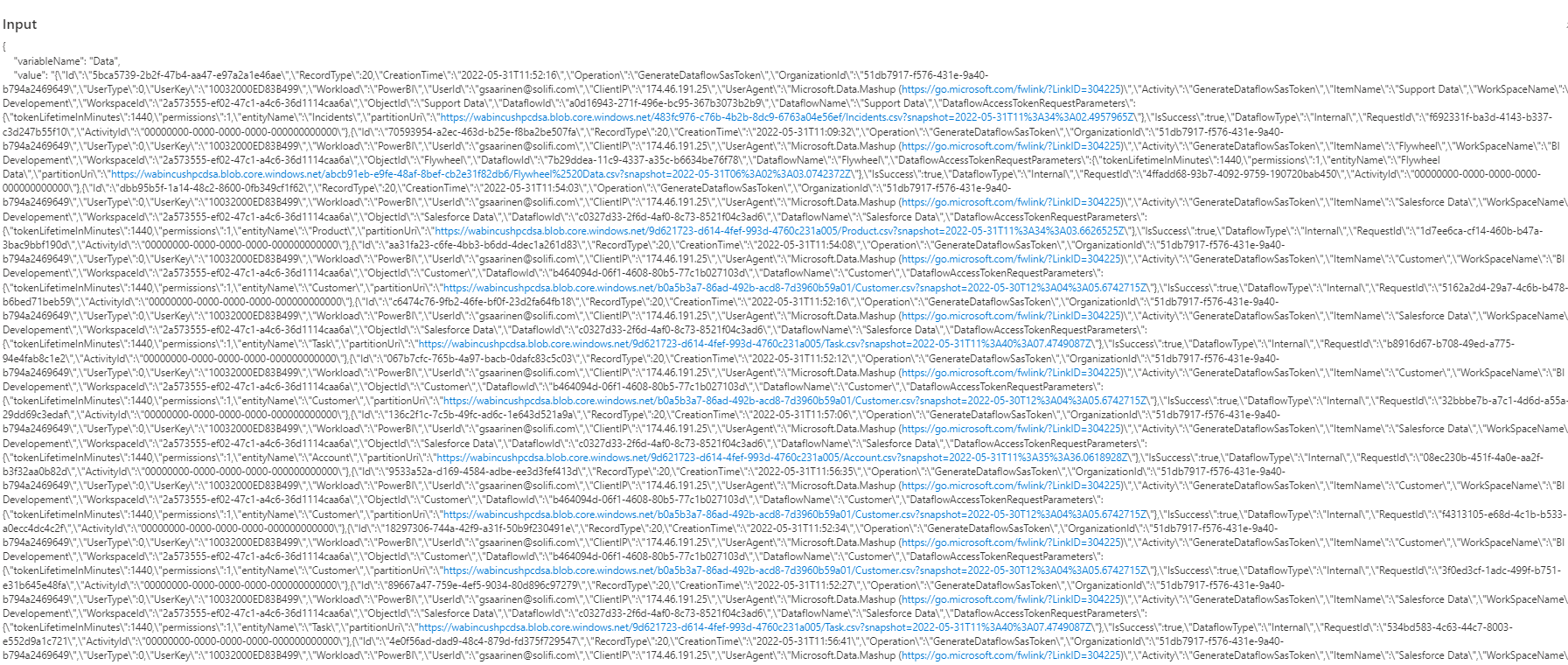
You can see that the format of the output is badly disturbed due to conversion of Json output to string. Now i have to choices 1) - Go and format the output removing backslashes, space line character , new line characters . 2)- If i could find a way to append array oputput to array variable then i can easily save the output in my storage as json file .
That's why i posted this question. Can anyone help me out achieving the desired output either in csv format or in json file. I am ready to use script task also if i could find any C# script to append two array outputs.
Thanks

Hi @Amar Agnihotri ,
Thank you for posting query in Microsoft Q&A Platform.
Array variables cannot contain items of type array in Azure data factory. Hence you are seeing that error. Since your converted that array outputs as strings and then tried to store array variable, it worked.
I am little unclear, what you want to do array storing array values in array variable. From your screenshot of line, I could assume that finally you are converting entire array variable data bask to string and then may be that string you are storing as some value in to some column of file or table. Please correct me If I am wrong.
If my above understanding is correct, then the approach you tried is also fine, where you taken data as string and appended in to array. Please note, the backslashes which you see usually are escape characters. If in your case if your seeing blackslahes also getting saved in to your file, then try to use replace() to replace unwanted characters with empty and then store it to your file.
Please check this documentation which explains about who special characters can be replaced which shown in dynamic content editor.
Hope this helps. Please let us know if any further queries.
----
Please consider hitting Accept Answer button. Accepted answers help community as well.
Thanks @ShaikMaheer-MSFT
I converted the array output to string then it got appended to array variable