Microsoft Security | Microsoft Graph
An API that connects multiple Microsoft services, enabling data access and automation across platforms

This browser is no longer supported.
Upgrade to Microsoft Edge to take advantage of the latest features, security updates, and technical support.
' cx='32' cy='32' r='32' /%3E%3Ctext x='50%25' y='55%25' dominant-baseline='middle' text-anchor='middle' fill='%23FFF' %3ESA%3C/text%3E%3C/svg%3E)
Hi everyone,
I have experienced a lot of pain to make this functionality work using Microsoft Graph API.
I am creating an onlineMeeting using the API and sending it to participants. Some presenters might be external users, or they may have a school Microsoft account -still external to the org-. Using the API I set the meeting to autoRecord when it starts.
Everything works great, apart from 1 thing: The recording will always be casted from the POV of the first presenter who joined the meeting. If that presenter is outside the org, the recording cannot be fetched.
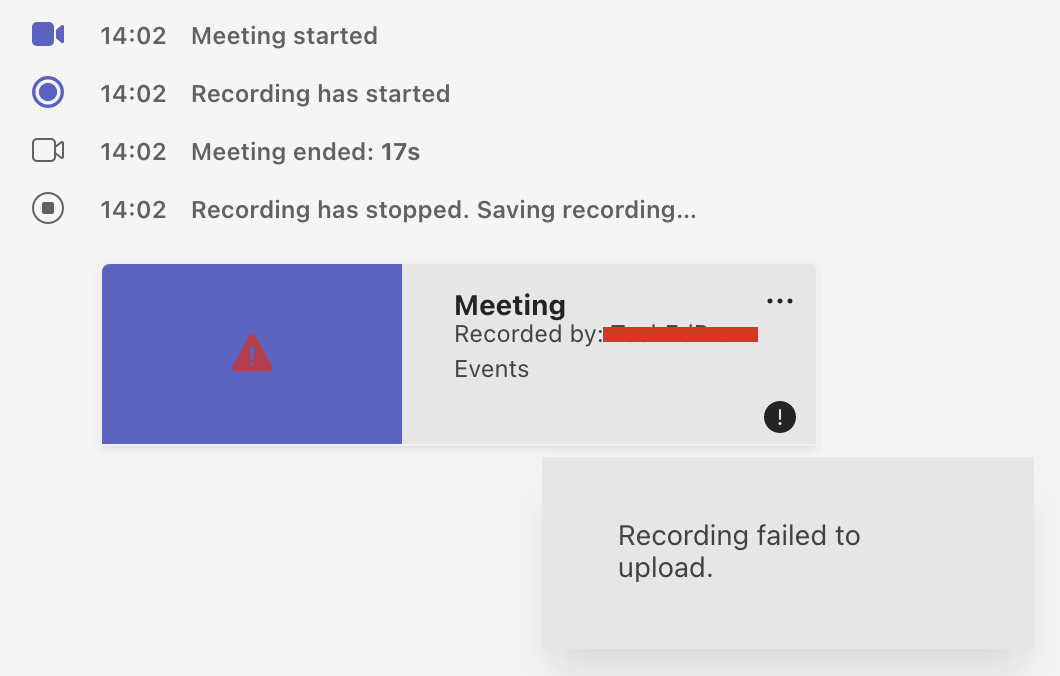
So, what walk-arounds would you suggest for this issue ? Is there a way to request the recording to be uploaded on Stream ? Microsoft Support agent suggested we created the meeting under a specific Team, is there any way I can create an onlineMeeting and list it under a specific Team ?
Thank you for your contribution
' cx='32' cy='32' r='32' /%3E%3Ctext x='50%25' y='55%25' dominant-baseline='middle' text-anchor='middle' fill='%23FFF' %3ESM%3C/text%3E%3C/svg%3E)
Hi @Stathis Askaridis ,
Would you mind to provide the request body you are using while hitting the onlineMeeting API?
Hi @Stathis Askaridis ,
I have tried to replicate the issue and I was able to see the similar behavior. I would recommend you to raise a support with Microsoft Graph, a support engineer will be able to assist you better. you can raise support ticket from aad.portal.azure.com
And currently creating an Onlinemeeting under a specific Team using Graph API is not available. You can raise a feature request here.
If the answer is helpful, please click Accept Answer and kindly upvote it. If you have any further questions about this answer, please click Comment.