Microsoft Security | Microsoft Entra | Microsoft Entra ID
A cloud-based identity and access management service for securing user authentication and resource access

This browser is no longer supported.
Upgrade to Microsoft Edge to take advantage of the latest features, security updates, and technical support.
' cx='32' cy='32' r='32' /%3E%3Ctext x='50%25' y='55%25' dominant-baseline='middle' text-anchor='middle' fill='%23FFF' %3ERS%3C/text%3E%3C/svg%3E)
Hi Team,
I was doing password reset in AD referring the doc-(https://learn.microsoft.com/en-us/graph/api/passwordauthenticationmethod-resetpassword?view=graph-rest-beta&tabs=http) but when we use the post request for the password reset(POST /users/{id | userPrincipalName}/authentication/passwordMethods/{id}/resetPassword) ,we are getting accessDenied error. (Attaching the screenshot of the error )
We have given the api permissions as User.Read , UserAuthenticationMethod.Read.All, UserAuthenticationMethod.ReadWrite.All. Can you please look into the issue.
A cloud-based identity and access management service for securing user authentication and resource access
' cx='32' cy='32' r='32' /%3E%3Ctext x='50%25' y='55%25' dominant-baseline='middle' text-anchor='middle' fill='%23FFF' %3ESM%3C/text%3E%3C/svg%3E)
Hi @Risa Shereen ,
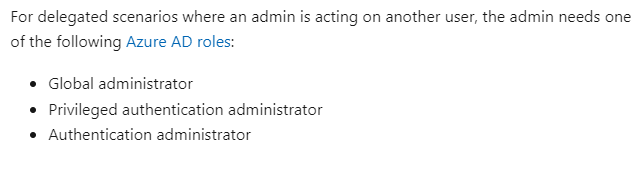
Could you please verify that you have one of these roles: Global administrator, Privileged authentication administrator, Authentication administrator
Hi Shivani,
I checked Azure AD roles assigned to me and could find that I am assigned Global Administrator role. The error still occurs while doing password reset.
This comment has been deleted due to a violation of our Code of Conduct. The comment was manually reported or identified through automated detection before action was taken. Please refer to our Code of Conduct for more information.
Hi @Kashton7468 ,
My problem was resolved . The issue happened for me because of the authentication method that I used. We have to use user authentication for Password reset. Please refer the below link for the steps for user authentication (https://learn.microsoft.com/en-us/answers/questions/935674/user-authentication-in-token-generation.html).

Hi,
You have not clarified if the user you are trying to reset is your own account or other account? Please check the pre-requisites for resetting the password and you should have one of these permissions.
Permission type Permissions (from least to most privileged)
Delegated (work or school account) UserAuthenticationMethod.ReadWrite.All
Delegated (personal Microsoft account) Not supported.
Application Not supported.
To eliminate your account permisson issue please assign following roles to your account.
Global administrator
Privileged authentication administrator
Authentication administrator
If this answer helped you please mark it as "Verified" so other users can reference it.
Please "Accept the answer" if the information helped you. This will help us and others in the community as well.