
Hi @Philippe CAMBIER ,
It seems that the safe links is preventing access to this site.
You could go to the next site.
Paste an original link to Paste SafeLinks URL and then you will get the decoded URL.
This browser is no longer supported.
Upgrade to Microsoft Edge to take advantage of the latest features, security updates, and technical support.
' cx='32' cy='32' r='32' /%3E%3Ctext x='50%25' y='55%25' dominant-baseline='middle' text-anchor='middle' fill='%23FFF' %3EPC%3C/text%3E%3C/svg%3E)
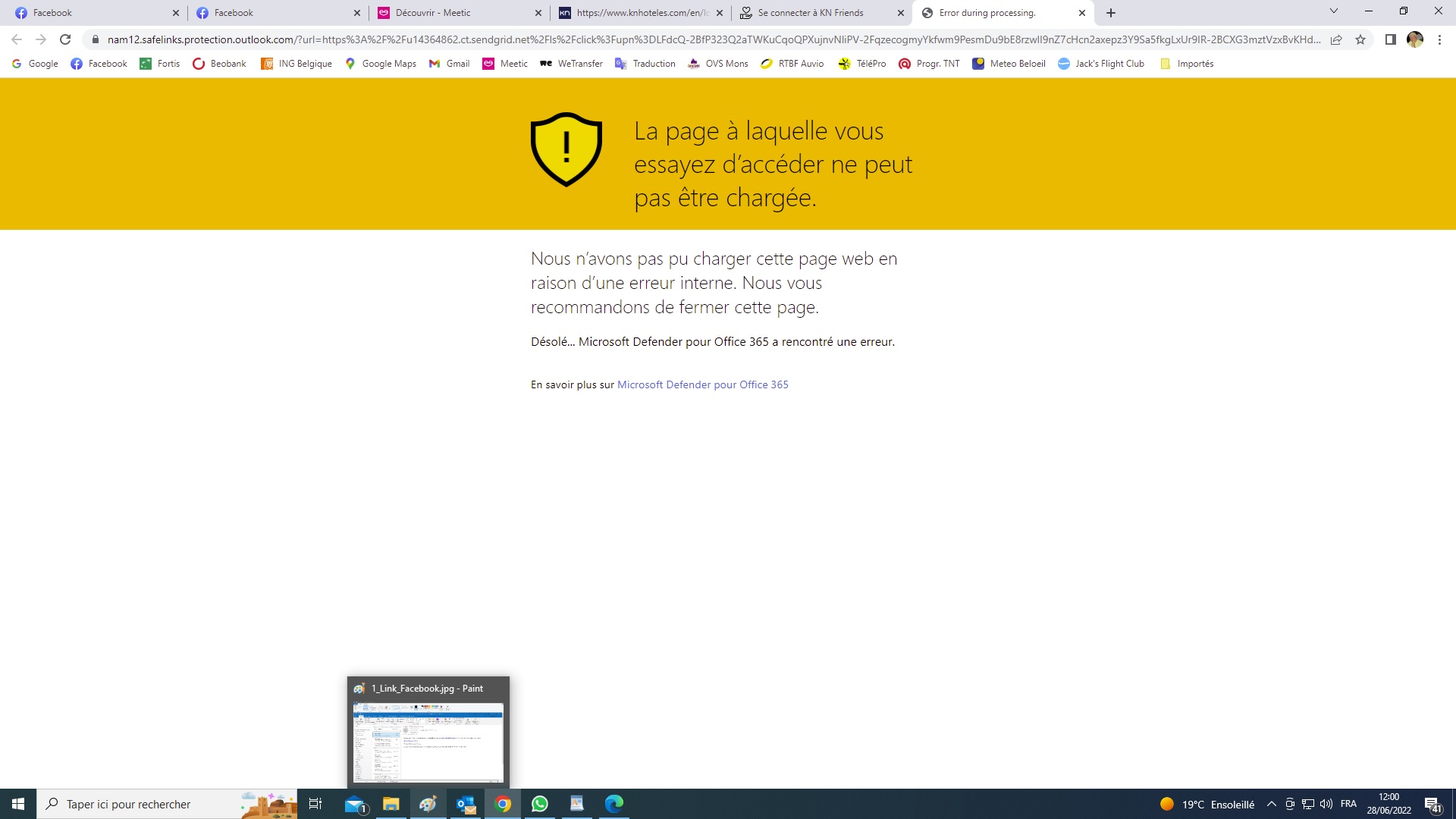
I get a link to reset my password in order to access my prefered hotel. But when I click on this link I get a message "internal error on Defender" (see attached print screen) and therefore I cannot reset my paswword, nor access my profile nor make any reservation. How can I bypass this error ?! 219010-2-rejected-by-defender.jpg

Hi @Philippe CAMBIER ,
It seems that the safe links is preventing access to this site.
You could go to the next site.
Paste an original link to Paste SafeLinks URL and then you will get the decoded URL.
Thanks TKujala,
but the message says "... en raison d'une erreur interne" (= because an internal error) and not "because an existing threat" ! So is it a technical error in Defender ? And even if Defender is temporarily unactivated, this strange message still appears !
Do you think it would be a good idea to uninstall Defender and instead to use Avast ? Because I need to pass through this message in order to recover my password ...
I understand.
Do you think it would be a good idea to uninstall Defender and instead to use Avast ? Because I need to pass through this message in order to recover my password ...
You could test if it helps. I hope you will get your password.

Hello PhilippeCAMBIER,
In this case, you can report the site as non-threat following:
From the warning, you can choose to report this site as a safe site. Click the link for More information then click Report that this site does not contain threats. Follow the instructions on the feedback site to complete this process.
Also, if you alert the owner of that organization, they can also request a reevaluation of the website:
from a red warning, click More information then Report that this site contains no threats. This will take you to a feedback page where you can indicate you are a site owner or representative. Follow the instructions and provide the information on this site to submit a site for review.
Reference: https://feedback.smartscreen.microsoft.com/smartscreenfaq.aspx
Additionally you can try to turn off Defender SmartScreen through the next article, but in O365 there may be configurations imposed by your Organization Administrator ,and you should consult with that person.
-------------------------------------------------------------------------------------------------------------------------
--If the reply is helpful, please Upvote and Accept as answer--