Error in connecting SCOM Report Manager URL using HTTPS

Kanak Paul 36 Reputation points
2022-07-12T06:17:56.127+00:00

Our SCOM Reporting server(SSRS 2014) is configured with both http and https URL for Web Service URL and Report Manager URL.

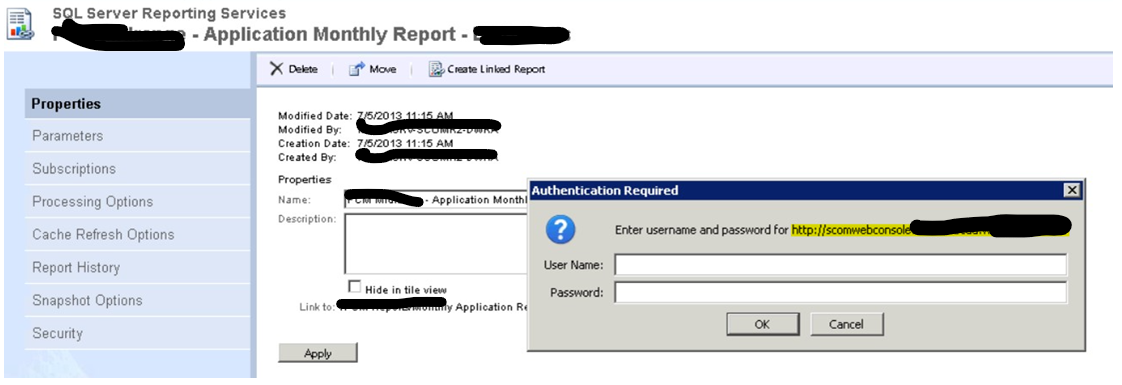
The issue is when we are accessing the report manager URL through a web browser using HTTPS ( using port 443) and try to edit any report by navigating through 'Manage -> click Subscriptions button', we can see it resolves to URL with HTTP rather than HTTPS as shown in below screenshot(highlighted in yellow).
225150-image.png

Please let us know how to resolve this issue.

Please note that port 80 is blocked in our environment, so we can't access report manager url over HTTP and hence we are not able to edit/modify any report now.

System Center Operations Manager
A family of System Center products that provide infrastructure monitoring, help ensure the predictable performance and availability of vital applications, and offer comprehensive monitoring for datacenters and cloud, both private and public.
{count} votes

1 answer

Sort by: Most helpful
  1. Kanak Paul 36 Reputation points
    2022-07-27T09:07:41.133+00:00

    After lot of troubleshooting and breaking my head for a week, I did not find any solution for this issue and hence raised a case with Microsoft.
    So the finding is, the above issue seems to be with SSRS 2014 by design and this is confirmed by Microsoft engineer after testing this on their lab.
    In SSRS 2016, this issue is not there !!

    Workaround/Resolution for the SSRS 2014-

    1. Backup rsreportserver.config file for SSRS 2014 server ( path for rsreportserver.config: C:\Program Files\Microsoft SQL Server\MSRS12.MSSQLSERVER\Reporting Services\ReportServer
    2. Search UrlRoot and ReportServerUrl in this file and specify Web Service https URL there like below:

    225156-image.png

    1. Save the file. Close the file.
    2. Restart SSRS service to take it effect.
    3. It works!!
    2 people found this answer helpful.
    0 comments No comments

Your answer

Answers can be marked as 'Accepted' by the question author and 'Recommended' by moderators, which helps users know the answer solved the author's problem.