Microsoft Security | Intune | Configuration Manager | Deployment
Deploying software and updates using Configuration Manager

This browser is no longer supported.
Upgrade to Microsoft Edge to take advantage of the latest features, security updates, and technical support.
' cx='32' cy='32' r='32' /%3E%3Ctext x='50%25' y='55%25' dominant-baseline='middle' text-anchor='middle' fill='%23FFF' %3EF%3C/text%3E%3C/svg%3E)
Hi All,
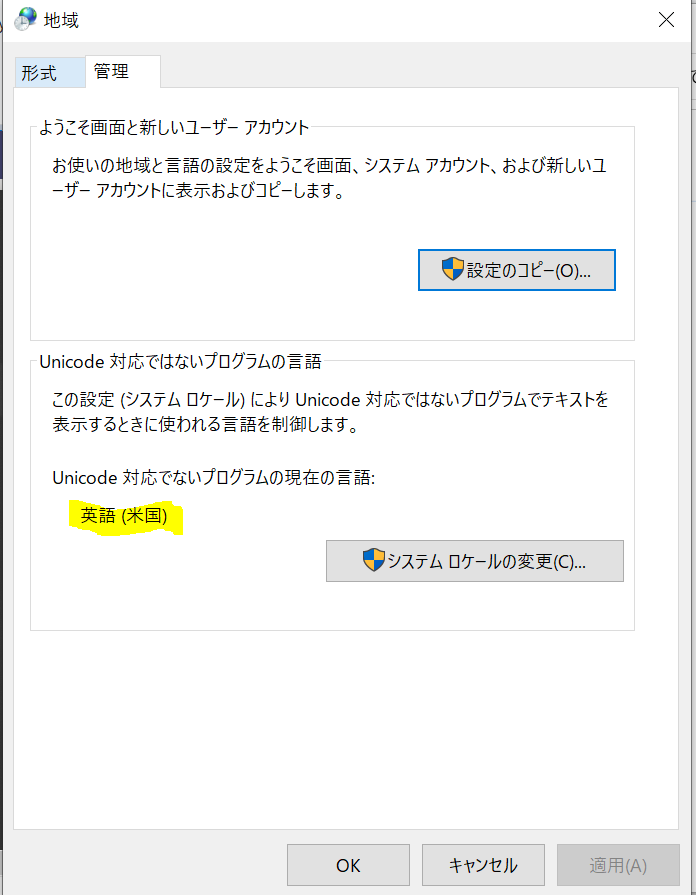
I have tried to change the Non-Unicode Programs language to Japanese via Unattend.xml file from SCCM Imaging Task Sequence. But not changed Non-Unicode Programs still in English. I have attached the Screen shot for current settings.
My XML Code :
<SetupUILanguage>
<UILanguage>ja-JP</UILanguage>
</SetupUILanguage>
<InputLocale>0411:00000411</InputLocale>
<SystemLocale>ja-JP</SystemLocale>
<UILanguage>ja-JP</UILanguage>
<UserLocale>ja-JP</UserLocale>
Any thing miss in this Code. Please help on this to fix.