Microsoft 365 and Office | Development | Other
Building custom solutions that extend, automate, and integrate Microsoft 365 apps.

This browser is no longer supported.
Upgrade to Microsoft Edge to take advantage of the latest features, security updates, and technical support.
' cx='32' cy='32' r='32' /%3E%3Ctext x='50%25' y='55%25' dominant-baseline='middle' text-anchor='middle' fill='%23FFF' %3EHO%3C/text%3E%3C/svg%3E)
Hello,
I am trying to create a dynamic range by adding value of variable within range but it doesn't work.
Dim LastRow as Long
LastRow = Sheet2.Range("F1"). Current.Rows.Count + 1
........
Range("F&"+LastRow+"").Select
........
Do I add variable correctly to the range?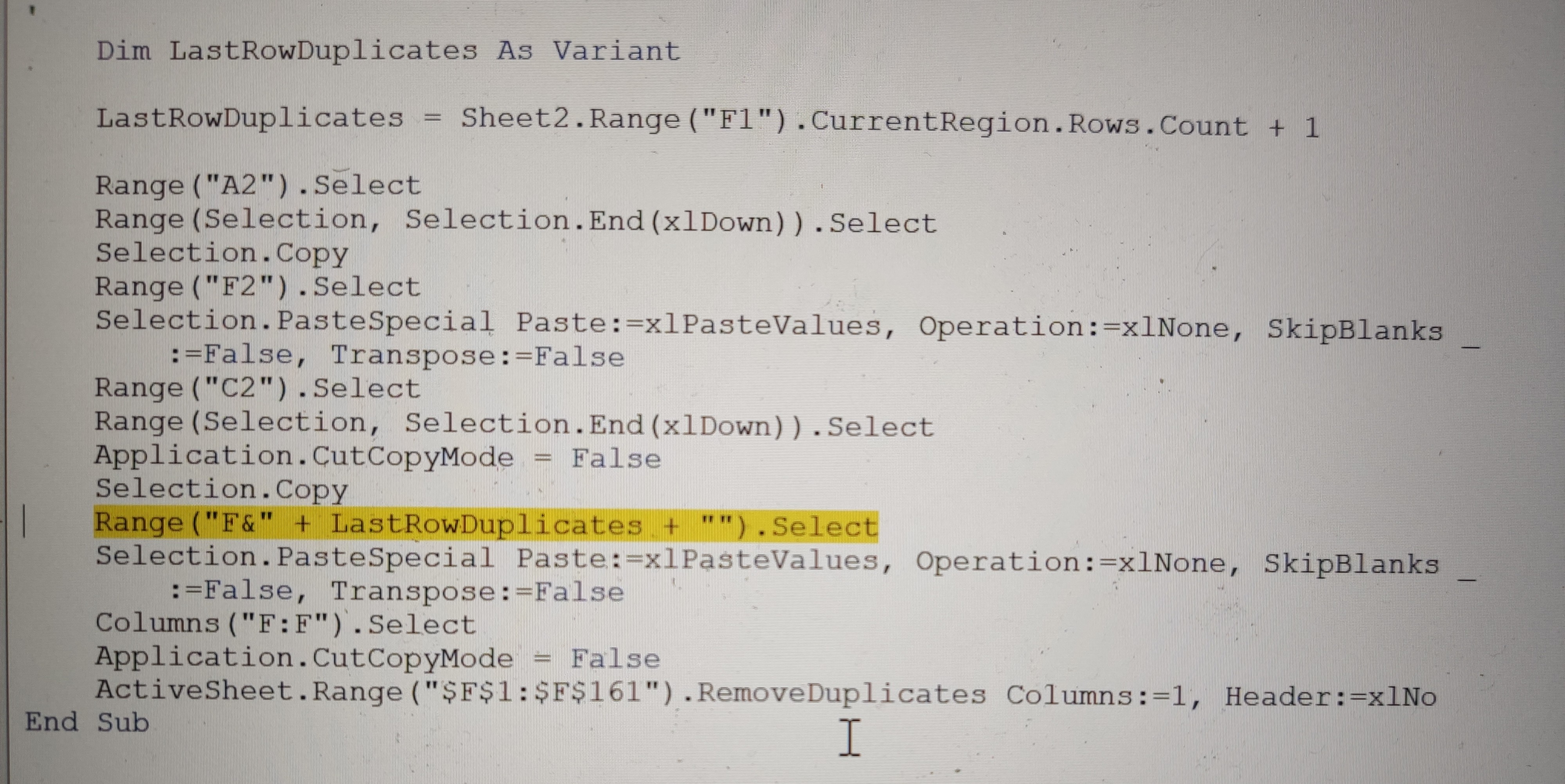

I'd really appreciate if someone reviews the screenshots and helps me to understand what I am doing wrong. I need to add the same variable value to the "Data!R1C1:R1000C2" range instead of static"1000"
Many thanks in advance.
Regards.

Try this: Range("F" & LastRowDuplicates).Select.
And this: "Data!R1C1:R" & someVariable & "C2".
Thank you so much! Simple thing - but for inexperienced causes lots of pain. Please accept my virtual hug and hope you can get your problems resolved as smooth as you resolved mine. Cheers!