Microsoft Edge | Microsoft Edge development
Developing and testing features or extensions for Microsoft Edge

This browser is no longer supported.
Upgrade to Microsoft Edge to take advantage of the latest features, security updates, and technical support.
' cx='32' cy='32' r='32' /%3E%3Ctext x='50%25' y='55%25' dominant-baseline='middle' text-anchor='middle' fill='%23FFF' %3EJD%3C/text%3E%3C/svg%3E)
for some reason I;m getting this error.. even if I completely remove the app, and everything under \application support\Microsoft Edge
I still get the error
I cant seem to get it to recover... I did see an Okta extension message at first, but now I don't see anything.
is there a way to remove an extension from the command line

' cx='32' cy='32' r='32' /%3E%3Ctext x='50%25' y='55%25' dominant-baseline='middle' text-anchor='middle' fill='%23FFF' %3ECV%3C/text%3E%3C/svg%3E)
Same issue here. Was fine until today (9/18). Won't load any page.
' cx='32' cy='32' r='32' /%3E%3Ctext x='50%25' y='55%25' dominant-baseline='middle' text-anchor='middle' fill='%23FFF' %3EA%3C/text%3E%3C/svg%3E)
Have you tried to uninstall and reinstall Edge? Can same version of Edge browser work in other machines?
What is the Mac OS version you're using? I find that a lot of people have the same issue with you. It happens in macOS 10.15.6 and after installing the latest version of Safari. You can also try to restart your Mac to see if it works because some people says it can be solved by restart.
Edit:
I test on a MacBook Pro with macOS Catalina Version 10.15.6 and the issue happens after installing the latest update for Safari. I can fix the issue by restarting the machine. Test with Edge Stable 85.0.564.51.
If the response is helpful, please click "Accept Answer" and upvote it.
Note: Please follow the steps in our documentation to enable e-mail notifications if you want to receive the related email notification for this thread.
' cx='32' cy='32' r='32' /%3E%3Ctext x='50%25' y='55%25' dominant-baseline='middle' text-anchor='middle' fill='%23FFF' %3EIY%3C/text%3E%3C/svg%3E)
did you notice the error was on Mac?
' cx='32' cy='32' r='32' /%3E%3Ctext x='50%25' y='55%25' dominant-baseline='middle' text-anchor='middle' fill='%23FFF' %3EBM%3C/text%3E%3C/svg%3E)
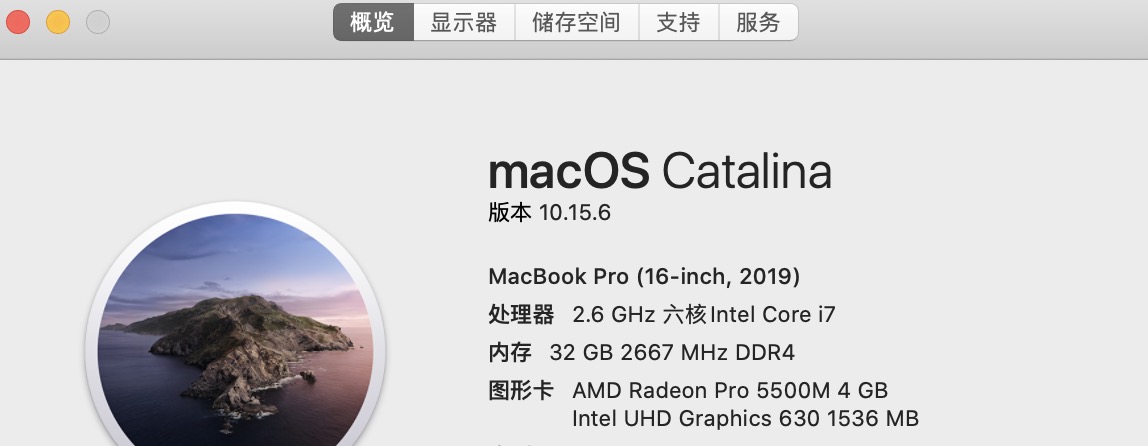
I have the same problem as you.
And the issue have resolved just after I reboot my macbook pro。
What the f**k of the edge(the version of macos)?
A restart of the machine will fix the issue. You can have a try.
' cx='32' cy='32' r='32' /%3E%3Ctext x='50%25' y='55%25' dominant-baseline='middle' text-anchor='middle' fill='%23FFF' %3EEK%3C/text%3E%3C/svg%3E)
has same error ((( try remove folder in lib/cache && lib/app support.
Help only - reboot mac. Chrome work without reboot.