
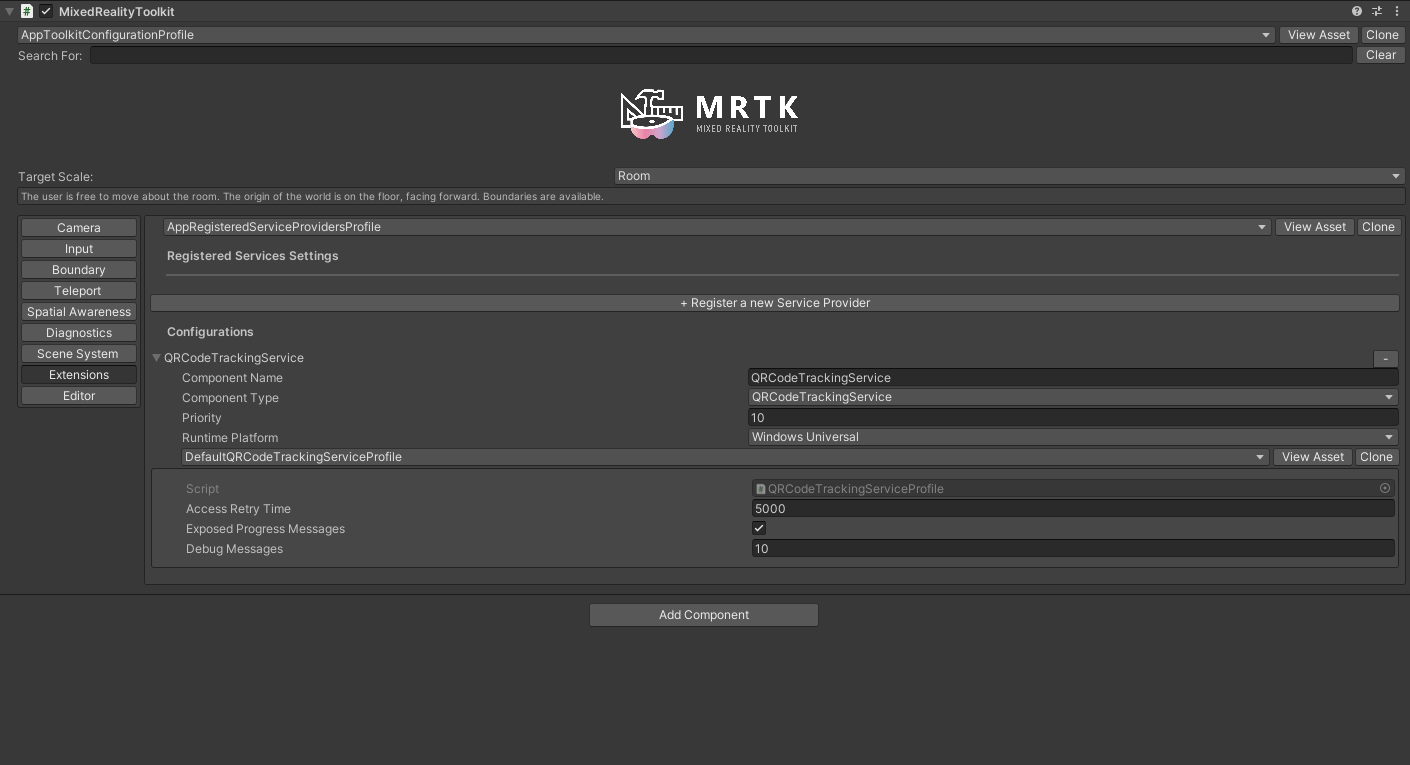
This is the error I'm facing in Unity. I don't understand why the QRCodeTrackingService should fail. I have everything installed and formatted correctly.
Here is my sample scene:
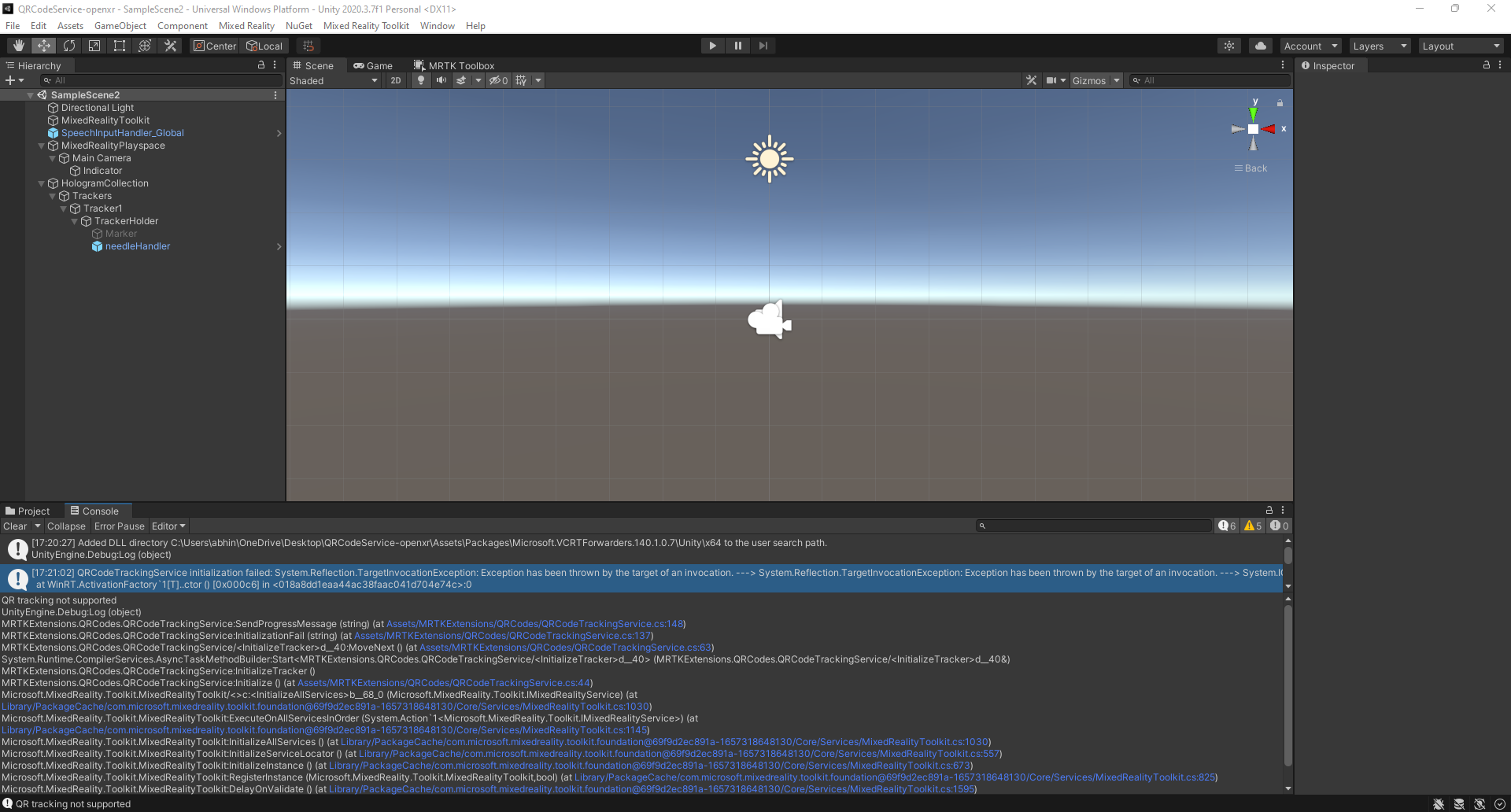
This error presents itself in the console of Unity. I'm not in play mode, it shows up in the console as soon as I open the project. I'm using the HoloLens 2, Unity 2020.3.7f1, and MRTK 2.6.1.
Code where error occurs:
using System;
using System.Collections.Generic;
using System.Linq;
using System.Text;
using System.Threading.Tasks;
using Microsoft.MixedReality.QR;
using Microsoft.MixedReality.Toolkit.Utilities;
using Microsoft.MixedReality.Toolkit;
using MRKTExtensions.Utilities;
using UnityEngine;

namespace MRTKExtensions.QRCodes
{
    [MixedRealityExtensionService(SupportedPlatforms.WindowsUniversal)]
    public class QRCodeTrackingService : BaseExtensionService, IQRCodeTrackingService
    {
        private QRCodeTrackingServiceProfile profile;
        public QRCodeTrackingService(string name, uint priority, BaseMixedRealityProfile profile) : base(name, priority, profile)
        {
            this.profile = (QRCodeTrackingServiceProfile) profile;
        }

        public event EventHandler Initialized;
        public event EventHandler<QRInfo> QRCodeFound;
        public event EventHandler<string> ProgressMessageSent;

        public bool InitializationFailed { get; private set; }
        public string ErrorMessage { get; private set; }
        public bool IsSupported { get; private set; }
        public bool IsTracking { get; private set; }
        public bool IsInitialized { get; private set; }
        public string ProgressMessages { get; private set; }

        private QRCodeWatcher qrTracker;
        private QRCodeWatcherAccessStatus accessStatus;

        private int initializationAttempt = 0;

        private readonly List<string> messageList = new List<string>();


        public override void Initialize()
        {
            _ = InitializeTracker();
        }

        private async Task InitializeTracker()
        {
            try
            {
                IsSupported = QRCodeWatcher.IsSupported();
                if (IsSupported)
                {
                    SendProgressMessage($"Initializing QR tracker attempt {++initializationAttempt}");

                    var capabilityTask = QRCodeWatcher.RequestAccessAsync();
                    await capabilityTask.AwaitWithTimeout(profile.AccessRetryTime,
                        ProcessTrackerCapabilityReturned,
                     () => _ = InitializeTracker());
                }
                else
                {
                    InitializationFail("QR tracking not supported");
                }
            }
            catch (Exception ex)
            {
                InitializationFail($"QRCodeTrackingService initialization failed: {ex}");
            }
        }

        private void ProcessTrackerCapabilityReturned(QRCodeWatcherAccessStatus ast)
        {
            if (ast != QRCodeWatcherAccessStatus.Allowed)
            {
                InitializationFail($"QR tracker could not be initialized: {ast}");
            }
            accessStatus = ast;
        }

        public override void Update()
        {
            if (qrTracker == null && accessStatus == QRCodeWatcherAccessStatus.Allowed)
            {
                SetupTracking();
            }
        }

        private void SetupTracking()
        {
            qrTracker = new QRCodeWatcher();
            qrTracker.Updated += QRCodeWatcher_Updated;
            IsInitialized = true;
            Initialized?.Invoke(this, new EventArgs());
            SendProgressMessage("QR tracker initialized");
        }

        private void QRCodeWatcher_Updated(object sender, QRCodeUpdatedEventArgs e)
        {
            SendProgressMessage($"Found QR code {e.Code.Data}");
            QRCodeFound?.Invoke(this, new QRInfo(e.Code));
        }

        public override void Enable()
        {
            base.Enable();
            if (!IsInitialized)
            {
                return;
            }

            try
            {
                qrTracker.Start();
                IsTracking = true;
                SendProgressMessage("Enabled tracking");
            }
            catch (Exception ex)
            {
                InitializationFail($"QRCodeTrackingService starting QRCodeWatcher Exception: {ex}");
            }
        }

        public override void Disable()
        {
            base.Disable();
            if (IsTracking)
            {
                IsTracking = false;
                qrTracker?.Stop();
                SendProgressMessage("Disabled tracking");
            }
        }

        private void InitializationFail(string message)
        {
            SendProgressMessage(message);
            ErrorMessage = message;
            InitializationFailed = true;
        }

        private void SendProgressMessage(string msg)
        {
            if (!profile.ExposedProgressMessages)
            {
                return;
            }
            Debug.Log(msg);
            messageList.Add(msg);
            if (messageList.Count > profile.DebugMessages)
            {
                messageList.RemoveAt(0);
            }

            ProgressMessages = string.Join(Environment.NewLine, messageList.AsEnumerable().Reverse());

            ProgressMessageSent?.Invoke(this, ProgressMessages);
        }
    }
}
' cx='32' cy='32' r='32' /%3E%3Ctext x='50%25' y='55%25' dominant-baseline='middle' text-anchor='middle' fill='%23FFF' %3EAG%3C/text%3E%3C/svg%3E)
' cx='32' cy='32' r='32' /%3E%3Ctext x='50%25' y='55%25' dominant-baseline='middle' text-anchor='middle' fill='%23FFF' %3ERC%3C/text%3E%3C/svg%3E)
' cx='32' cy='32' r='32' /%3E%3Ctext x='50%25' y='55%25' dominant-baseline='middle' text-anchor='middle' fill='%23FFF' %3ESD%3C/text%3E%3C/svg%3E)

' cx='32' cy='32' r='32' /%3E%3Ctext x='50%25' y='55%25' dominant-baseline='middle' text-anchor='middle' fill='%23FFF' %3EDD%3C/text%3E%3C/svg%3E)