VS 2015 Isolated Shell application when built in VS2022 results in build errors

hemalatha Nallusamy 1 Reputation point
2022-07-19T06:21:16.04+00:00

VS 2015 Isolated Shell application when build in VS2022 results in build errors.

Error Detail:
2>C:\Program Files (x86)\MSBuild\Microsoft\VisualStudio\v14.0\VSSDK\Microsoft.VsSDK.Common.targets(126,5): error VSSDK1000: Failed to load 'C:\Program Files (x86)\Microsoft Visual Studio 14.0\VSSDK\VisualStudioIntegration\Tools\bin\VSCT.exe' Assembly. Could not load file or assembly 'file:///C:\Program Files (x86)\Microsoft Visual Studio 14.0\VSSDK\VisualStudioIntegration\Tools\bin\VSCT.exe' or one of its dependencies. An attempt was made to load a program with an incorrect format.

Steps to reproduce:

  1. Create an Isolated Shell application project in VS2015.
  2. Build the project. it builds fine.
  3. Change the reference of shell dlls to use specific version and build the project.
  4. Open same project in VS2022 and build it. We get the above error.

Need support to fix this error.

Thanks in advance..

Developer technologies | Visual Studio | Other
A family of Microsoft suites of integrated development tools for building applications for Windows, the web, mobile devices and many other platforms. Miscellaneous topics that do not fit into specific categories.
0 comments No comments
{count} votes

7 answers

Sort by: Most helpful
  1. Tianyu Sun-MSFT 34,691 Reputation points Microsoft External Staff
    2022-07-19T12:54:21.667+00:00

    Hi @hemalatha Nallusamy ,

    Welcome to Microsoft Q&A forum.

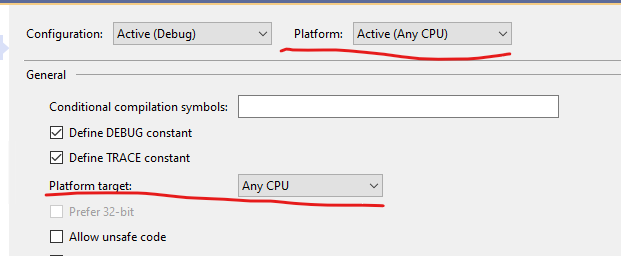
    Does your project target x86 platform(32-bit)? From error message, it seems your project contains VSCTCompile target, did you set it to target x64 platform(64-bit) in VS 2022 to build? If so please change to build it but target x86 platform(32-bit) in VS 2022 and see if it works?

    Best Regards,
    Tianyu

    • If the answer is the right solution, please click "Accept Answer" and kindly upvote it. If you have extra questions about this answer, please click "Comment".
      Note: Please follow the steps in our documentation to enable e-mail notifications if you want to receive the related email notification for this thread.
    0 comments No comments

  2. hemalatha Nallusamy 1 Reputation point
    2022-07-20T05:59:30.29+00:00

    Hi @Tianyu Sun-MSFT ,

    Thanks for the response.
    Yes, we have the target of the project to x86 for the project. And still we get this error.
    To my knowledge I didn't explicitly set VSCTCompileTarget. Can you be specific of which option in Project properties should I change to set the target to x86 as I couldn't spot VSCT in project properties..

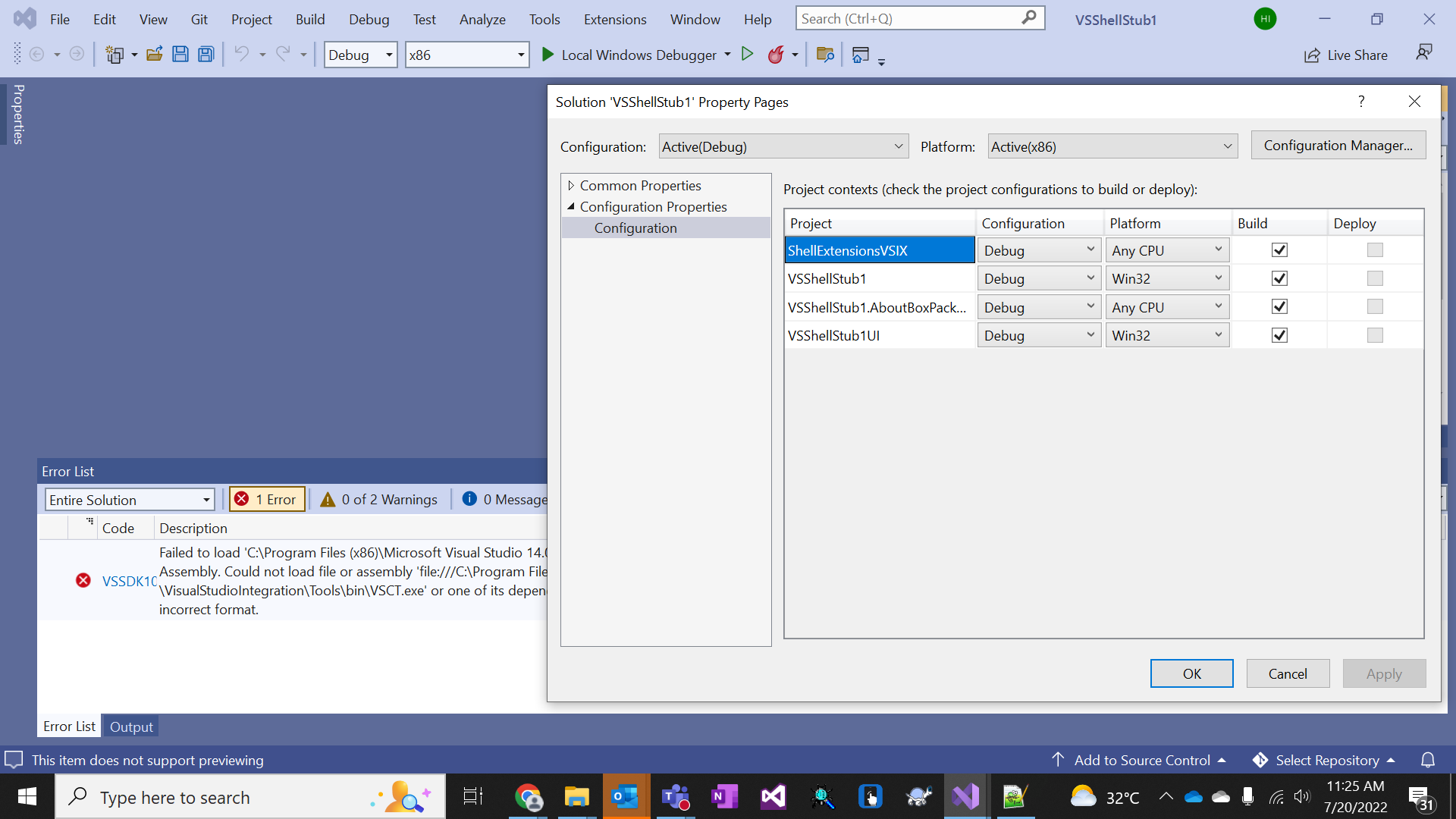
    Please see the screenshot below222540-vs2022-snapshot.png


  3. hemalatha Nallusamy 1 Reputation point
    2022-07-21T07:40:53.747+00:00

    Hi @Tianyu Sun-MSFT ,

    Yes, I deleted the folders you mentioned. Also the project properties looks to be correct and still the problem exists.
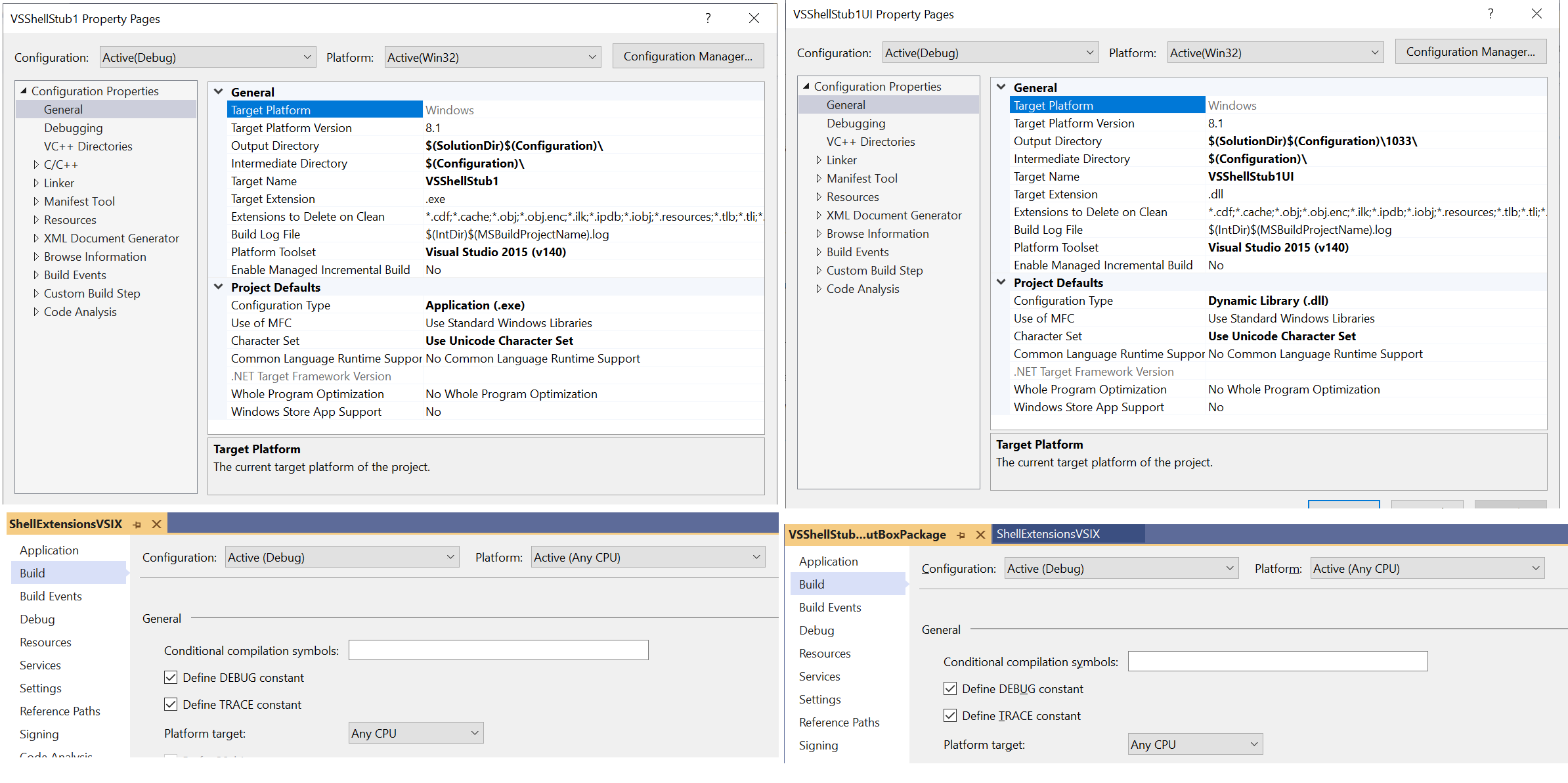
    When we create an isolated Shell application, we get 4 projects that are created by default.
    I have attached the screenshot of all 4 projects - 222990-vs2022-isolatedshell.png

    The application that I am trying is just the sample application I could send it you if you need. I couldn't attach it here..


  4. hemalatha Nallusamy 1 Reputation point
    2022-07-25T05:27:35.533+00:00

    Hi @Tianyu Sun-MSFT ,

    Yes, Since this is a VS2015 Isolated Shell Application. You need to have the VS2015 SDK. I would recommend you to install the VS2015 Isolated Shell in your machine to make this application compile successfully.

    Again, among the 4 projects that we have. it is the VSShellStub1UI project that is giving us the error that I have provided in the problem statement. And the remaining 3 projects are compiling successfully.

    ShellExtensionsVSIX and VSShellStub1.AboutBoxPackage are managed projects and they are building successfully. The error that we get is not related to these 2 projects but is with VSShellStub1UI project which is already x86 project.


  5. hemalatha Nallusamy 1 Reputation point
    2022-07-29T07:24:42.547+00:00

    Hi @Tianyu Sun-MSFT ,

    Thanks a lot for confirming the problem.

    Do you suggest any solution to make it compile in VS2022?? If modifying the project makes it compile in VS2022 that would be great. But I do not know what to change. Can you collect some info on this and let us know??

    If you look into the error details, it is trying to invoke VSCT.exe from VS2015 installation. Rather I think if it could invoke from VS2022 installation, it might work as the installation of VS2022 also has the VSCT.exe

    0 comments No comments

Your answer

Answers can be marked as 'Accepted' by the question author and 'Recommended' by moderators, which helps users know the answer solved the author's problem.