' cx='32' cy='32' r='32' /%3E%3Ctext x='50%25' y='55%25' dominant-baseline='middle' text-anchor='middle' fill='%23FFF' %3EKS%3C/text%3E%3C/svg%3E)


Hi KailashSuthar-0269,
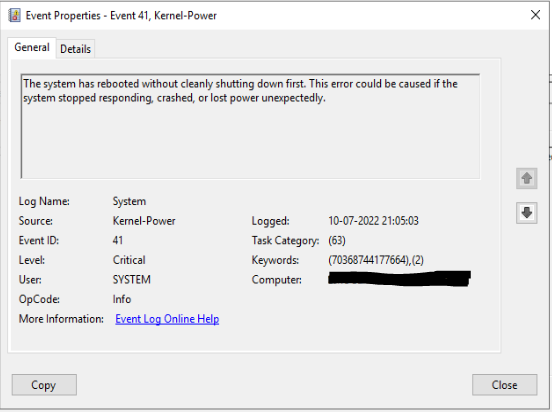
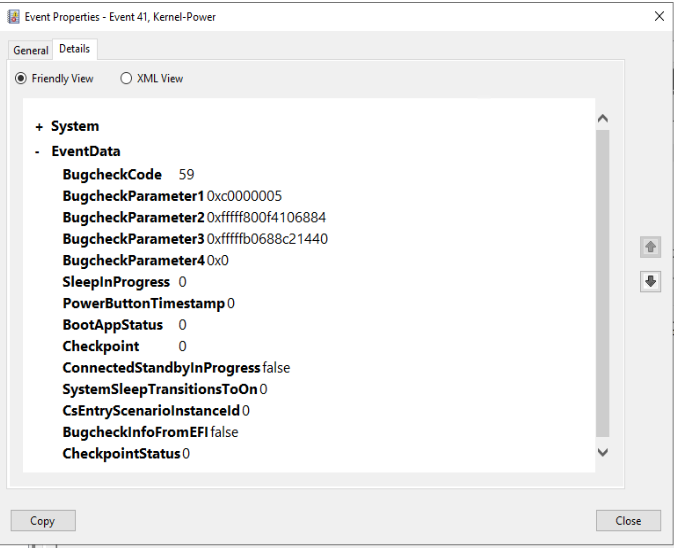
This could be a memory issue in the server. Are you able to swap out the memory modules and retest?
I also suggest that you, check your storage for errors.
To do that,
Double click on This PC icon.
Right-click the hard disk drive that may be damaged.
Click Properties, and then click the Tools tab.
Click on the Check option.
Now click on the Scan Drive option.
The following article is related to Error 41:
https://learn.microsoft.com/en-GB/windows/client-management/troubleshoot-event-id-41-restart
I hope this answers your question.
---------------------------------------------------------------------------------------------------------------------------------------
--If the reply is helpful, please Upvote and Accept as answer--