Azure AI Document Intelligence
An Azure service that turns documents into usable data. Previously known as Azure Form Recognizer.
This browser is no longer supported.
Upgrade to Microsoft Edge to take advantage of the latest features, security updates, and technical support.
' cx='32' cy='32' r='32' /%3E%3Ctext x='50%25' y='55%25' dominant-baseline='middle' text-anchor='middle' fill='%23FFF' %3EC%3C/text%3E%3C/svg%3E)
Has anyone try the new preview Rest API? The cURL example described in the document.
I am getting "curl: (6) Could not resolve host: POST". Anyone else run into the same issue? Thanks
curl -v -i POST "https://westus.api.cognitive.microsoft.com/formrecognizer/documentModels/prebuilt-invoice:analyze?api-version=2022-06-30-preview" -H "Content-Type:application/json" -H "Ocp-Apim-Subscription-Key:xxxxxxxxxx" --data-ascii "{'urlSource': 'https://github.com/Azure-Samples/cognitive-services-REST-api-samples/raw/master/curl/form-recognizer/rest-api/invoice.pdf'}"
' cx='32' cy='32' r='32' /%3E%3Ctext x='50%25' y='55%25' dominant-baseline='middle' text-anchor='middle' fill='%23FFF' %3ELZ%3C/text%3E%3C/svg%3E)
Hi @counterpoint2022 , can you please check your PowerShell version? You need to install PowerShell version 7.*+ to run this POST request. More detailed instructions are here: https://learn.microsoft.com/en-us/azure/applied-ai-services/form-recognizer/quickstarts/try-v3-rest-api#prerequisites.

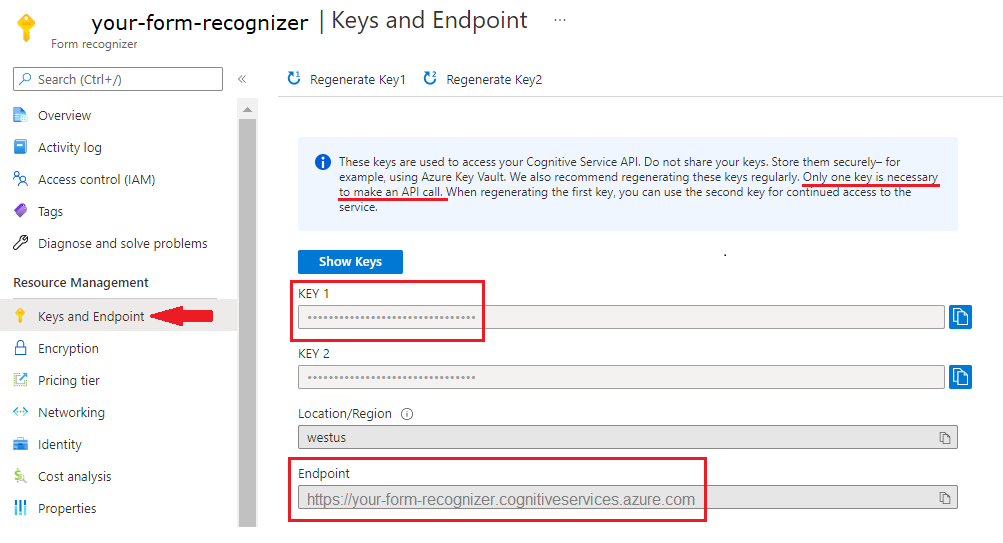
@counterpoint2022 I would also recommend using the endpoint from your Keys & endpoint blade of your resource from Azure portal. I see in your current request you are using the common endpoint of a region.
Hi, I am using MacOS and POST is supported with curl on MacOS. Thanks
Hi, I am using the Key and Endpoint from my resource page. I am using the free tier for a POC, and that is the endpoint assigned when the resource was created. Thanks
Have you created a multi service cognitive services resource?
If Yes, then the multi service resource does not support form recognizer.
If you have created a form recognizer resource then you could try replacing your endpoint to the name of your resource. Ex:
https://<name_of_resource>.cognitiveservices.azure.com/formrecognizer/documentModels/prebuilt-invoice:analyze?api-version=2022-06-30-preview
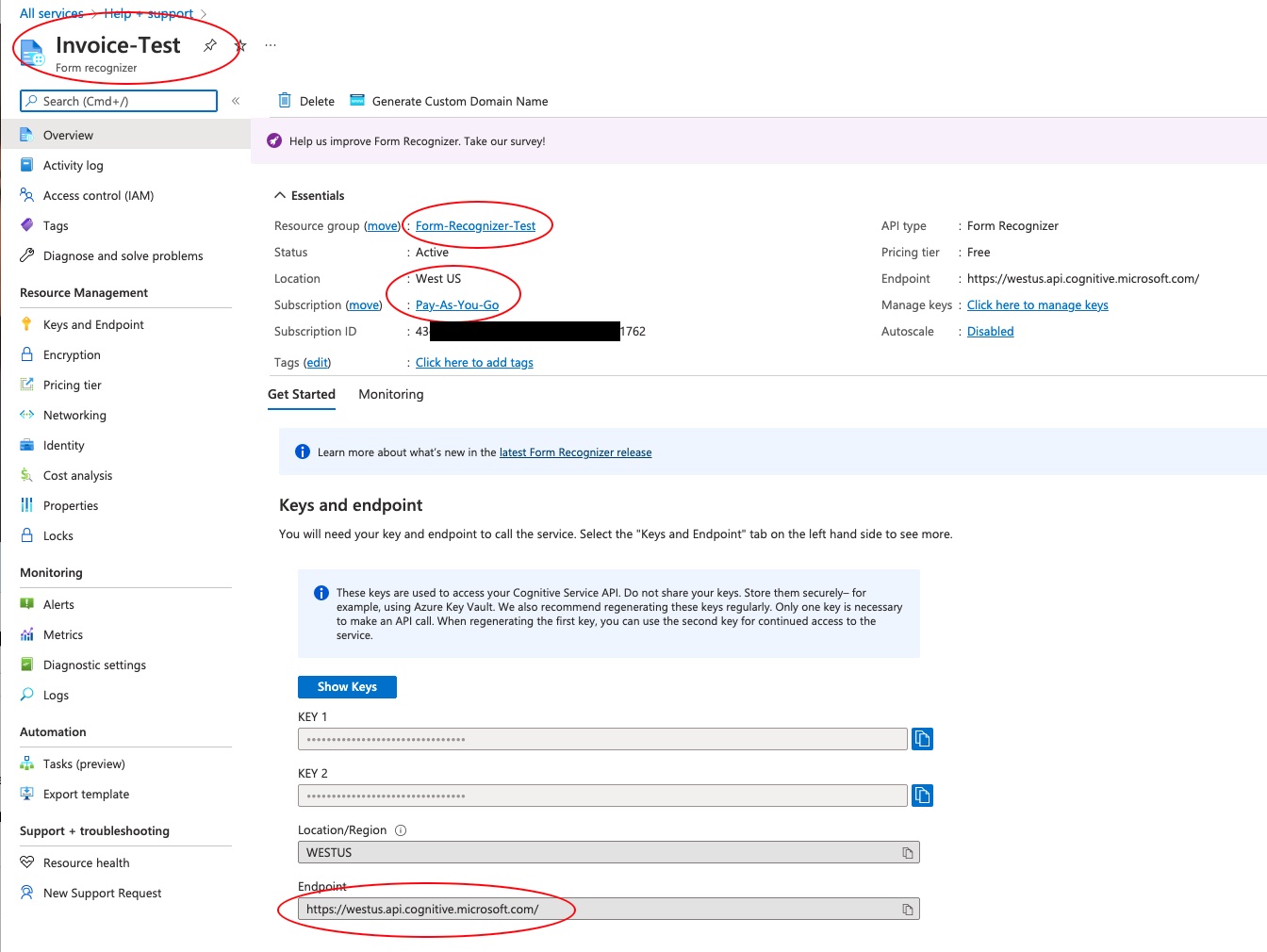
I am not too sure what is a multi service cognitive services resource. Basically, I created a resource group "Form-Recognizer-Test" and inside that group I created a single resource called "invoice-test" of type "Form Recognizer). Is this correct?
Yes, that is correct. Since your resource name is "invoice-test" could you try using the endpoint as below:
https://invoice-test.cognitiveservices.azure.com/formrecognizer/documentModels/prebuilt-invoice:analyze?api-version=2022-06-30-preview
Ok. I tried your endpoint and I got a 401 Error:
{
"error": {
"code": "401",
"message": "Access denied due to invalid subscription key or wrong API endpoint. Make sure to provide a valid key for an active subscription and use a correct regional API endpoint for your resource."
}
}
I think your host or your endpoint is now correct. But the key used seems incorrect. Is the same key copied from the portal? Reference of one of my previous requests to analyze is below:
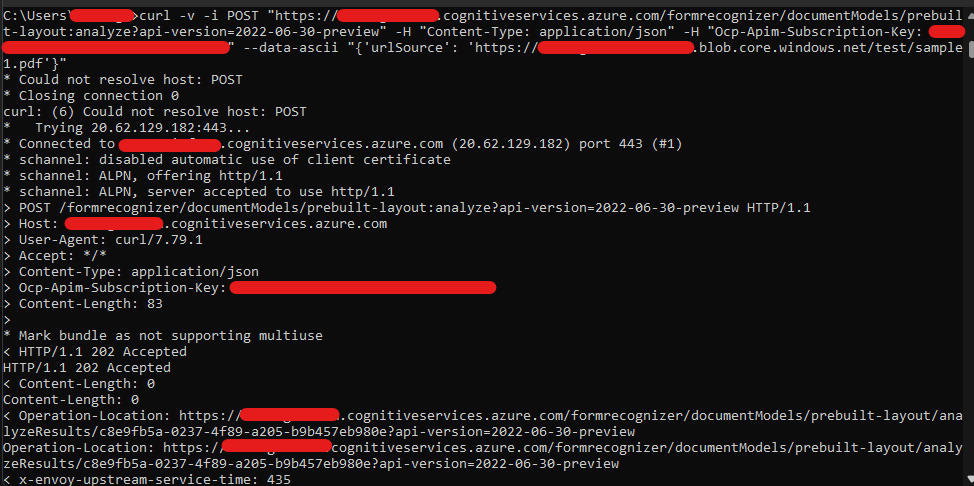
Hi, I am pretty sure I have used the correct key and endpoint. If you see the attached image, it clearly says the endpoint is https://westus.api.cognitive.microsoft.com/. Do you think this has something with the free tier? I will try my luck with Postman to see if that works. Thanks
Free tier should not be an issue since my resources are also on free tier. Is it possible to try from a different machine other than mac, possibly windows as mentioned by LuZhangAI-1027. As a final suggestion I would also request to check if under your subscription-> Resource Providers if Microsoft.CognitiveServices is registered? I have seen some scenarios with bing APIs where if the resource provider is unregistered a similar error is seen.

Yes. I checked and Microsoft.CognitiveServices is registered. I don't have access to a windows machine. In your example above, you also have the message "Could not resolve host: POST". Is that an expected message ?
I created a new resource group and resource instance from scratch and was able to get postman to work. This time the endpoint seems to be correct. But I am still getting the 401 error for both curl and postman. Do you see any issues with the request ?
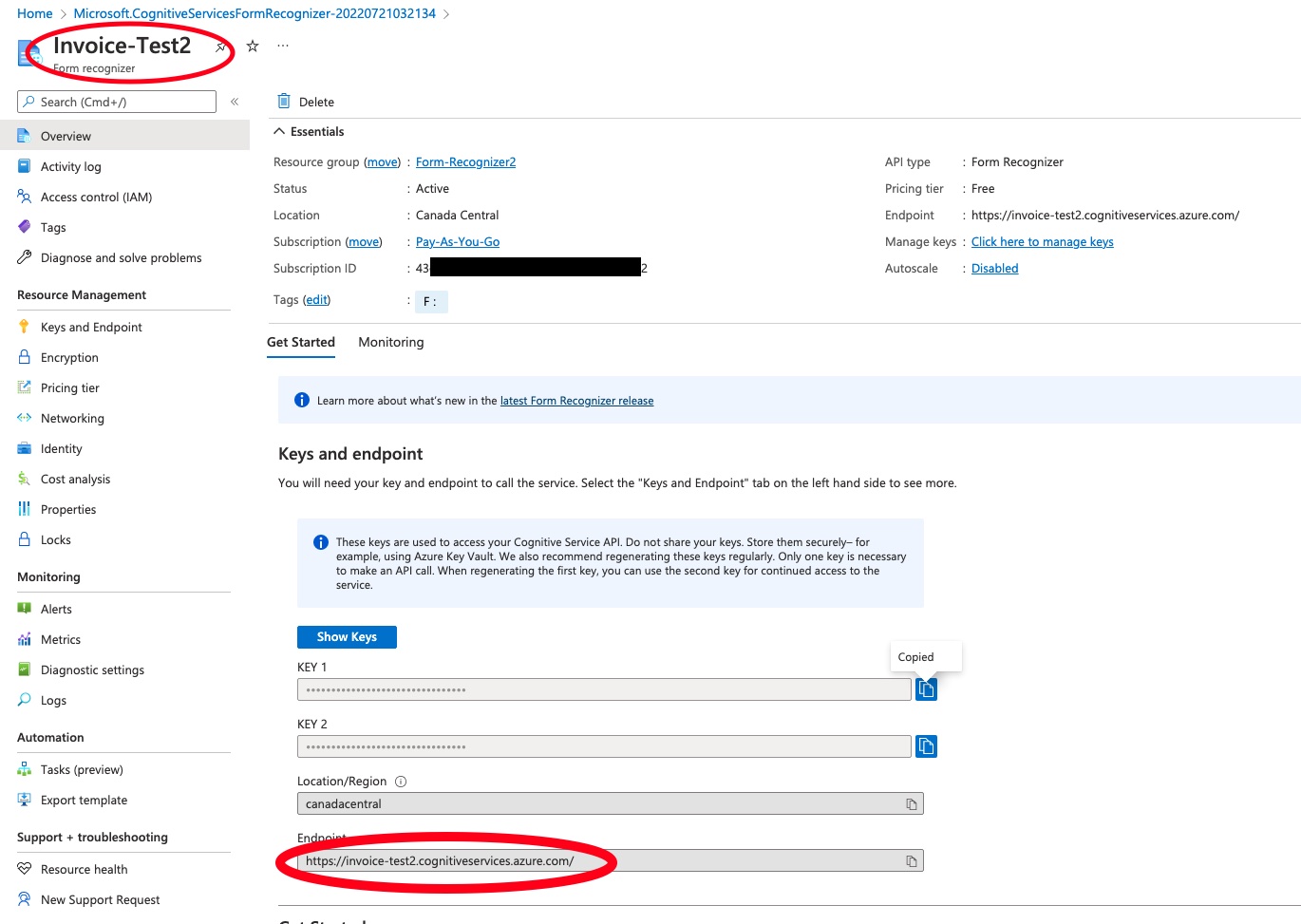
The first message should not be an issue. I see you have the operation location in your response. Please try to use the operation location with a GET request with the same headers and you should be able to get the JSON response of the analyze operation.
Hi, As I stated, I am getting a 401 Error. The following is JSON response from the operation location. But I am sure I have used the given API endpoint and key.
{
"error": {
"code": "401",
"message": "Access denied due to invalid subscription key or wrong API endpoint. Make sure to provide a valid key for an active subscription and use a correct regional API endpoint for your resource."
}
}
Have you tried previous version (e.g., 2022-01-30-preview) and see similar issue?
' cx='32' cy='32' r='32' /%3E%3Ctext x='50%25' y='55%25' dominant-baseline='middle' text-anchor='middle' fill='%23FFF' %3EA%3C/text%3E%3C/svg%3E)
Hi @counterpoint2022 , it looks like you forgot to specify the request method with -X POST. Since POST is provided without an argument switch, curl assumes POST is a host name and the request fails with a DNS error since POST is not a valid Form Recognizer endpoint.
Since curl supports multiple URLs in a single command the next argument (the valid Form Recognizer endpoint) should succeed (as it does for me on macOS with curl 7.79.1).
That said, the -X argument is optional when you provide a request body (e.g. with --data-ascii). Curl will automatically default the request method to POST when the body is provided.
On a side note, your JSON body is technically using invalid JSON syntax, although Form Recognizer will currently accept it. A well-formed JSON string should use double quotes, not single quotes, for object properties.
The well-formed curl request should look like this:
curl -i 'https://westus.api.cognitive.microsoft.com/formrecognizer/documentModels/prebuilt-invoice:analyze?api-version=2022-06-30-preview' \
    -H 'content-type: application/json' \
    -H "ocp-apim-subscription-key: $MY_FR_KEY" \
    --data '{"urlSource": "https://github.com/Azure-Samples/cognitive-services-REST-api-samples/raw/master/curl/form-recognizer/rest-api/invoice.pdf"}'