Azure Databricks
An Apache Spark-based analytics platform optimized for Azure.
This browser is no longer supported.
Upgrade to Microsoft Edge to take advantage of the latest features, security updates, and technical support.
' cx='32' cy='32' r='32' /%3E%3Ctext x='50%25' y='55%25' dominant-baseline='middle' text-anchor='middle' fill='%23FFF' %3EGR%3C/text%3E%3C/svg%3E)
All,
For SQLServer, the SQLServer service cannot run without a Credential. One can provide a Domain Service Account or one can make use of the "Local System Account".
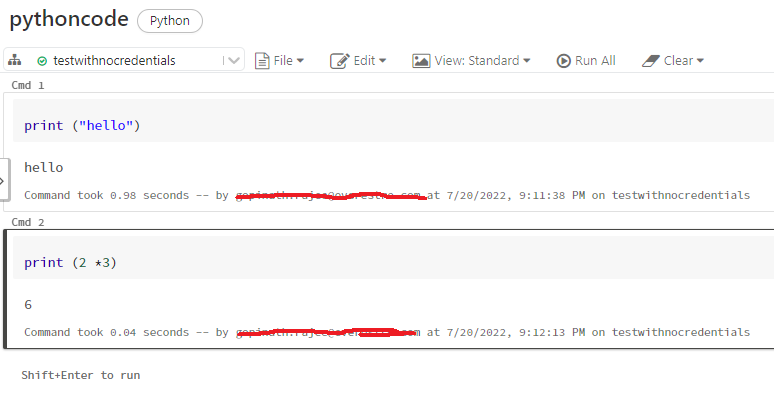
However, looks like a Databricks cluster can run without any credentials as in the screenshot .
Does it mean that only when it needs access to Storage Account the credentials needs to be specified via "AD Credentials Passthrough" or Service Principal?
Thanks,
grajee
' cx='32' cy='32' r='32' /%3E%3Ctext x='50%25' y='55%25' dominant-baseline='middle' text-anchor='middle' fill='%23FFF' %3EVS%3C/text%3E%3C/svg%3E)
Hello @Gopinath Rajee ,
The data bricks cluster primary purpose is for computation in large volume of data. When you connect to the workspace, you are authenticating yourself against the workspace.
The commands you run are just a basic python command to print a text, these commands are not connecting to any storage / database to authenticate. Hence, the cluster process it and writes it in the console.
When you write code that fetches / writes data from any data storage, then the authentication has to be done from Databricks. For instance, when you read the data stored in storage account, then you can either authenticate via storage account keys or using AAD authentication. Similarly, when you connect to SQL server it can either be a sql authentication or AAD authentication (Azure based sql solutions only)
Accept this post as an answer if it helps
Yes. But in SQLServer, SQL Service needs to be running with some credential and you should also connect with some credential even if you were running "Select 2 * 3"