Microsoft Security | Microsoft Entra | Microsoft Entra ID
A cloud-based identity and access management service for securing user authentication and resource access

This browser is no longer supported.
Upgrade to Microsoft Edge to take advantage of the latest features, security updates, and technical support.
' cx='32' cy='32' r='32' /%3E%3Ctext x='50%25' y='55%25' dominant-baseline='middle' text-anchor='middle' fill='%23FFF' %3ERS%3C/text%3E%3C/svg%3E)
Hi Team,
I was doing password reset in azure ad(https://graph.microsoft.com/beta/users/85\*\*\*\*\*\*\*\*\*\*\*\*\*\*\*97/authentication/passwordMethods/28c\*\*\*\*\*\*\*\*\*\*\*\*\*\*\*\*\*\*\*1490/resetPassword) . For that we need to do user authentication for token generation (https://login.microsoftonline.com/822a\*\*\*\*\*\*\*\*\*\*\*\*\*\*\*\*\*\*\*\*d60/oauth2/v2.0/token ). Can you please guide me on how to do that.

Depending on your context, I recommend you to use the auth code flow to authenticate the user and get the access token.
First grant your application the UserAuthenticationMethod.ReadWrite.All delegated permission and grant admin consent.
Then run the authentication URL in your browser and log in with your administrator (the admin needs one of the following Azure AD roles: Global administrator, Privileged authentication administrator or Authentication administrator) in the login page that pops up. After that you will get the authorization code in the browser address bar.
https://login.microsoftonline.com/{tenant id}/oauth2/v2.0/authorize?
client_id={client id}
&response_type=code
&redirect_uri={redirect_uri}
&response_mode=query
&scope=UserAuthenticationMethod.ReadWrite.All
&state=12345
Next redeem an access token with your authorization code in postman.
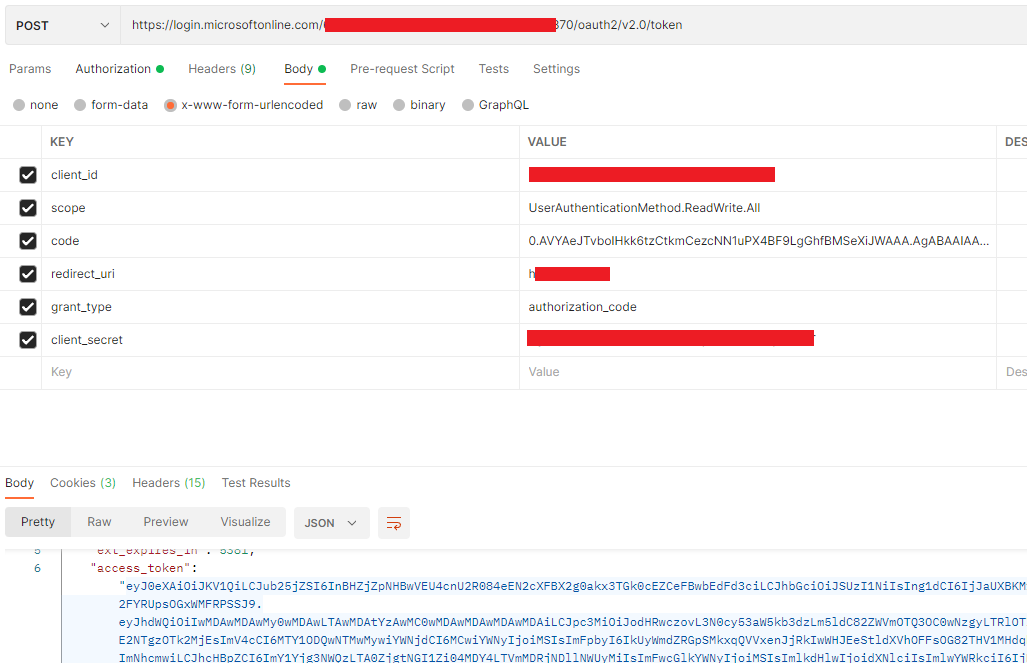
Finally use the access token to call the graph api to reset the user password.
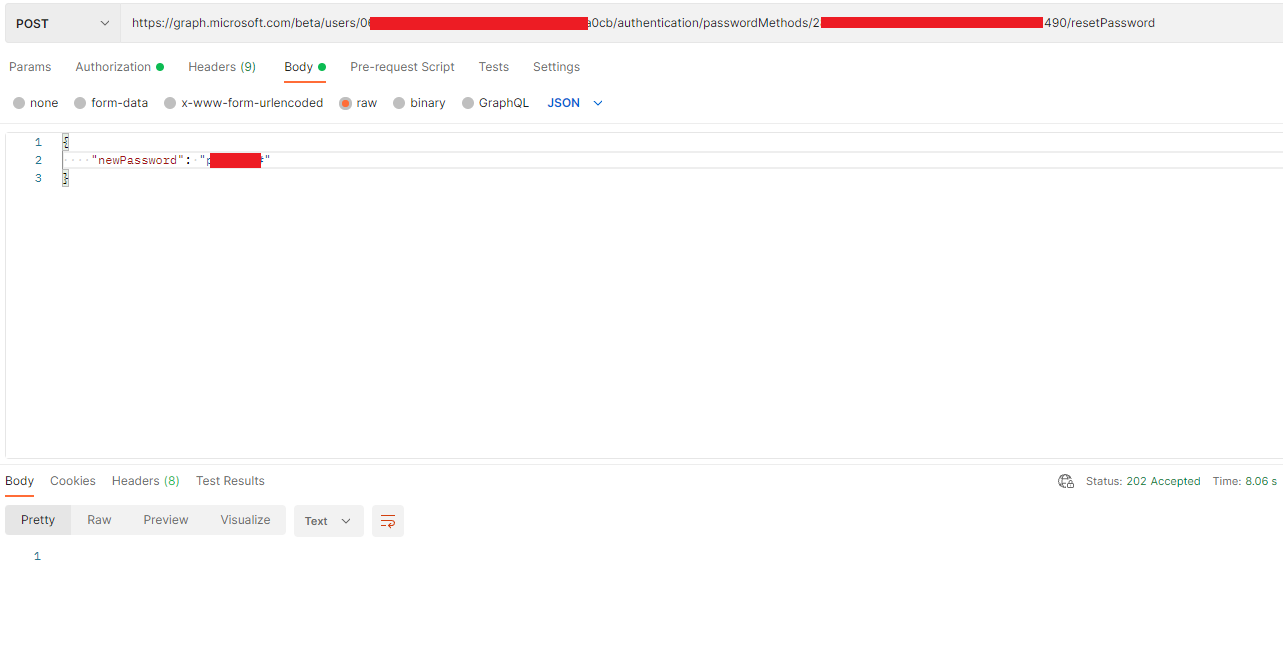
If the answer is helpful, please click "Accept Answer" and kindly upvote it. If you have extra questions about this answer, please click "Comment".
Note: Please follow the steps in our documentation to enable e-mail notifications if you want to receive the related email notification for this thread.
Hi @Risa Shereen
Would you please provide us with an update on the status of your issue?