Microsoft Sql Studio planned SQL dump not working for restored DB

Federico Coppola 1,181 Reputation points
2022-07-21T19:08:05.72+00:00

Hi all,
Some days ago I restored SQL dump in a AlwaysOn MSSQL deployment.
The original SQL dump was originated manually by the same AlwaysOn MSSQL environment.

I created new DB and I restored dump with success.

Company MSSQL has got maintenance planned task to backup all company DB.
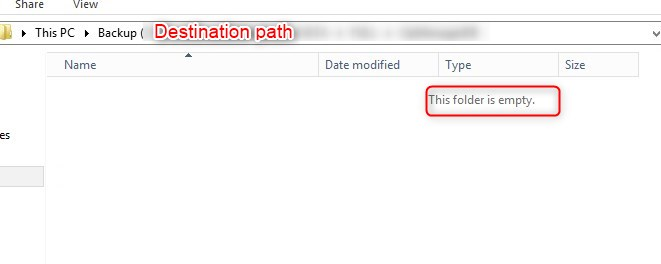
This task is working for all DB, but it does not work for this restored DB. Destination folder is empty!

223311-image.png

MSSQL maintenance were created using Microsoft SQL Studio

What can I do?
Do you some suggestion for me?

Thanks a lot

SQL Server | Other
{count} votes

4 answers

Sort by: Most helpful
  1. Bjoern Peters 8,921 Reputation points
    2022-07-21T22:50:43.95+00:00

    Let me guess, as you didn’t wrote about any details of your backup job…

    The job you (or one of your team) built in SSMS is a „Maintenance Plan“ and you chose „“Database backup“ as a task, selected „all user databases“… and now you are wondering why it does NOT backup ALL databases?!?

    Let me help you with this…
    Maintenance Plans are „some kind of“ an SSIS package and everything in there is „hardcoded“ and not dynamic… so it won’t recognize a new database earliest if you open the plan and the corresponding task in order to review your settings… you don’t have to change anything, just open the task, close it and save your plan (until the next Database show up)

    The better option is, to use the Ola Hallengren Maintenance Script which can handle a lot of different dynamic situations and gives you more options to tune your backups!

    https://ola.hallengren.com

    Give it a try it is absolutely worth it!
    0 comments No comments

  2. Federico Coppola 1,181 Reputation points
    2022-07-22T07:07:14.073+00:00

    Hello,

    Sorry, I did not explain well my scenario:
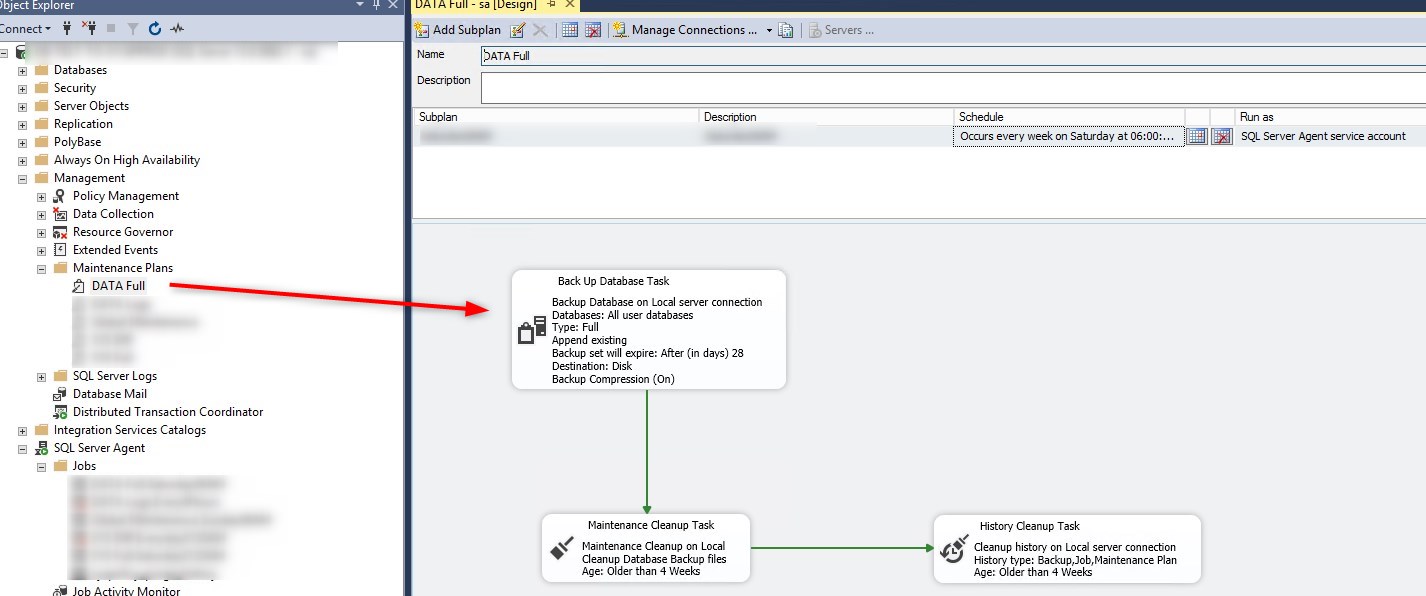
    SQL Server Management Studio > Maintenance Plan > Full Backup (SQL Full Dump for all DB)

    223578-sql-dump-task.jpg

    > and now you are wondering why it does NOT backup ALL databases?!?

    Yes...

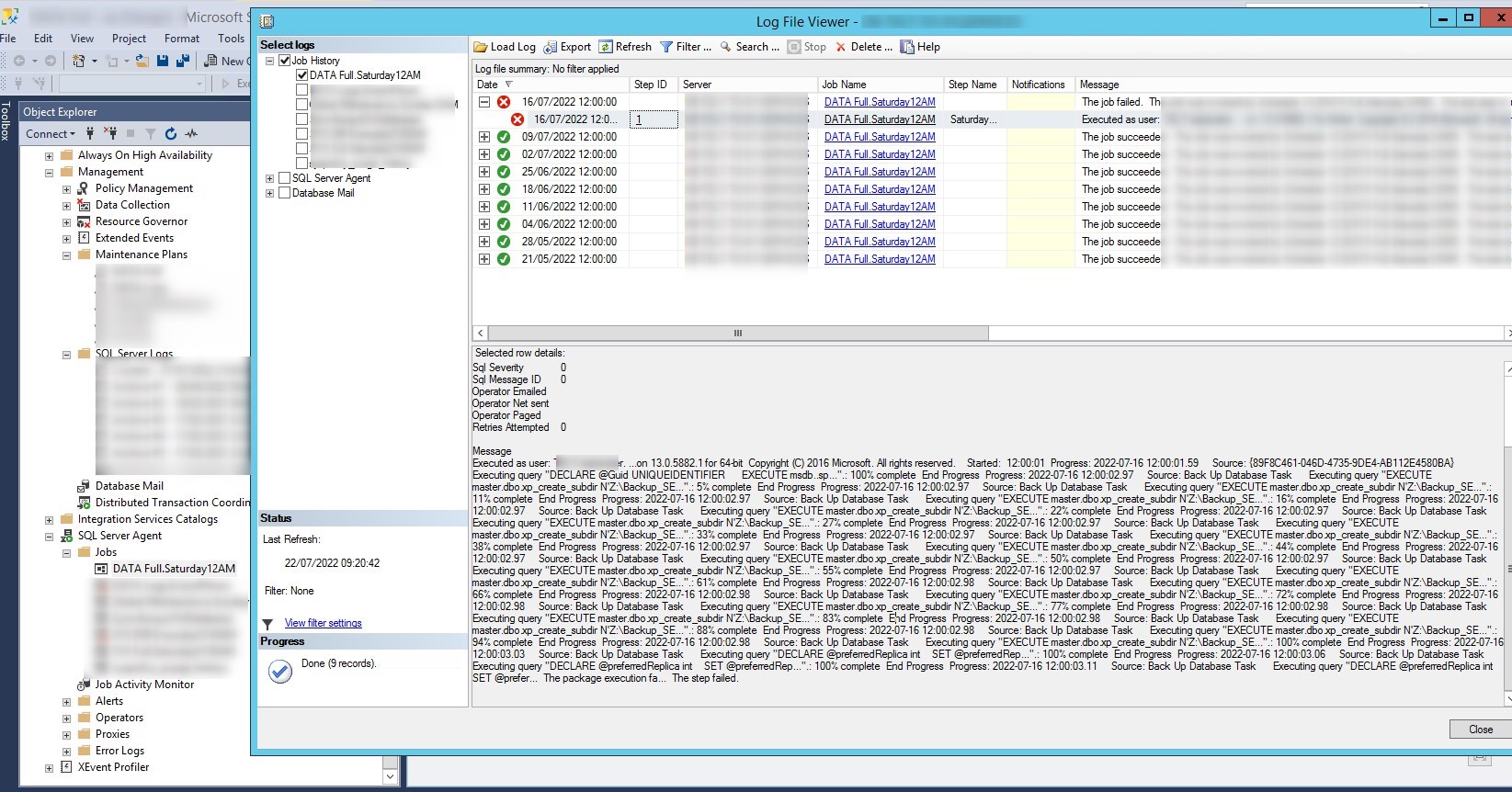
    In "SQL Server Managemement Studio > Maintenance Plan > SQL Server Agent > Jobs", I checked logs.
    I noted that Dump maintenance task for this SQL instance did not completed properly.
    223579-sql-dump-task-lowfileviewer.jpg

    Unfortunatelly, error logs is not clear. I reported there the (incompleted) message:
    Progress: 2022-07-16 12:00:03.11 Source: Back Up Database Task Executing query "DECLARE @preferredReplica int SET @prefer... The package execution fa... The step failed.

    Does exist a way to see completed message?

    I follow your suggestions!
    Thanks

    0 comments No comments

  3. Seeya Xi-MSFT 16,671 Reputation points
    2022-08-01T09:42:41.81+00:00

    Hi @Federico Coppola ,

    Hope everything goes well.
    You can use the stored procedure xp_readerrorlog.
    https://sqlskull.com/2020/11/02/how-to-read-sql-server-error-logs-using-the-xp_readerrorlog/
    Please feel free to send any progress.

    Best regards,
    Seeya


    If the answer is the right solution, please click "Accept Answer" and kindly upvote it. If you have extra questions about this answer, please click "Comment".
    Note: Please follow the steps in our documentation to enable e-mail notifications if you want to receive the related email notification for this thread.

    0 comments No comments

  4. Federico Coppola 1,181 Reputation points
    2022-08-02T07:37:43.817+00:00

    Hi all,
    i solved the trouble.
    DB was out-of-sync in AG SQL Server.
    I fixed sync, later DB dump started to work properly

    Thanks a lot for your help!
    Federico


Your answer

Answers can be marked as 'Accepted' by the question author and 'Recommended' by moderators, which helps users know the answer solved the author's problem.