Exchange Online
A cloud-based service included in Microsoft 365, delivering scalable messaging and collaboration features with simplified management and automatic updates.
This browser is no longer supported.
Upgrade to Microsoft Edge to take advantage of the latest features, security updates, and technical support.
' cx='32' cy='32' r='32' /%3E%3Ctext x='50%25' y='55%25' dominant-baseline='middle' text-anchor='middle' fill='%23FFF' %3ECL%3C/text%3E%3C/svg%3E)
Hi All,
I doing the email migration from Exchange 2010 to M365, one of the user show the sync fail as some file Item can't sync. I tried restart but still not work, so I delete the batch and start over. I created the new batch and run it, it success but It run over 10 hours already.....
I use Get-MigrationUser -BatchId "Batch name" | Get-MigrationUserStatistics check and show nothing to sync.

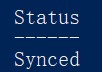
And I use Get-moverequest check it , it show synced. Anyone know how to complete the task?
A cloud-based service included in Microsoft 365, delivering scalable messaging and collaboration features with simplified management and automatic updates.
' cx='32' cy='32' r='32' /%3E%3Ctext x='50%25' y='55%25' dominant-baseline='middle' text-anchor='middle' fill='%23FFF' %3ESR%3C/text%3E%3C/svg%3E)
@KyleXu-MSFT What should be done if you selected something other than the "Automatically complete the migration batch" and the migration got stuck? How do I get the migration to complete?

I want to confirm with you that how do you create this migration request? I would suggest you create migration request from Exchange online admin center (mark sure the "automatically complete the migration batch" is checked, otherwise migration request will stuck on synced)

Another thing that you need pay attention to: if your mailbox size is larger and beyond the storage limits, you need to wait Exchange online auto-expanding complete, then you could migration mailbox later.
If the answer is helpful, please click "Accept Answer" and kindly upvote it. If you have extra questions about this answer, please click "Comment".
Note: Please follow the steps in our documentation to enable e-mail notifications if you want to receive the related email notification for this thread.
Yes, I selected Auto complete it and checked now the status is show complete but in exchange center still say syncing
Check whether this mailbox show in Exchange online admin center now. If this mailbox has show in Exchange admin center now, you could ignore this one.
' cx='32' cy='32' r='32' /%3E%3Ctext x='50%25' y='55%25' dominant-baseline='middle' text-anchor='middle' fill='%23FFF' %3EAS%3C/text%3E%3C/svg%3E)
When a batch mailbox is showing “Syncing”, the process is still in progress. If you’re performing IMAP migration and it has stuck for a long time, there might be syncing limits and bandwidth limits in Google: https://learn.microsoft.com/en-us/exchange/mailbox-migration/migrating-imap-mailboxes/migrate-g-suite-mailboxes#step-5-create-a-migration-batch-and-start-migrating-gmail-mailboxes
Also check this article for help - Migrating Mailboxes from MS Exchange 2010 to Office 365