Exchange | Exchange Server | Management
The administration and maintenance of Microsoft Exchange Server to ensure secure, reliable, and efficient email and collaboration services across an organization.
This browser is no longer supported.
Upgrade to Microsoft Edge to take advantage of the latest features, security updates, and technical support.
' cx='32' cy='32' r='32' /%3E%3Ctext x='50%25' y='55%25' dominant-baseline='middle' text-anchor='middle' fill='%23FFF' %3EKC%3C/text%3E%3C/svg%3E)
the export pst size is much bigger then the size of mailbox in exchange i see,
is it the different of the recoverable items?
how can i export pst without the recoverable items?
The administration and maintenance of Microsoft Exchange Server to ensure secure, reliable, and efficient email and collaboration services across an organization.

First of all, the PST file size must be larger than the mailbox. Even if you export an empty mailbox, you can see that the PST file size is not 0, because the file structure takes up some space.
About the recoverable items, you could use "-ExcludeDumpster" to bypass them when create export request:
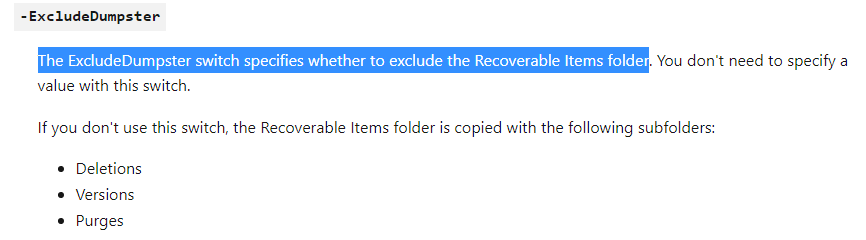
For more detailed information about it, you could have a look about this article: New-MailboxExportRequest
If the answer is helpful, please click "Accept Answer" and kindly upvote it. If you have extra questions about this answer, please click "Comment".
Note: Please follow the steps in our documentation to enable e-mail notifications if you want to receive the related email notification for this thread.
i have export the pst with exclude dumpster
but i get status fail when i type get-MailboxExportRequest
is it ok if i use that pst?
What is the detailed error information it?
the report is about :
7/28/2022 4:50:39 PM [EX002] Copying messages is complete. Copying rules
and security descriptors.
7/28/2022 4:50:44 PM [EX002] Verifying mailbox contents...
7/28/2022 4:51:22 PM [EX002] Mailbox contents verification complete: 520
folders, 219628 items, 55.4 GB (59,481,712,079 bytes).
7/28/2022 4:51:22 PM [EX002] Stage: CopyingMessages. Percent complete: 100.
7/28/2022 4:51:22 PM [EX002] Copy progress: 219085/219085 messages, 55.36
GB (59,445,272,343 bytes)/55.36 GB (59,445,272,343 bytes), 0/0 folders
completed.
7/28/2022 4:51:26 PM [EX002] Fatal error
TooManyMissingItemsPermanentException has occurred.
may be i need to empty the delete folder of the outlook.
' cx='32' cy='32' r='32' /%3E%3Ctext x='50%25' y='55%25' dominant-baseline='middle' text-anchor='middle' fill='%23FFF' %3EW%3C/text%3E%3C/svg%3E)
So, first, it is required to grant the permission before starting the export process. In the below section, you will find a method to grant the permission first through the Exchange Admin Center. But, this method is only available till 2010 versions.
Regards,
William

Hi @kala cheng ,
If you use the Exchange Management Shell for exporting, you can select folders to export.
New-MailboxExportRequest -Name "Kathleen Reiter Export" -Mailbox kreiter -FilePath "\SERVER01\PSTFiles\Kathleen Reiter.pst" -IsArchive -IncludeFolders "#Inbox#" -Priority High
You can also reduce the size of mailbox by using the mailbox cleanup tool.