Microsoft Security | Microsoft Entra | Microsoft Entra ID
A cloud-based identity and access management service for securing user authentication and resource access

This browser is no longer supported.
Upgrade to Microsoft Edge to take advantage of the latest features, security updates, and technical support.

I configured a new staging area and have done full import. During a full synchronization I have two "Sync-rule-error-function-triggered" errors. The groups both have over 290k members so I am pretty sure it is due the size. Nothing in Azure ad currently depends on those groups and I don't plan on using them in Azure ad. Should I just ignore the errors or do I need to address them somehow?

The errors won't harm anything - you can move the groups out of scope (i.e.: to another OU that isn't synced) if they truly bother you, otherwise you can ignore them.
Thanks thats what I thought. I will just ignore them.

The limit for members in a group is 50,000.
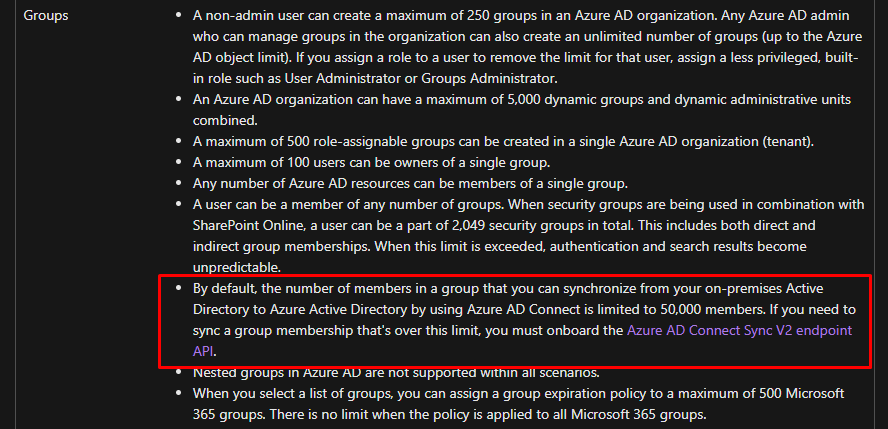
You can use Azure AD Connect sync V2 endpoint API to sync groups up to 250,000 members. I recommend breaking down those groups into smaller numbers to handle the synchronization.
https://learn.microsoft.com/en-us/azure/active-directory/hybrid/how-to-connect-sync-endpoint-api-v2

----------------------
If this is helpful please mark as correct answer.