Windows 10 2004 Modify the default theme

Bieber Fu 236 Reputation points
2020-09-14T11:10:58.71+00:00

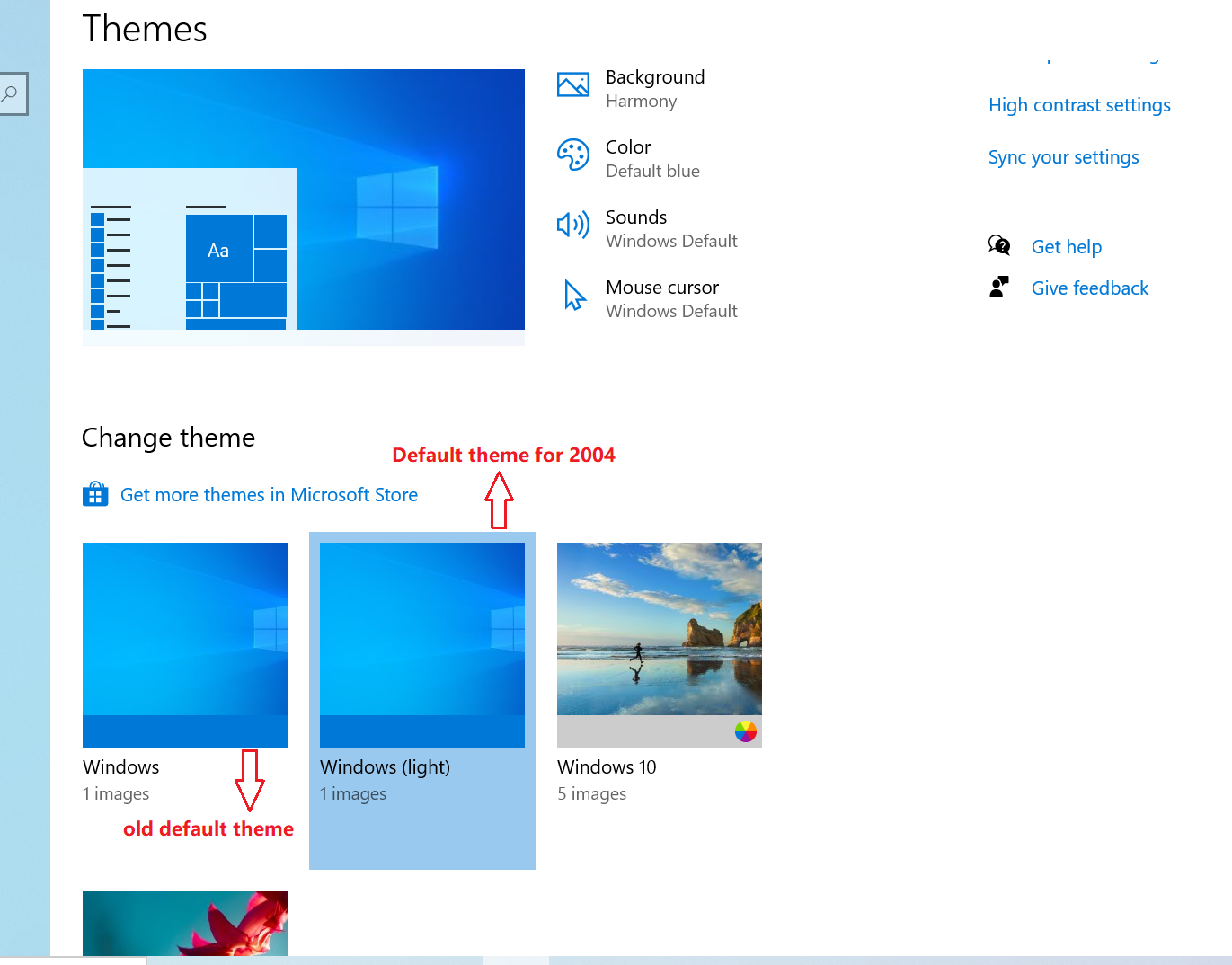
Make the image, how to set the system default theme to dark theme (old default theme)
Default theme for 2004: Light-colored theme
How do you set it so that the dark theme is the default and works for all users?

24350-1.png

Windows for business | Windows Client for IT Pros | User experience | Other
0 comments No comments
{count} votes

Answer accepted by question author
  1. Joy Qiao 5,807 Reputation points Moderator
    2020-09-17T09:27:43.327+00:00

    Hi,

    I suspect it would not work as audit mode is not used for preparing account profile configuration, as Microsoft official article states, it is used for Install applications, add device drivers, and run scripts.

    We could configure ThemeName, DefaultThemesOff in Unattend.xml which would be useful to configure default.
    Please refer to: How to create an unattended installation of Windows 10 for more information about unattended file.

    Also, if your devices have been deployed, we could add a change default theme script to GPO when clients boot up.
    Please refer to: Using Startup, Shutdown, Logon, and Logoff Scripts in Group Policy

    Please note: Information posted in the given link is hosted by a third party. Microsoft does not guarantee the accuracy and effectiveness of information.

    Bests,

    1 person found this answer helpful.

1 additional answer

Sort by: Most helpful
  1. Joy Qiao 5,807 Reputation points Moderator
    2020-09-15T01:57:11.517+00:00

    Hi,

    Open the Run dialog (Win+R), enter the command below, and click/tap on OK to open Personalization in the Control Panel.

    explorer shell:::{ED834ED6-4B5A-4bfe-8F11-A626DCB6A921}

    Click/tap on a theme you want to use from My Themes, Windows Default Themes (see screenshot below).

    24772-capture.png

    It works on my Windows 10 1909, please try to check on your side.

    ============================================

    If the Answer is helpful, please click "Accept Answer" and upvote it.
    Note: Please follow the steps in our documentation to enable e-mail notifications if you want to receive the related email notification for this thread.


Your answer

Answers can be marked as 'Accepted' by the question author and 'Recommended' by moderators, which helps users know the answer solved the author's problem.