
I can't see anythink usefull in your screenshot, because you scratch the mots parts away.
Do you access a UNC path / share or a drive by letter or ... ?
What's the exact command you are using?
This browser is no longer supported.
Upgrade to Microsoft Edge to take advantage of the latest features, security updates, and technical support.
' cx='32' cy='32' r='32' /%3E%3Ctext x='50%25' y='55%25' dominant-baseline='middle' text-anchor='middle' fill='%23FFF' %3ESK%3C/text%3E%3C/svg%3E)
Dear Community,
My XCOPY Script was running fine. I don't know why it's not running anymore and its giving me following error. Please guide me as why I could be facing this error. It's really annoying.
I have checked that the Fullpath is added and it's enclosed in commas etc. Also I have checked the Rights, there is no rights issue either. but still when I am running it gives Error.
Here is the screenshot:
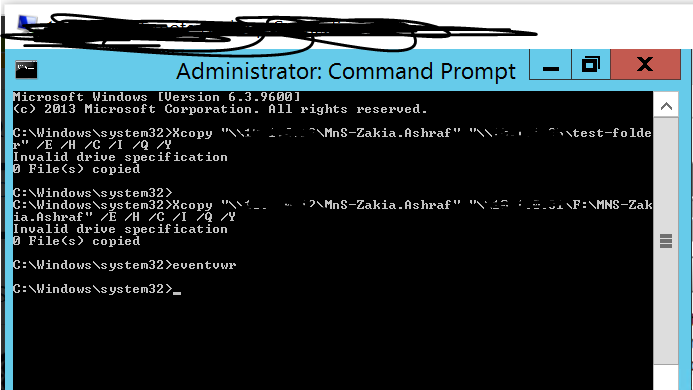

I can't see anythink usefull in your screenshot, because you scratch the mots parts away.
Do you access a UNC path / share or a drive by letter or ... ?
What's the exact command you are using?
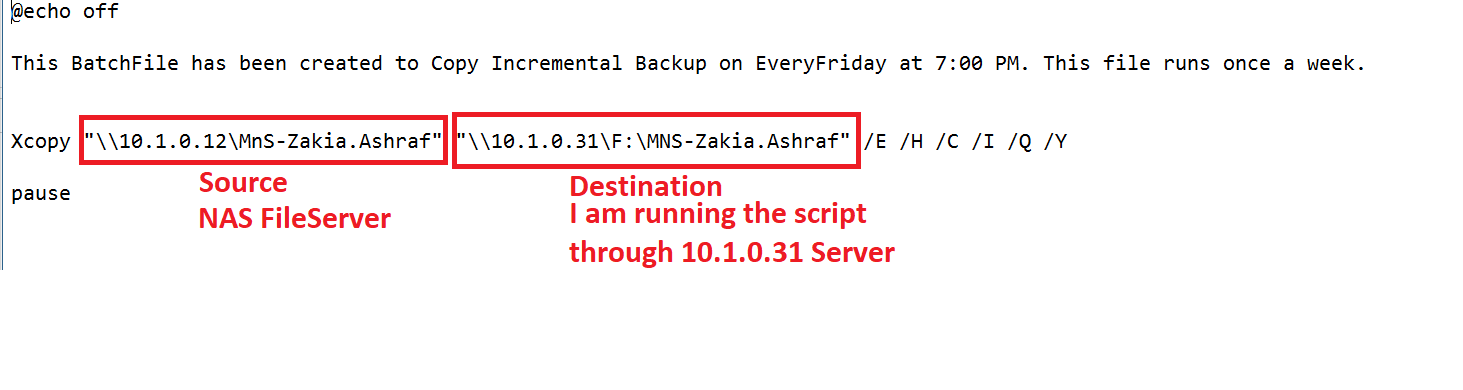
I am attaching the Image. Take a look at all the Details.
"Do you access a UNC path / share or a drive by letter or ... ? "
Also what do you mean by Above Line?
' cx='32' cy='32' r='32' /%3E%3Ctext x='50%25' y='55%25' dominant-baseline='middle' text-anchor='middle' fill='%23FFF' %3EA%3C/text%3E%3C/svg%3E)
Most likley the UNC path. Try something like
net use x: \Server_Name\C$
then do
xcopy X:\folder_name\file_name
then at end do
net use x: /delete
--please don't forget to upvote and Accept as answer if the reply is helpful--
Just checking if there's any progress or updates?
--please don't forget to upvote and Accept as answer if the reply is helpful--

\10.1.0.31\f:\mns-Zakia.Ashraf is not a valid UNC path, as share name can't contain a colon (f:)
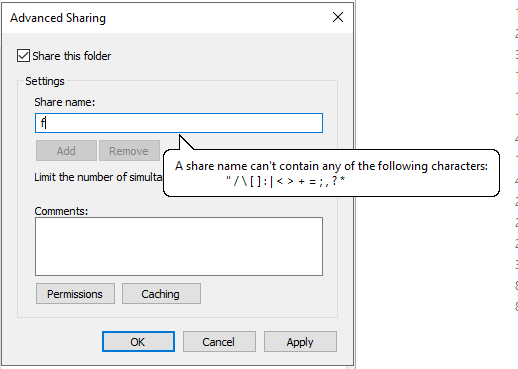
It should probably be something like \10.1.0.31\f$\mns-Zakia.Ashraf or \10.1.0.31\mns-Zakia.Ashraf, depending if are using a drive root share or mns.ashraf share to access the target directory.
Gary.
After removing "colon". I can run the xcopy command but I am having this issue. It gives a message saying "Insufficient Memory". Can you please guide me why is it saying that?
Here is the screenshot attached:
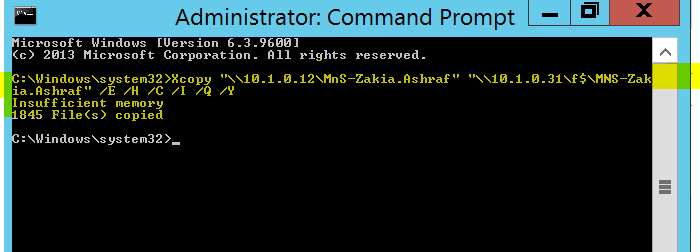
The insufficient memory error reported by xcopy is typically caused by a file exceeding the path length of 255 characters. The best option is to use robocopy instead, as it can handle path lengths greater than 255.
Gary.
But its giving this same error on every Path I am trying to copy.
What you are getting the same error with robocopy?
If so, try change the share names to:
\\?\10.1.0.12\MnS-Zakia.Ashraf
\\?\10.1.0.31\f$\mns-Zakia.Ashraf
https://learn.microsoft.com/en-us/windows/win32/fileio/maximum-file-path-limitation?tabs=registry
Gary.
Just checking if there is any update or progress on this one?
I didnot apply this. let me test and update you. Thanks.