
Might try from PowerShell from both source and target. (use target address in both cases)
Test-NetConnection -ComputerName "192.168.49.142" -CommonTCPPort "RDP" -InformationLevel "Detailed"
This browser is no longer supported.
Upgrade to Microsoft Edge to take advantage of the latest features, security updates, and technical support.
' cx='32' cy='32' r='32' /%3E%3Ctext x='50%25' y='55%25' dominant-baseline='middle' text-anchor='middle' fill='%23FFF' %3EDD%3C/text%3E%3C/svg%3E)
Hello,
I have several Servers I could not reach using RDP.
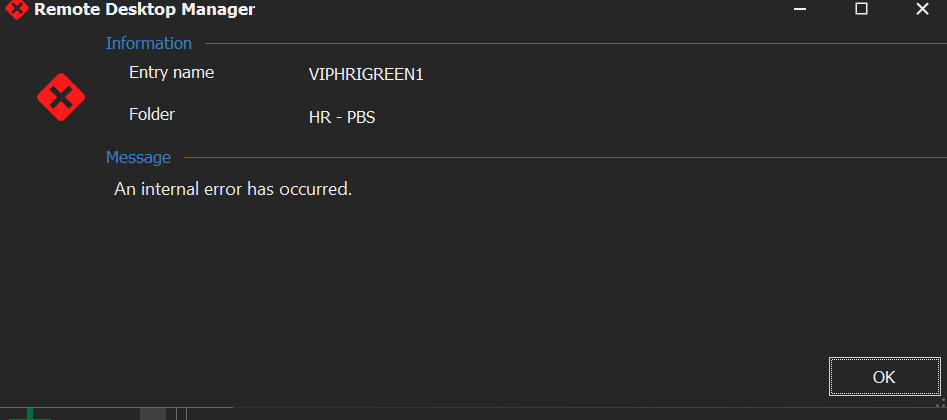
Any idea?
Thanks,
Dom
' cx='32' cy='32' r='32' /%3E%3Ctext x='50%25' y='55%25' dominant-baseline='middle' text-anchor='middle' fill='%23FFF' %3EA%3C/text%3E%3C/svg%3E)
Might try from PowerShell from both source and target. (use target address in both cases)
Test-NetConnection -ComputerName "192.168.49.142" -CommonTCPPort "RDP" -InformationLevel "Detailed"
Hello,
The issue was with a certificate expired...
Under mmc > certificates > Computer > Remote Desktop > Certificates
Thanks,
Dom
Hello,
Server Rebooted.
Still all RDP attempts failed.
Thanks,
Dom
Hello,
From the jumpbox to the client:
================================================================
PS C:\Windows\system32> Test-NetConnection -ComputerName "10.16.96.17" -CommonTCPPort "RDP" -InformationLevel "Detailed"
ComputerName : 10.16.96.17
RemoteAddress : 10.16.96.17
RemotePort : 3389
NameResolutionResults : 10.16.96.17
MatchingIPsecRules :
NetworkIsolationContext : Private Network
InterfaceAlias : Ethernet0
SourceAddress : 10.16.101.101
NetRoute (NextHop) : 10.16.101.1
TcpTestSucceeded : True
==================================================================
From the Client to the jumpbox:
==================================================================
Test-NetConnection -ComputerName "10.16.101.101" -CommonTCPPort "RDP" -InformationLevel "Detailed"
ComputerName : 10.16.101.101
RemoteAddress : 10.16.101.101
RemotePort : 3389
NameResolutionResults : 10.16.101.101
MatchingIPsecRules :
NetworkIsolationContext : Private Network
InterfaceAlias : Ethernet0
SourceAddress : 10.16.96.17
NetRoute (NextHop) : 10.16.96.1
TcpTestSucceeded : True
=================================================================
Thanks,
Dom
Looks like it should work. Might try rebooting.