Developer technologies | ASP.NET | ASP.NET Core
A set of technologies in the .NET Framework for building web applications and XML web services.
This browser is no longer supported.
Upgrade to Microsoft Edge to take advantage of the latest features, security updates, and technical support.
' cx='32' cy='32' r='32' /%3E%3Ctext x='50%25' y='55%25' dominant-baseline='middle' text-anchor='middle' fill='%23FFF' %3ED%3C/text%3E%3C/svg%3E)
Still with Tag Helper, We are in User Profile page, this page also include Change password option, the users are able to skip if they don't want to change the password, so the logic is the validation should be run if newPassword not empty!
if I use below:
    [DataType(DataType.Password)]
    [Display(Name = "New Password")]
    [StringLength(250, MinimumLength = 6, ErrorMessage = "Minimum 6 character password required")]
    public string newPassword { get; set; } = "";

    [NotMapped]
    [Required(ErrorMessage = "Verify Password required")]
    [CompareAttribute("newPassword", ErrorMessage = "Password doesn't match.")]
    [DataType(DataType.Password)]
    public string verifyPassword { get; set; } = "";
if users don't want to change their password, then newPassword would be left empty, but it would be still validated here.
any body can give me an advice, how to deal with this?

Can you explain the use case? Why is the user on a change password page but has the ability to skip change password? The flow does not make a lot of sense.
How about creating a change password page specifically for changing passwords rather than trying to figure out the user's intent?
' cx='32' cy='32' r='32' /%3E%3Ctext x='50%25' y='55%25' dominant-baseline='middle' text-anchor='middle' fill='%23FFF' %3EWA%3C/text%3E%3C/svg%3E)
Hi @AgaveJoe
It is not a change password page but it’s a change profile page but there is an option to change the password, like below
Username:
Contact:
DOB:
Hobbies:
Security
————
You can skip this if you don’t want to change your password:
Current Password:
New Password
Verify Password
Submit Discard
' cx='32' cy='32' r='32' /%3E%3Ctext x='50%25' y='55%25' dominant-baseline='middle' text-anchor='middle' fill='%23FFF' %3EA%3C/text%3E%3C/svg%3E)
Hi @Dondon510 ,
You can use the custom validation to build a conditional validation, refer the following sample:
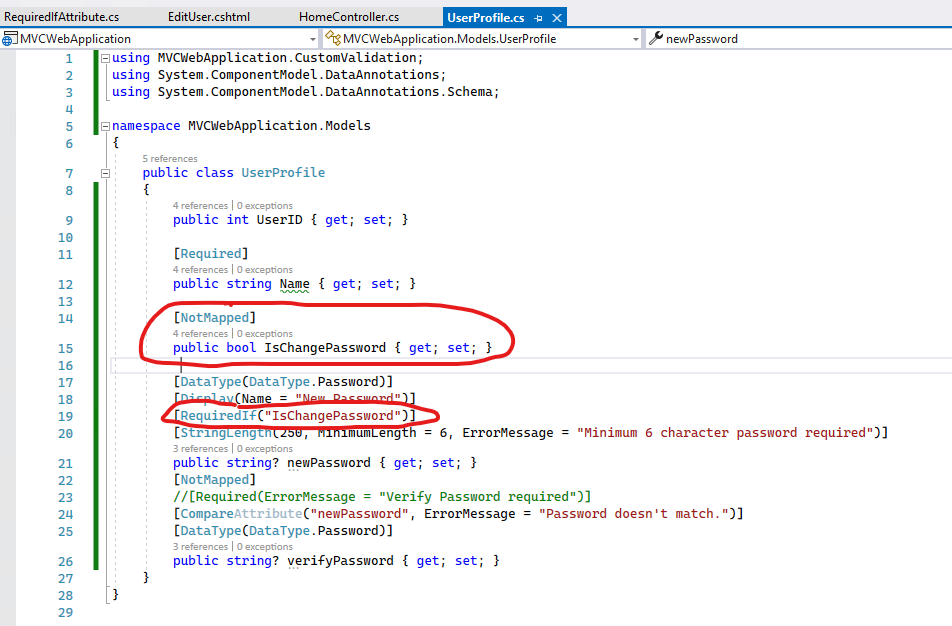
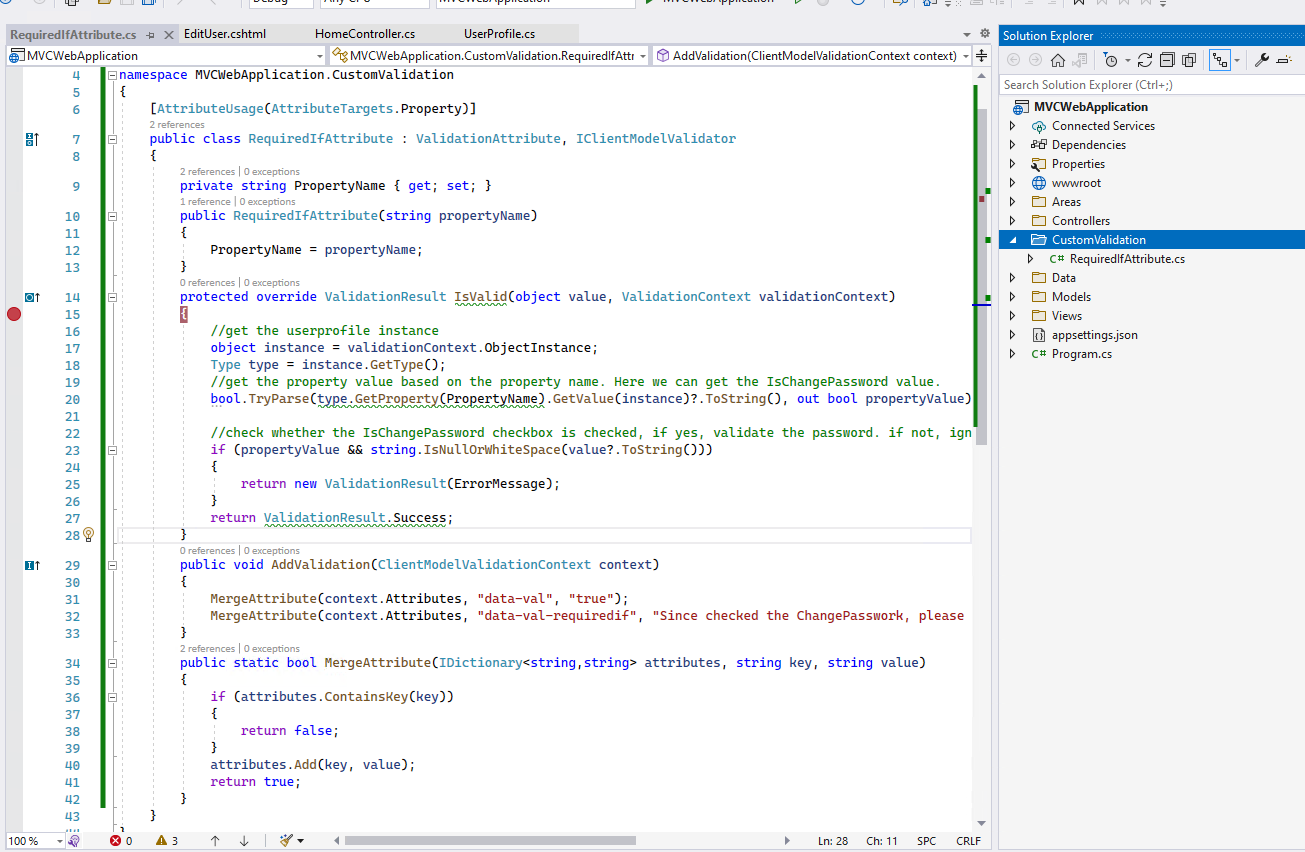
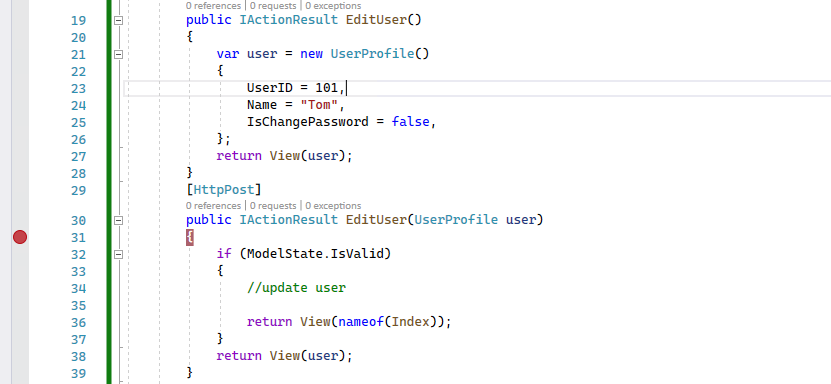
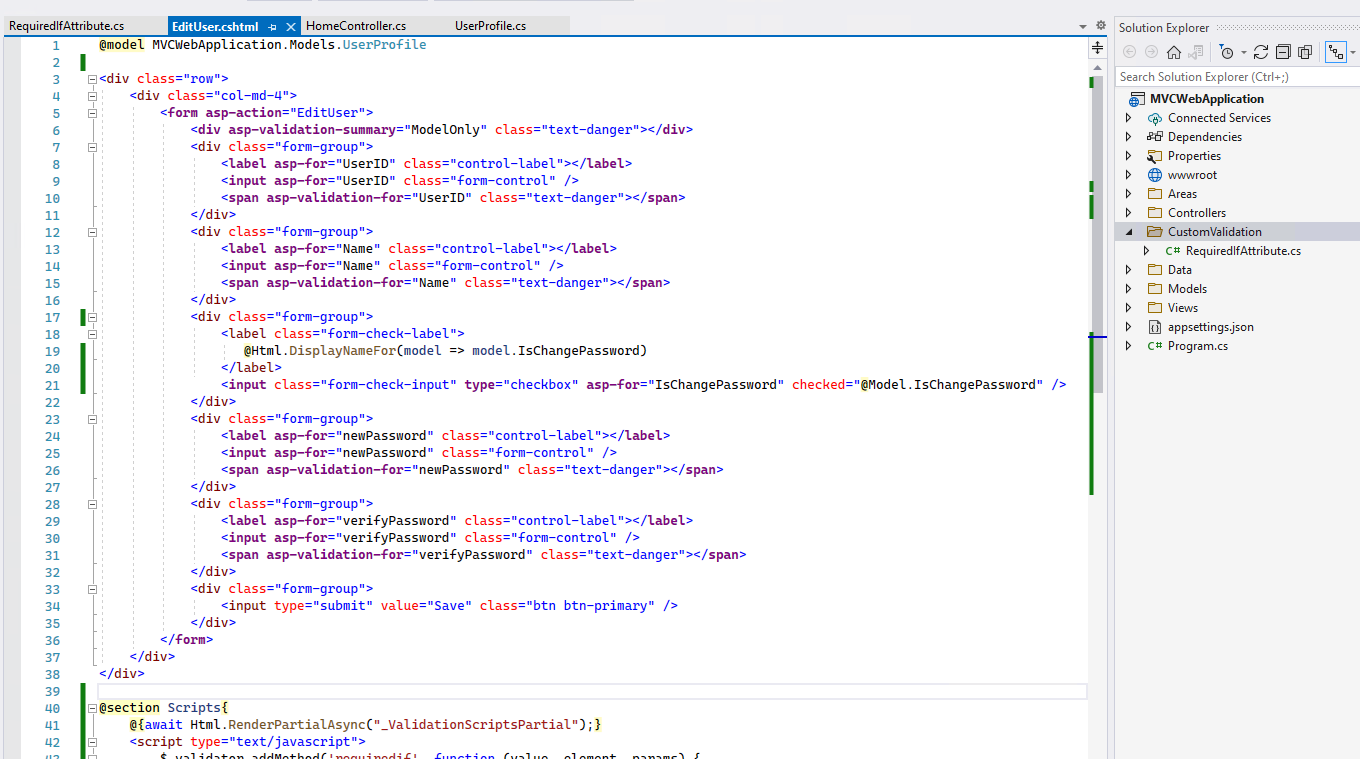 Add the following scripts to achieve the custom client side validation: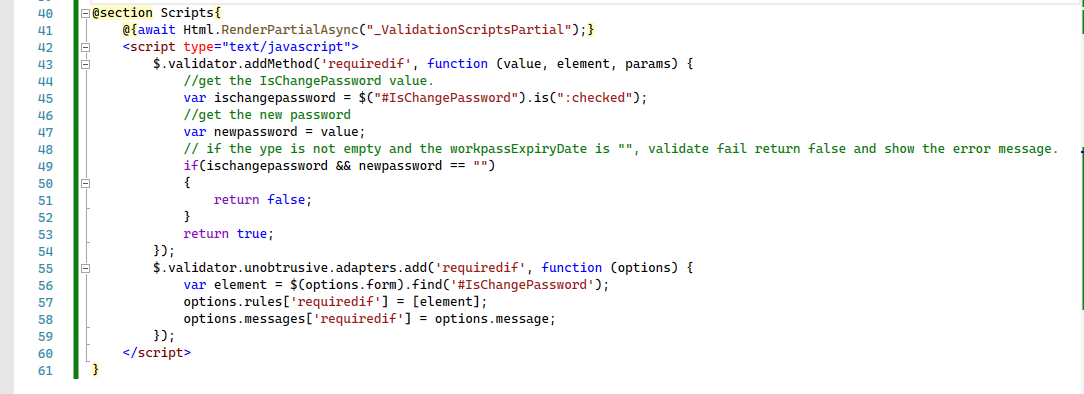
You can view the above source code from here: 226071-customvalidation.txt
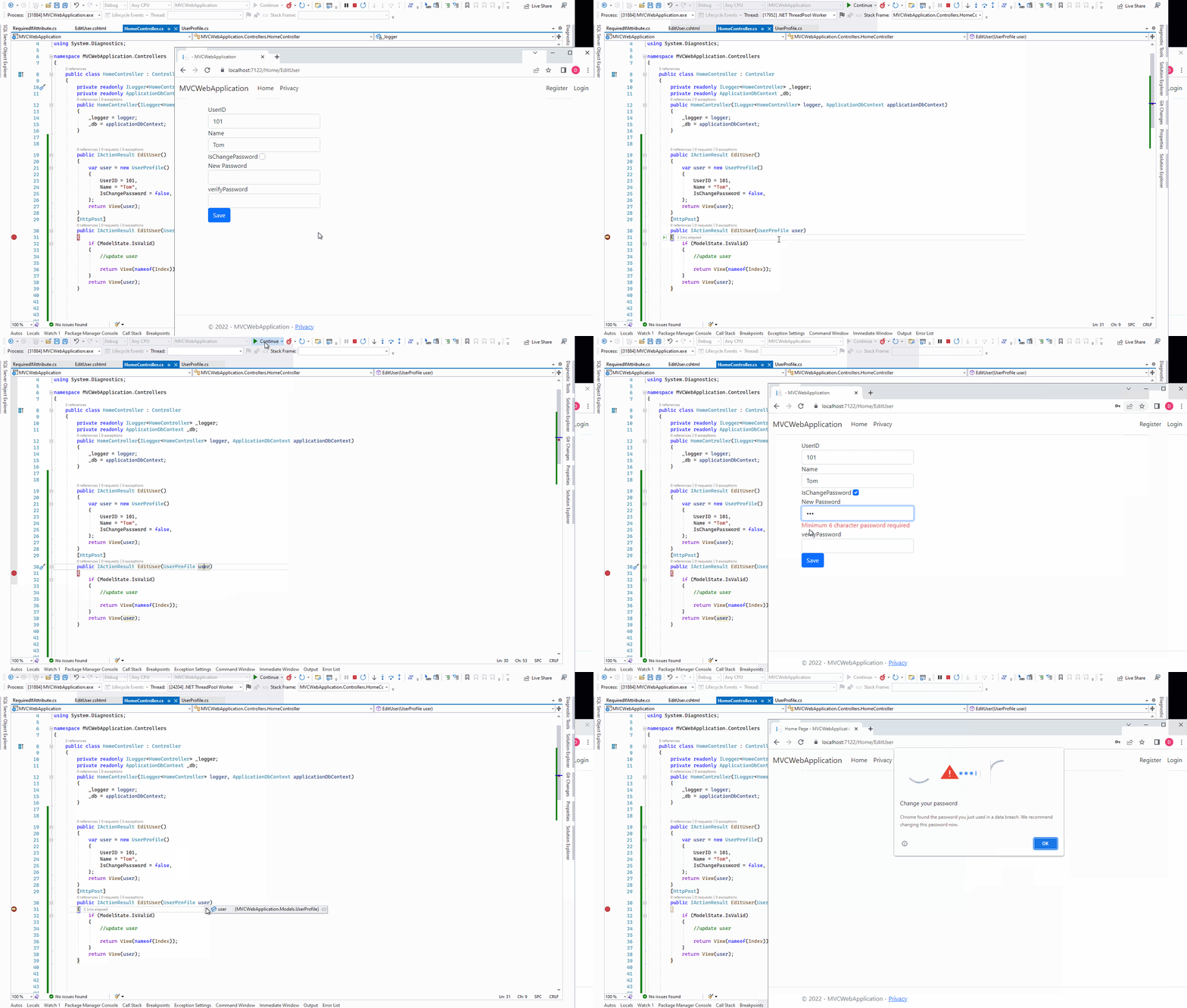
Then, the output as below:
If the answer is the right solution, please click "Accept Answer" and kindly upvote it. If you have extra questions about this answer, please click "Comment".
Note: Please follow the steps in our documentation to enable e-mail notifications if you want to receive the related email notification for this thread.
Best Regards,
Dillion