Azure SQL Database
An Azure relational database service.
This browser is no longer supported.
Upgrade to Microsoft Edge to take advantage of the latest features, security updates, and technical support.

Hello,
As mentioned in the title, how can I change the default windows authentication to mixed authentication using Azure Data Studio?
I could not install SSMS on my local because it kept stucking on the package installation and at last throwing error. Tried a couple of times restart, wiped up regit, clear folder and reinstall. All same results. So I am finally trying to use Azure Data Studio to do the change.
Does anyone have a clue of how to do it?
Thanks in advance.

There does not seem any way to do this from the UI in Azure Data Studio. However, as with anything else, SSMS is running a T-SQL batch for the task. Using the Script button in SSMS, I found this batch:
   USE [master]
   GO
   EXEC xp_instance_regwrite N'HKEY_LOCAL_MACHINE', N'Software\Microsoft\MSSQLServer\MSSQLServer', N'LoginMode', REG_DWORD, 2
   GO
So just run this from a query window in ADS.
This commands completed successfully. But it is not working.
Keep in mind that you need to restart SQL Server after the change.
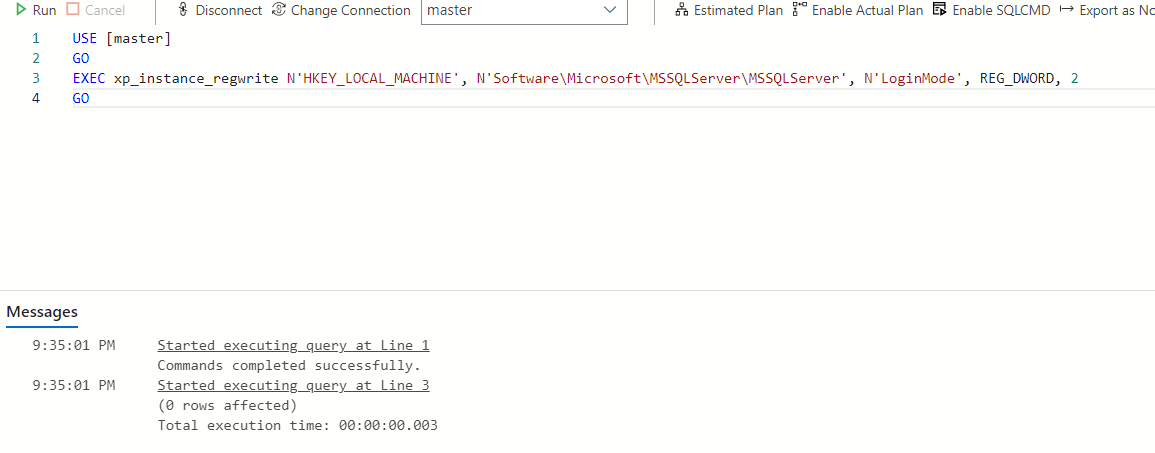
And what do you want to say with that image? Again, you need to restart SQL Server for the change to take effect.
' cx='32' cy='32' r='32' /%3E%3Ctext x='50%25' y='55%25' dominant-baseline='middle' text-anchor='middle' fill='%23FFF' %3ETP%3C/text%3E%3C/svg%3E)
Azure Data Studio does not have all the functionality of SSMS. You need to get SSMS installed.
What exactly is the error during SSMS installation? What version of SSMS are you trying to install?
Azure Data Studio does not have all the functionality of SSMS. You need to get SSMS installed.
Incorrect. See my post above.
It just keeps failing and checked out logs, did not find obvious errors.
The effect was it stuck at the VS 2017 package or something for an extreme long time before showsup of the failure. Tried many times.
But not sure if this has influenced the installation. Failed to start the agent service.

Can you post the output of "SELECT @@version"?
The UI does not have all the functionality SSMS does. Yes, there are workarounds to not require SSMS.