Azure Data Factory
An Azure service for ingesting, preparing, and transforming data at scale.
This browser is no longer supported.
Upgrade to Microsoft Edge to take advantage of the latest features, security updates, and technical support.
' cx='32' cy='32' r='32' /%3E%3Ctext x='50%25' y='55%25' dominant-baseline='middle' text-anchor='middle' fill='%23FFF' %3ERT%3C/text%3E%3C/svg%3E)
Hello,
We are getting a timeout error in a Copy Data Activity. Please see the screenshot below -
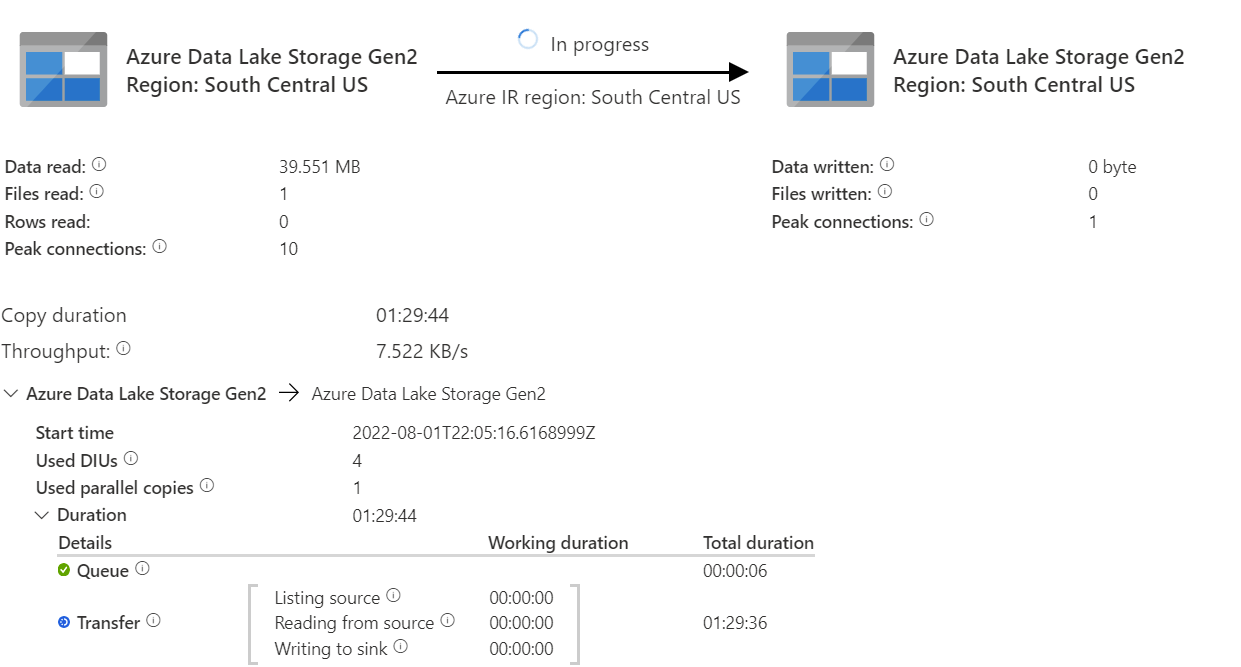
The activity runs for 2 hours (which is the timeout limit) and then times out. It seems that the rows are not getting read from the source.
In some instances, this activity get completed successfully. But it times out in some instances. Please refer the screenshot below of a successful run.

Any possible resolution to this issue?
' cx='32' cy='32' r='32' /%3E%3Ctext x='50%25' y='55%25' dominant-baseline='middle' text-anchor='middle' fill='%23FFF' %3EKM%3C/text%3E%3C/svg%3E)
Hello @Rajas Thakur ,
Thanks for the question and using MS Q&A platform.
Seems like you are trying to copy data from ADLS Gen2 to ADLS Gen2 (both in South Central US) but it is taking more than 2 hours and timing out. Please correct if I'm wrong.
I see that you are seeing using Azure IR for both Source and sink. Is it auto resolve IR or Custom Azure IR specific to South Central US? If it is Default Azure IR (Auto Resolve) the, could you please try below workarounds and see if you notice a change in the behavior.
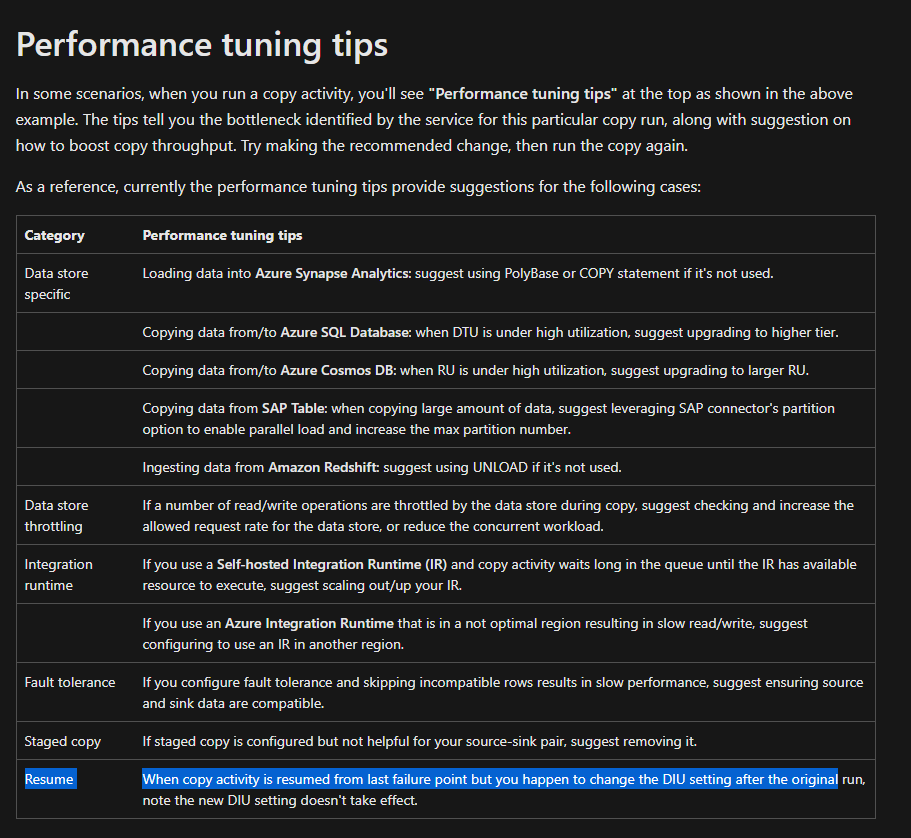
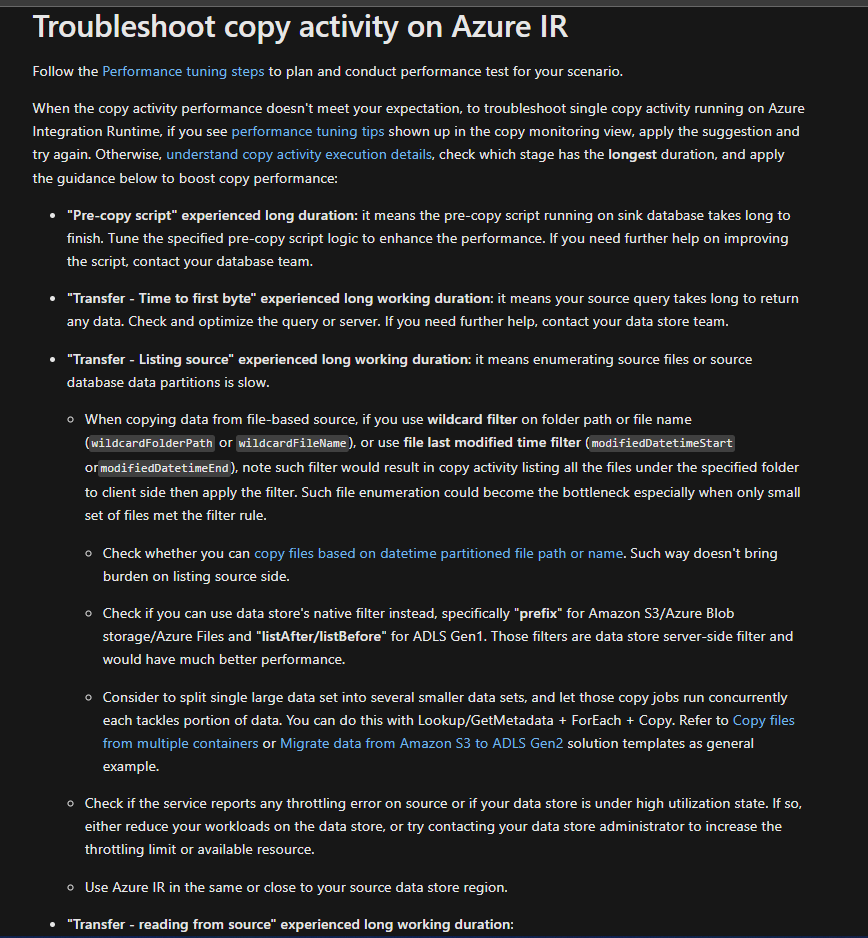
I suspect the issue could be specific to Azure IR and hence you are seeing this behavior. By chance are you using Managed Vnet IR?
Hope this info helps. Do let us know how it goes
Thank you
Hello @Rajas Thakur ,
Just checking in to see if the above suggestion was helped. And, if you have any further query do let us know.
Hi @KranthiPakala-MSFT ,
Thanks for the suggested solutions.
To answer your questions -
We are using a default Azure IR and we are not using a managed Vnet IR.
So I have created a new IR located in South Central US and have been using that IR in the pipeline which times out. So far, we have only received the timeout error once after making that change. I will be monitoring this for a few more days and will try with the other suggested solutions mentioned by you, incase if this doesn't work out in the long term.
I wanted to know what could be the reason of this timeout issue. We have concurrent pipelines running along with the mentioned pipeline which use that IR for data flow and copy data activities. Is that causing this issue?
Because when we run only the single pipeline (which times out), it runs fine but when we run the whole pipeline, we see that it times out in some instances.
Thanks,
Rajas
Hello @Rajas Thakur ,
Thanks for getting back to me and glad to know the above suggestions were helpful. And yes, since you are using the same Azure IR across multiple activities concurrently, I suspect that could be the possible reason for timeouts. I would suggest using a different Azure IR for your dataflows.
Hope this info helps.
------------------------------
 or upvote
  button whenever the information provided helps you. Original posters help the community find answers faster by identifying the correct answer. Here is how
Hi @KranthiPakala-MSFT ,
I wanted to let you know that the option 2 worked best for me. After making that change, we haven't received the timeout error again.
To summarize, these were the steps I took to resolve this issue -
Thanks for the help.
Regards,
Rajas Thakur
Hello @Rajas Thakur ,
Appreciate much for updating the thread as it would be helpful for others reading this thread.
Thank you