Azure Kubernetes Service
An Azure service that provides serverless Kubernetes, an integrated continuous integration and continuous delivery experience, and enterprise-grade security and governance.
This browser is no longer supported.
Upgrade to Microsoft Edge to take advantage of the latest features, security updates, and technical support.
' cx='32' cy='32' r='32' /%3E%3Ctext x='50%25' y='55%25' dominant-baseline='middle' text-anchor='middle' fill='%23FFF' %3EK%3C/text%3E%3C/svg%3E)
Hello community,
First, I am trying to replace a user nodepool and would like to know what's the detailed steps to transfer all workloads from previous nodepool to the new one. Many of AKS add-ons are also installed on that user nodepool as well! (e.g. csi driver, cloud manager, coredns ...)
Also, when creating a new deployment, is there a way to specify that the pods should be in the user pool not system pool? I have created a deployment and it was assigned to system pool instead of user pool
Thanks!
' cx='32' cy='32' r='32' /%3E%3Ctext x='50%25' y='55%25' dominant-baseline='middle' text-anchor='middle' fill='%23FFF' %3ESP%3C/text%3E%3C/svg%3E)
Hello @Kopl ,
There are multiple ways to transfer the workloads ,
1) one of the easiest way is:- Once you add the new node pool try to scale down the previous node pool - all the workloads will be automatically be moved to new node pool.
Please Note:- Above migration works ONLY If your workloads are controlled by deployment/Replicaset etc.
2) Second way:- Once you add the new nodepool , try to drain the old nodepool nodes by using below command:
kubectl drain NodeID - Once you run that command , you might get some warnings try to follow those warnings. (Try to run that command on all the nodes of old nodepool)
Once the drain is successful , all the workloads will be moved to new nodes.
3) Third way:- Once the new node pool gets added , you can try deleting the old nodepool - workloads will be automatically moved.
/////////////////////////////
Regarding your second question:
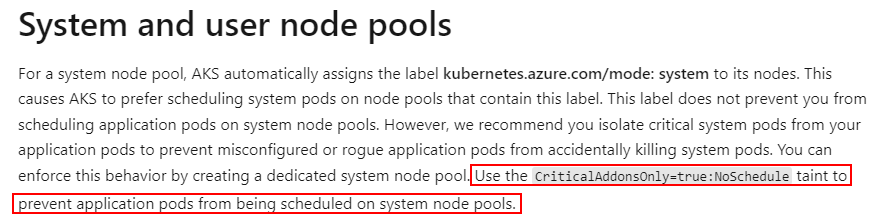
Yes ! If you observe carefully for all the nodes under system nodepool , there will be a label like : kubernetes.azure.com/mode=system
You can use the concept of taints to prevent application pods from being scheduled on system nodepool.
Take a look at the : https://learn.microsoft.com/en-us/azure/aks/use-system-pools?tabs=azure-cli#system-and-user-node-pools
Regards,
Shiva.