work folder not connect with ADFS authenticate

ARMH 36 Reputation points
2022-08-09T13:00:26.01+00:00

I have configured as ADFS to access work folders, below link is exact configuration where I followed to to configure ADFS, WorkFolder and Web Application proxy,

https://techcommunity.microsoft.com/t5/storage-at-microsoft/deploying-work-folders-with-ad-fs-and-web-application-proxy-wap/ba-p/425318

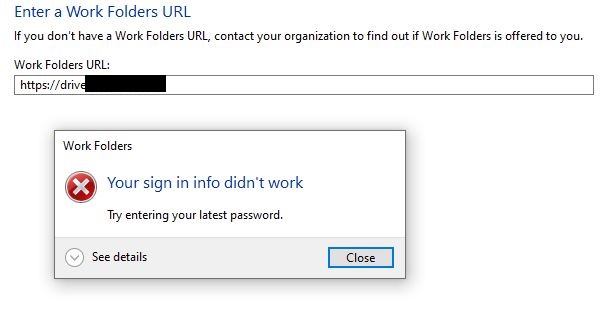
everything seem correct but when I am trying to connect the work folder from control panel using work folder URL, it is giving me error saying "Trying to enter your latest password" Error Code: 0x80070005. I have tried from domain joined computers and non domain joined computers

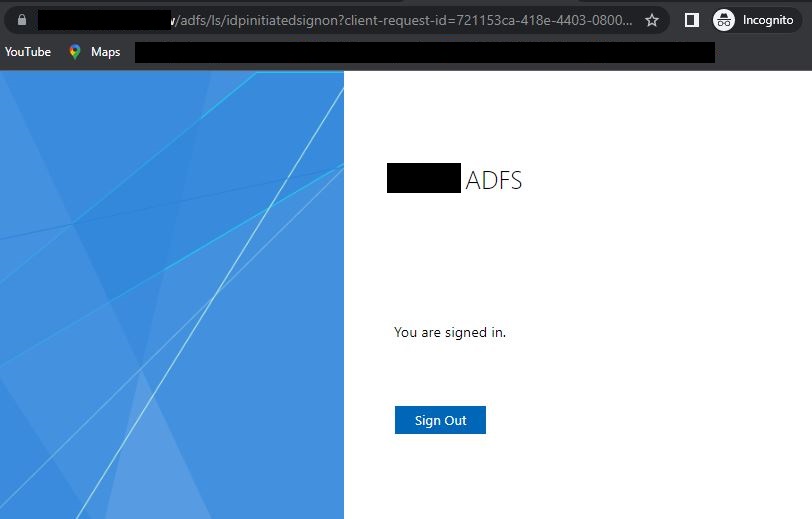
https://myadfs.mydomain.com/adfs/ls/idpinitiatedsignon.htm login success using active directory users as you see in following screenshot
229490-adfs-1.jpg

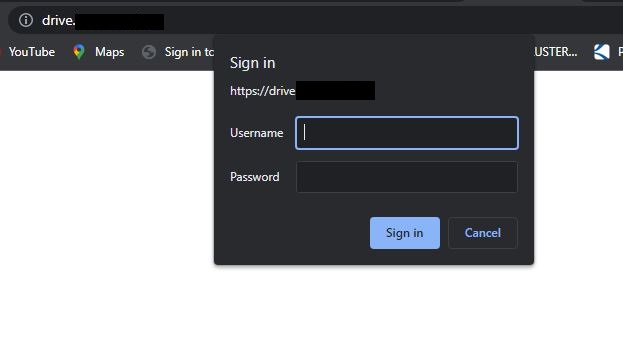
Below screenshot asking username and password for work folder URL when authenticate as federation service URL
229527-drive-adfs.jpg

229552-drive-ctrl.jpg

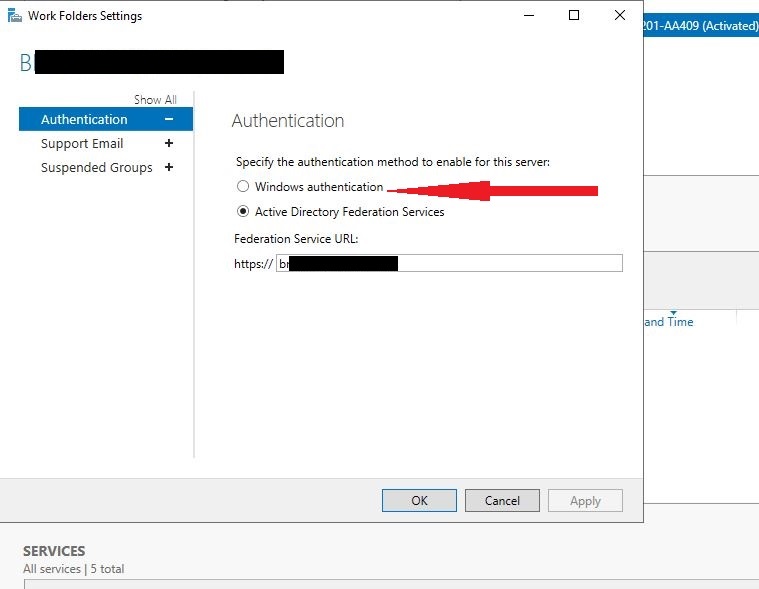
But when work folder URL authenticate as windows authenticate everything works
229528-workfolder-authenticate.jpg

Windows for business | Windows Client for IT Pros | Directory services | Active Directory
Microsoft Security | Active Directory Federation Services
Windows for business | Windows Server | User experience | Other
0 comments No comments
{count} votes

2 answers

Sort by: Most helpful
  1. Limitless Technology 40,076 Reputation points
    2022-08-10T07:23:28.723+00:00

    Hi there,

    Check the following settings in Internet Options:

    -On the Advanced tab, make sure that the Enable Integrated Windows Authentication setting is enabled.
    -Following Security > Local intranet > Sites > Advanced, make sure that the AD FS URL is in the list of websites.
    -Following Security > Local intranet > Custom level, make sure that the Automatic logon only in Intranet Zone setting is selected.
    If you use Firefox, Chrome or Safari, make sure the equivalent settings in these browsers are enabled.

    Troubleshoot SSO issues with Active Directory Federation Services (AD FS) https://learn.microsoft.com/en-us/troubleshoot/windows-server/identity/troubleshoot-ad-fs-sso-issue
    Troubleshoot AD FS issues in Azure Active Directory and Office 365 https://learn.microsoft.com/en-us/troubleshoot/windows-server/identity/troubleshoot-ad-fs-issues

    I hope this information helps. If you have any questions please let me know and I will be glad to help you out.

    --------------------------------------------------------------------------------------------------------------------------------------

    --If the reply is helpful, please Upvote and Accept it as an answer--
    0 comments No comments

  2. ARMH 36 Reputation points
    2022-08-21T12:35:07.363+00:00

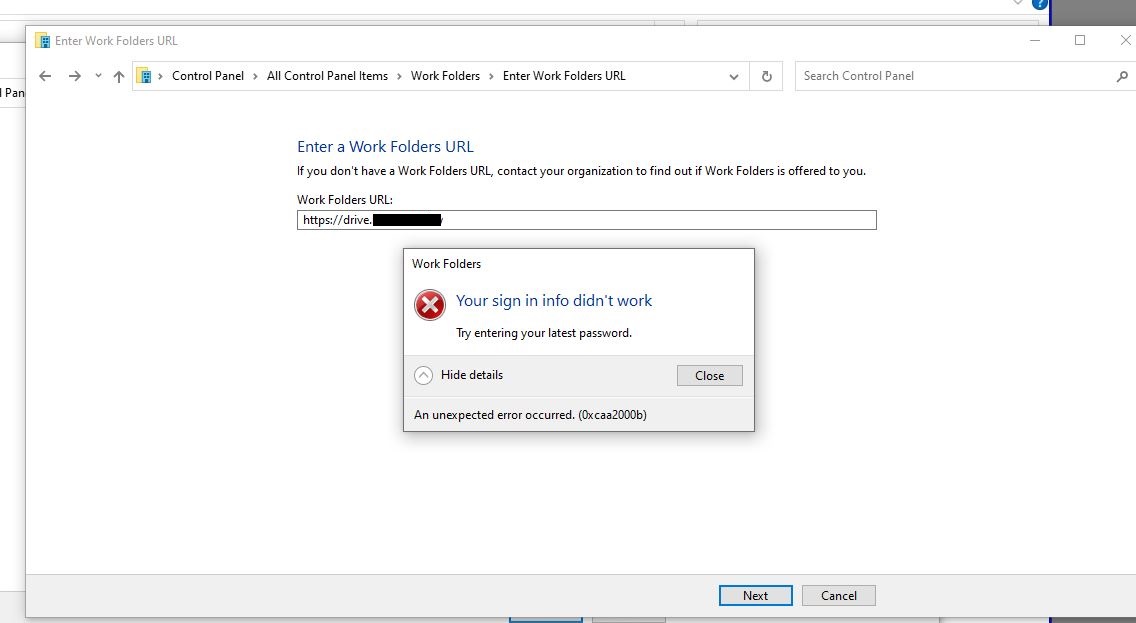
    Hello, Still getting following error when I am trying to connect work folder from a client computer
    233235-error-workfolder-sign-in.jpg

    0 comments No comments

Your answer

Answers can be marked as 'Accepted' by the question author and 'Recommended' by moderators, which helps users know the answer solved the author's problem.