Microsoft 365 and Office | Development | Other
Building custom solutions that extend, automate, and integrate Microsoft 365 apps.

This browser is no longer supported.
Upgrade to Microsoft Edge to take advantage of the latest features, security updates, and technical support.
' cx='32' cy='32' r='32' /%3E%3Ctext x='50%25' y='55%25' dominant-baseline='middle' text-anchor='middle' fill='%23FFF' %3EB%3C/text%3E%3C/svg%3E)
Because often need to use the DaxStudio add-in to connect to the Excel Power Pivot data model to assist in query processing, but now DaxStudio can't connect to the PP data model since 2022/7/30. The error is shown in the following figure:
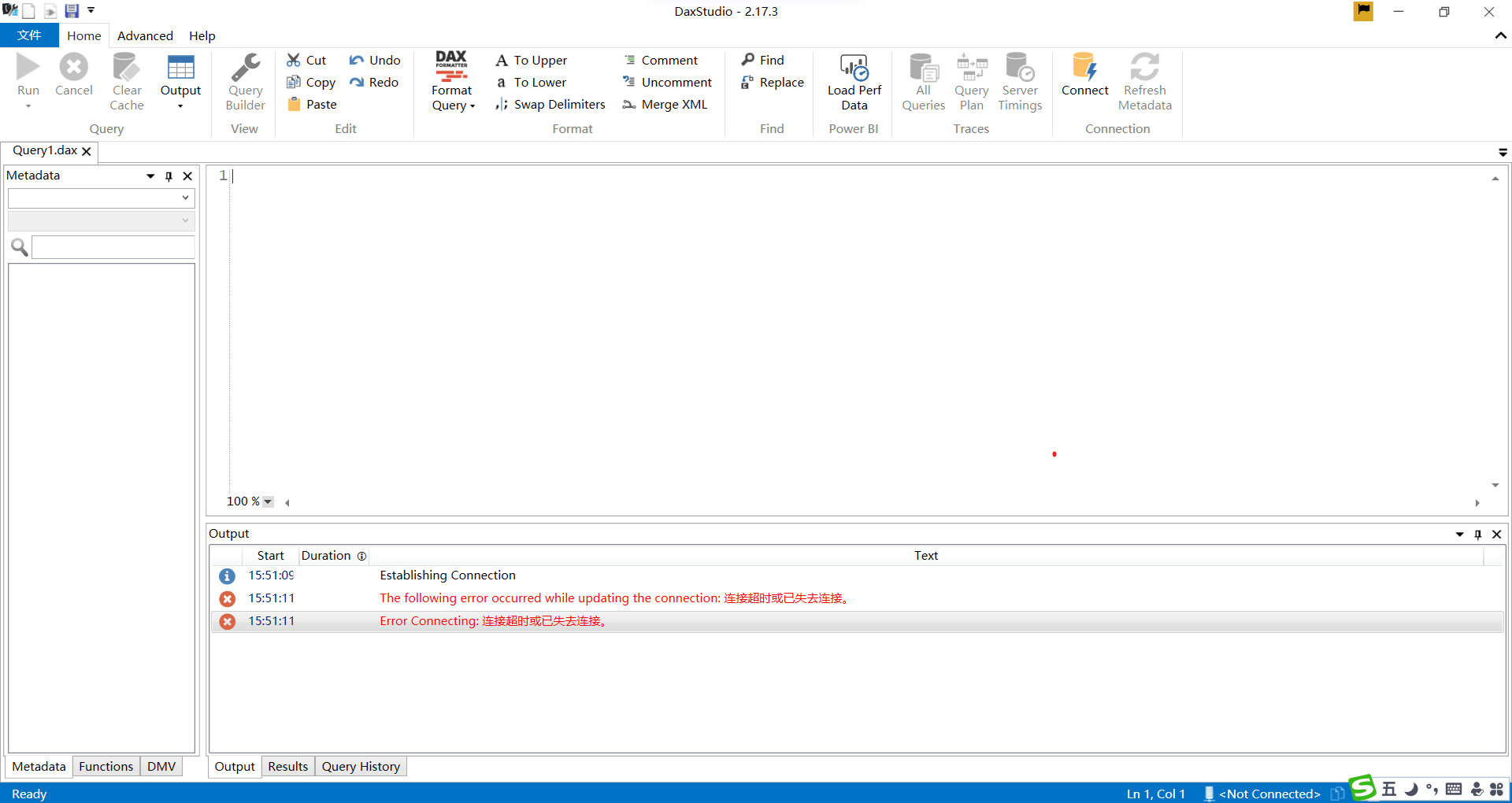
The current Excel is a 365 home preview version, while the other 365 version and the Power BI data model can still be properly connected by DaxStudio.
Please professional help to tell us how to solve this problem, thank you very much!

Hi,
Your problem is related to the add-in, I added the office-addins-dev tag.
Hi,
Thanks a lot.
But as mentioned above, the DaxStudio add-in works well with other versions of Excel and Power BI, only there is something wrong with my current preview version of excel(my current Excel version is 2208 Build 16.0.15601.20024, 64 bite).
So, I relatively suspect that it is the Excel software problem rather than the DaxStudio add-in problem.
Hi,
In this case, it is recommended that you change the version and do not use the preview version, which may have more features than the official version, but its compatibility and stability are not very good.
If the response is helpful, please click "Accept Answer" and upvote it.
Note: Please follow the steps in our documentation to enable e-mail notifications if you want to receive the related email notification for this thread.
Hi Ceasar,
Noted with thanks a lot.