Developer technologies | Visual Basic for Applications
An implementation of Visual Basic that is built into Microsoft products.
This browser is no longer supported.
Upgrade to Microsoft Edge to take advantage of the latest features, security updates, and technical support.

I have an old, legacy, but still 100% production spreadsheet that I modified to add an UPDATE button...this is to allow them to "update" the sheet it creates after it is created...it has other buttons as well and one of them is disabled until a condition is met. I need this UPDATE button to be disabled until the SUBMIT CUSTOMER Macro is ran, which I do believe I have in the code...it just isn't initially disabled.
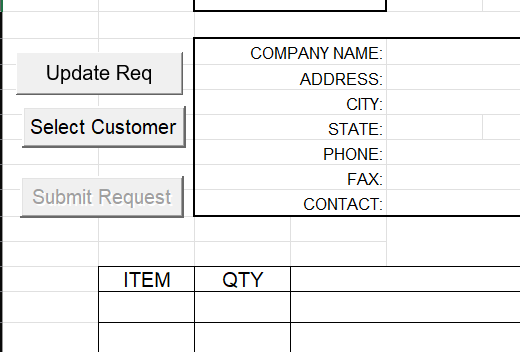
Do I need to snip other code? Any suggestions so far?
Private Sub Workbook_Open()
If ActiveWorkbook.Name = "Change_Request_DEV.xlsm" Then
Call cmdbutton_Proporties("SelectContract", False, False)
Call cmdbutton_Proporties("SelectCustomer", True, True)
Call cmdbutton_Proporties("SubmitRequest", True, False)
Call cmdbutton_Proporties("UpdateRequest", True, False)
If ActiveWorkbook.ReadOnly Then
New_CO_Request
End If
Else
Call cmdbutton_Proporties("SelectContract", False, False)
Call cmdbutton_Proporties("SelectCustomer", False, True)
If Sheets("Req").Range("I5").Value = "" Then
Call cmdbutton_Proporties("SubmitRequest", True, True)
Else
Call cmdbutton_Proporties("SubmitRequest", True, False)
End If
If Sheets("Req").Range("I5").Value = "" Then
Call cmdbutton_Proporties("UpdateRequest", True, True)
Else
Call cmdbutton_Proporties("UpdateRequest", True, False)
End If
End If
End Sub

Did you check if cmdbutton_Proporties, which is not shown, is executed correctly for your new button?