Microsoft Security | Microsoft Entra | Microsoft Entra ID
A cloud-based identity and access management service for securing user authentication and resource access

This browser is no longer supported.
Upgrade to Microsoft Edge to take advantage of the latest features, security updates, and technical support.
' cx='32' cy='32' r='32' /%3E%3Ctext x='50%25' y='55%25' dominant-baseline='middle' text-anchor='middle' fill='%23FFF' %3EJ%3C/text%3E%3C/svg%3E)
Hi, everyone.
I am attempting to test out an Azure Application Proxy install and it is working except for an invalid certificate issue:
The SSL server certificate presented to Microsoft AAD Application Proxy Connector by the backend server is not valid; the certificate is not trusted.
This is an internal server and I can't install a signing authority signed certificate on it. I've tried exporting the public keys from the web server and importing them into the Azure Portal's "Certificates & secrets" section, but to no avail. Any other suggestions on how to get it to work?
Thanks!
A cloud-based identity and access management service for securing user authentication and resource access

Hello @john ,
I am following up with you to see if below suggested answer did help you in achieving your objective. If you need any further help kindly use "Comment" option against the suggested answer.

Hello @john ,
I am following up with you to see if below suggested answer did help you in achieving your objective. If you need any further help kindly use "Comment" option against the suggested answer.
Note: Please do accept the answer and rate your experience if the above-mentioned suggestion works as per your business need.
Hello @john ,
From the description above I could understand that you are trying to configure AAD Application proxy for an On-Prem web application. However while trying to access the application it gives error and logs suggest "The SSL server certificate presented to Microsoft AAD Application Proxy Connector by the backend server is not valid; the certificate is not trusted" (Please do correct me if this is not the ask):
Possible Cause: This could indicate that the backend server provided an SSL that was not valid or that there is no trust between the Web Application Proxy and the backend server.
Action Plan:
Kindly validate backend server SSL certificate. Make sure that the Web Application Proxy server is configured with the right root CAs to trust the backend server certificate/issuing CA.
This could be validated by navigating to the certificate -> Certification Path -> Select the chain (by clicking on each of the certificates followed by "view certificate"). PFB screenshot for example
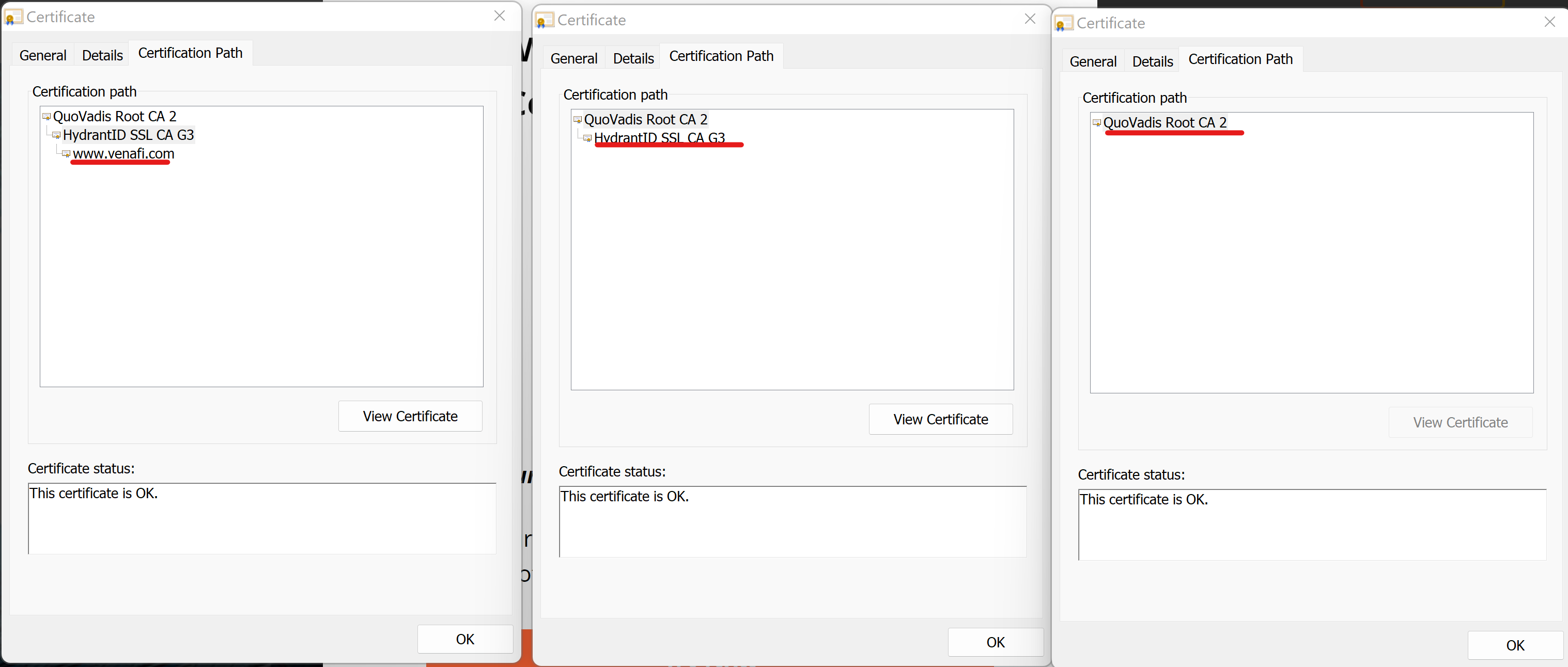
Action Plan: If any of the cert from the chain is missing then chain building will not be completed resulting in certificate trust issues. Hence the required root cert is needed to be trusted/installed.
