Azure Functions
An Azure service that provides an event-driven serverless compute platform.
This browser is no longer supported.
Upgrade to Microsoft Edge to take advantage of the latest features, security updates, and technical support.
' cx='32' cy='32' r='32' /%3E%3Ctext x='50%25' y='55%25' dominant-baseline='middle' text-anchor='middle' fill='%23FFF' %3EPD%3C/text%3E%3C/svg%3E)
I am developing an IoT hub event trigger function and seem to be seeing that if multiple functions are running, only one receives events. Is this a limitation or can I somehow set up routing so that all of my functions receive the same event?
FYI the functions I have are:
Thanks.

Hello @Paul D.Smith ,
you want to connect multiple Azure Functions all listening to the same messages flowing through the IoT Hub.
Yes, this is possible!
You probably tried this out and got some errors? Or no messages at all?
There is a simple fix for this, consumer groups.
The IoT Hub exposes an event hub compatible endpoint. Each consumer (the Azure functions) wants to have their own copy of each message.
To separate the stream administration, you have to specify multiple consumer groups:
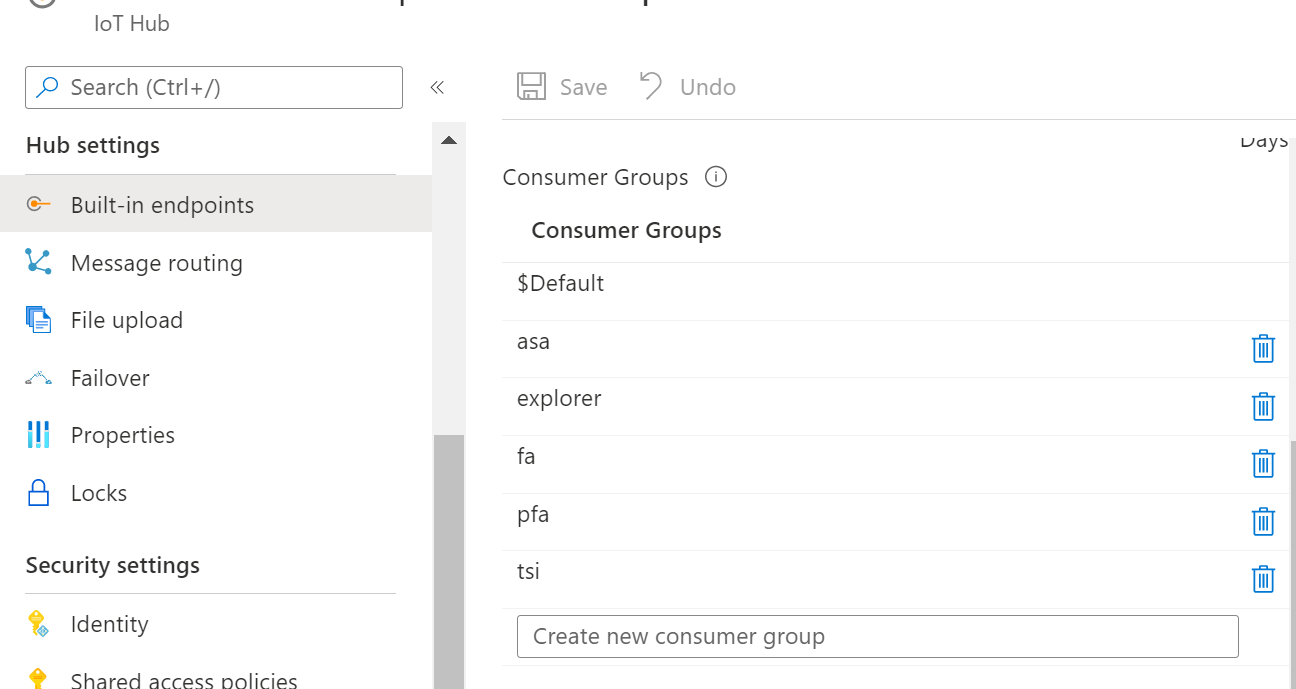
So, do not 'reuse' the $default. Actually, I recommend not using $default in production. Most tools want to use that $default one by default so it is easy to disturb that flow.
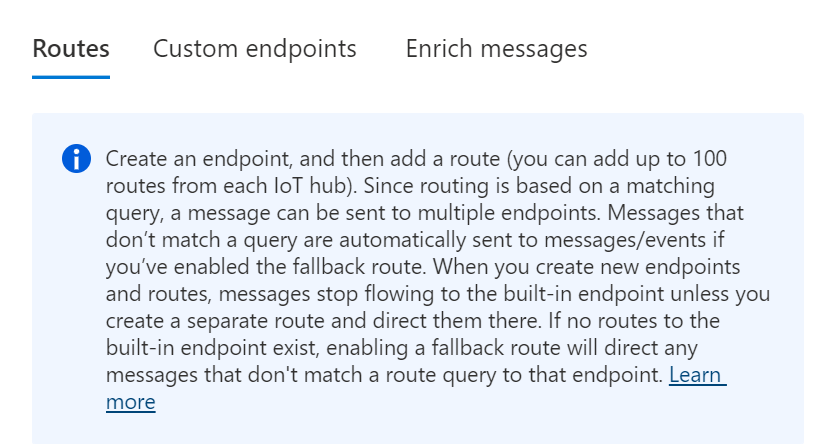
Extra: If you start using IoT Hub routing, the endpoint will turn into a fallback route. To restore the this, create an extra 'events' route:
----------
If the response helped, do "Accept Answer". If it doesn't work, please let us know the progress. By doing so, all community members who have a similar issue will benefit. Your contribution is highly appreciated.