Microsoft Teams | Development
Building, integrating, or customizing apps and workflows within Microsoft Teams using developer tools and APIs

This browser is no longer supported.
Upgrade to Microsoft Edge to take advantage of the latest features, security updates, and technical support.

I created a teams site from sharepoint ,how can I know the team type on msteams ??
Building, integrating, or customizing apps and workflows within Microsoft Teams using developer tools and APIs
' cx='32' cy='32' r='32' /%3E%3Ctext x='50%25' y='55%25' dominant-baseline='middle' text-anchor='middle' fill='%23FFF' %3EPM%3C/text%3E%3C/svg%3E)
You can use below API to list all teams in an organization (tenant), and then get information for each team.
https://learn.microsoft.com/en-us/graph/teams-list-all-teams#get-a-list-of-groups

Hi @Hend Hussain Hanafy Kandeel
Creating a "SharePoint Team collaboration site template" does not create a MS Teams team.
If creating Teams in your environment is turned off, you will either need to go to the Teams Admin Center or create a Microsoft 365 group in Azure Active Directory. (You must be a Teams Admin in your Microsoft 365 tenant)
Option 1) Add in Teams Admin Center
https://learn.microsoft.com/en-us/microsoftteams/manage-teams-in-modern-portal
a) Go to https://admin.teams.microsoft.com/
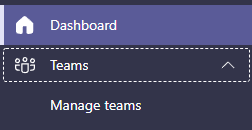
b) Go under Teams > Manage teams
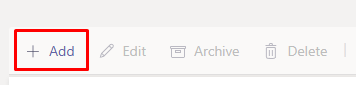
c) Press Add
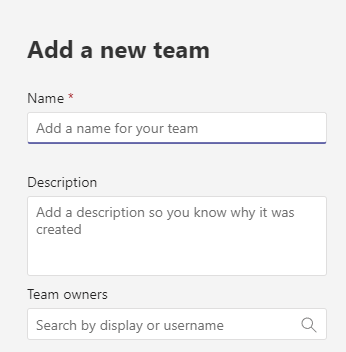
d) Fill out the details for the team and add owners/privacy.
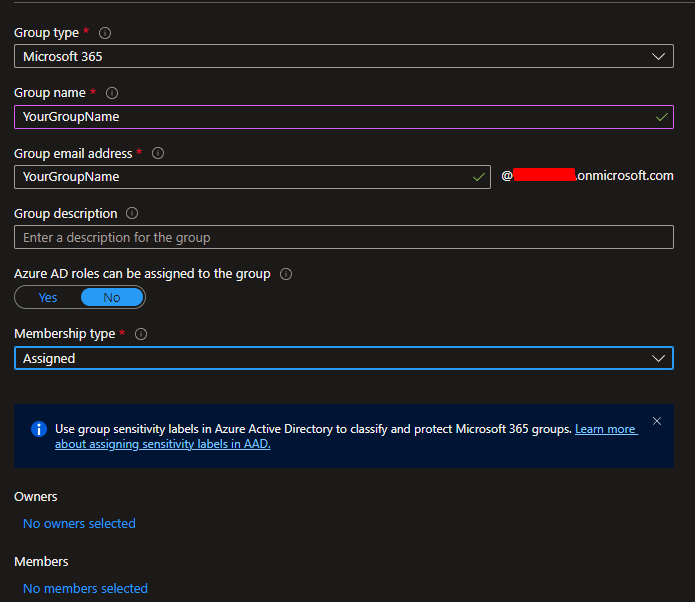
Option 2) Go to Azure Active Directory at https://aad.portal.azure.com/#view/Microsoft_AAD_IAM/GroupsManagementMenuBlade/~/AllGroups
a) Press New Group
b) Fill in information (Group type is Microsoft 365) > Add Owner/Users
c) After creating > Go to Microsoft Teams > Press Teams on the left side

d) Press Join or create Teams

e) When you press Create a team you can choose From a group or team > Microsoft 365 group (and your team will be there that you created)
-------------------------------
If this is helpful please accept answer.