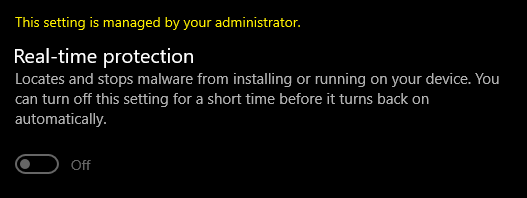
I am using Windows 10 21H2 and trying to turn off real-time protection permanently.
I was following this guide on how to turn it off https://www.howtogeek.com/262464/how-to-gain-full-permissions-to-edit-protected-registry-keys/ and then looked through this Q&A but didn't find anything that could help me https://learn.microsoft.com/en-us/answers/questions/485119/how-to-change-registry-key-value-for-tamper-protec.html
I gave myself permission to edit in this folder Computer\HKEY_LOCAL_MACHINE\SOFTWARE\Microsoft\Windows Defender\Features
After following all of the steps and giving myself full permission and ticking the Full Control box for this Admin user (Administrators (DESKTOP\Administrators)) after this I was able to change both TamperProtection and TamperProtectionSource keys and set their values to 0.
Restarted my computer to see if the changes stayed permanently and was surprised to find TamperProtection key value set to 1, TamperProtectionSource key set to 5.
Now the system is ignoring my admin access and giving me this error 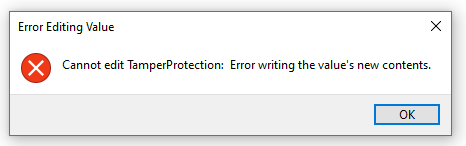 as well as when I try to create a new user to give permissions to I get this error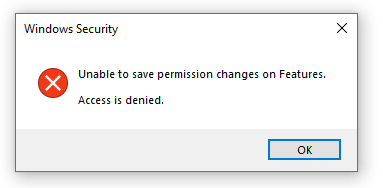
' cx='32' cy='32' r='32' /%3E%3Ctext x='50%25' y='55%25' dominant-baseline='middle' text-anchor='middle' fill='%23FFF' %3ED%3C/text%3E%3C/svg%3E)