
Try this command.
netsh advfirewall firewall show rule name=all
This browser is no longer supported.
Upgrade to Microsoft Edge to take advantage of the latest features, security updates, and technical support.
' cx='32' cy='32' r='32' /%3E%3Ctext x='50%25' y='55%25' dominant-baseline='middle' text-anchor='middle' fill='%23FFF' %3ERY%3C/text%3E%3C/svg%3E)
• We are working on Windows OS hardening as per CIS Benchmark rules.
• We are using Windows server 2019 AWS EC2 Instance.
• We want to fetch the data of windows defender firewall with advanced security of local security policy(secpol.msc).
• We tried using the below command to fetch the data in command prompt:
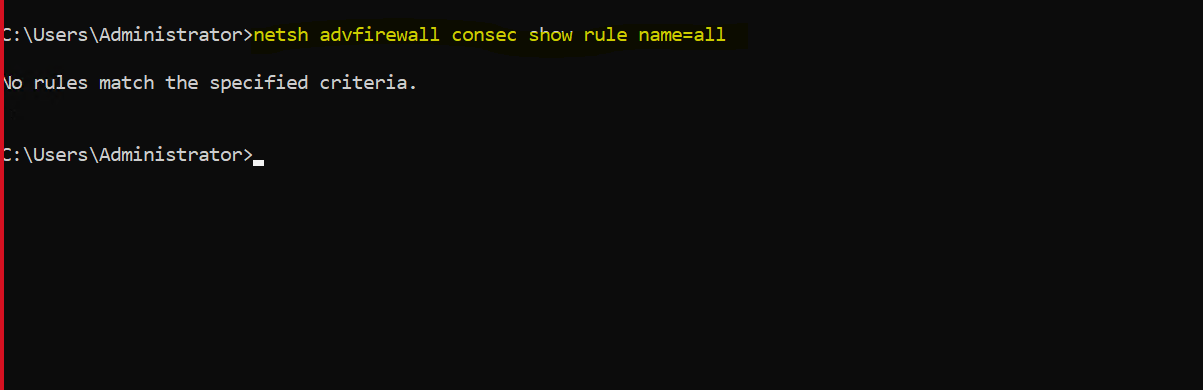
• We have configured windows defender firewall with the help of ansible and trying to fetch values in command prompt.
• But in command prompt we are unable to fetch any latest changed data as we tried changing values in windows defender firewall with advanced security.
• Can you please help us with the command that can be used to fetch data in human readable format from advance security section of windows defender firewall (local security policy - secpol.msc).

Try this command.
netsh advfirewall firewall show rule name=all