Locale settings problem with SQL Server 2019 Developer Edition

Hans Müller 21 Reputation points
2022-08-17T13:49:06.373+00:00

Hi there

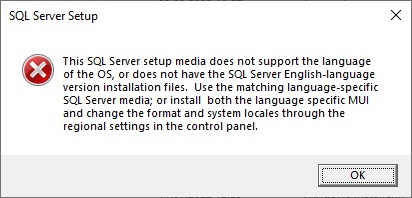
My computer is configured as swiss-german... now i've downloaded SQL Server 2019 Developer Edition from https://download.microsoft.com/download/d/a/2/da259851-b941-459d-989c-54a18a5d44dd/SQL2019-SSEI-Dev.exe but when i click "start install" button (standard, custom, download media) with "custom", then i get that message:
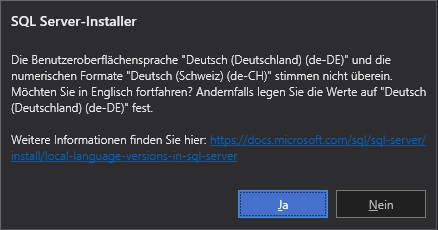
232035-1.jpg

  1. When i visit the link https://learn.microsoft.com/de-ch/sql/sql-server/install/local-language-versions-in-sql-server?view=sql-server-ver16 , i read there: "Öffnen Sie in der Systemsteuerung Regions- und Sprachoptionen."

-> There is NO option "Regions- und Sprachoptionen" in the Windows 10 Pro x64 control panel (i mean the "old school" control panel, not that new Win10 thing with that white/grey/blue design - i mean the control panel that was also available in Windows 95...)

Can you see somewhere an icon named "Regions- und Sprachoptionen" here!? I don't think so...
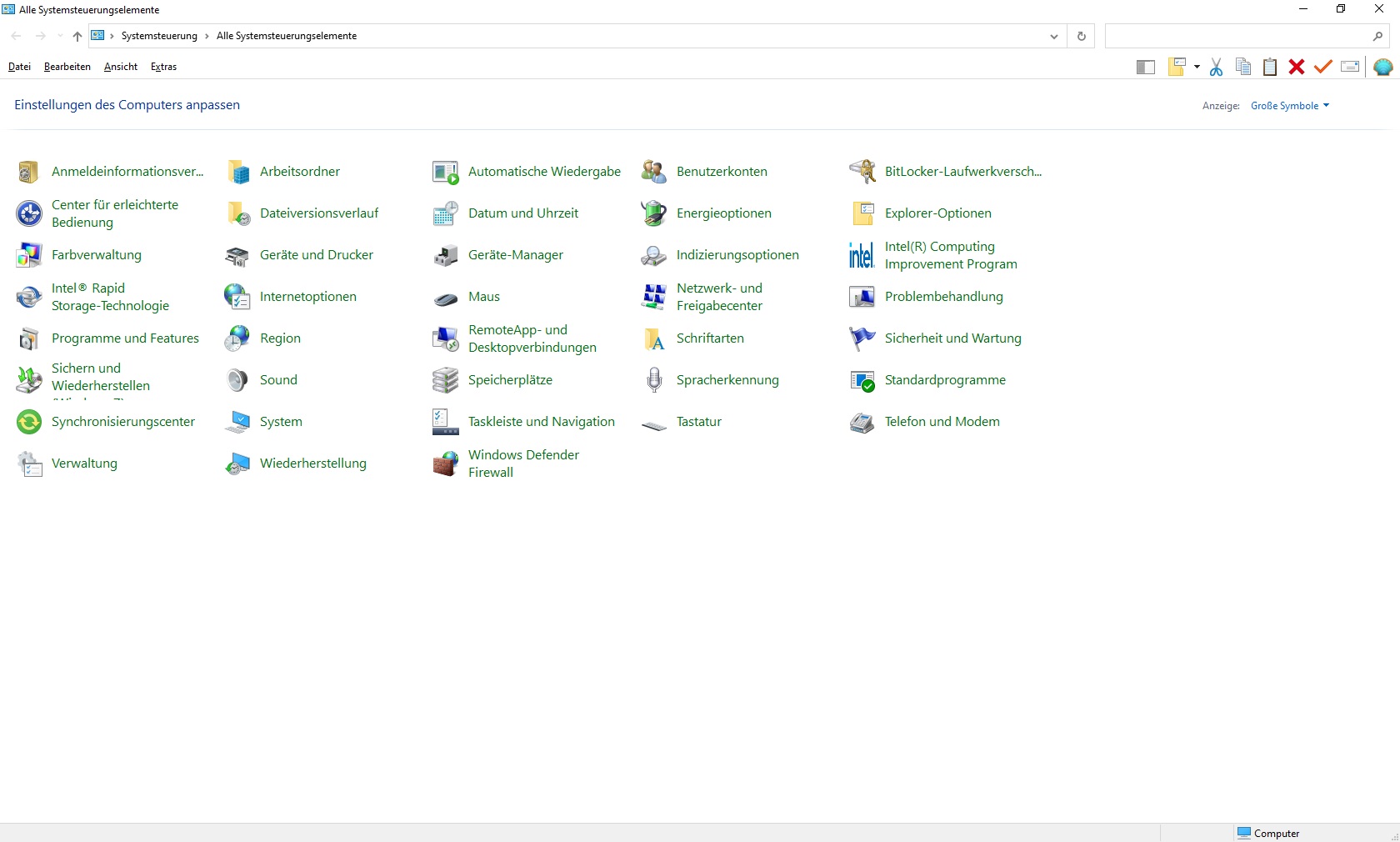
232036-unbenannt.jpg

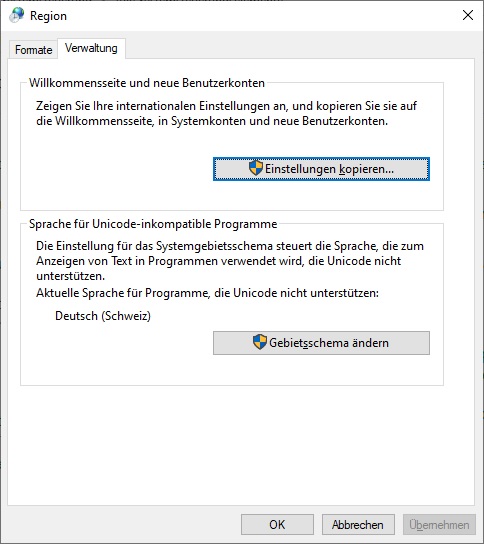
2.) Then, they write i have to select Tab/Register "Sprachen für Sprache für Menüs und Dialogfelder" - but where is it, when i click the "Region" icon...!?!
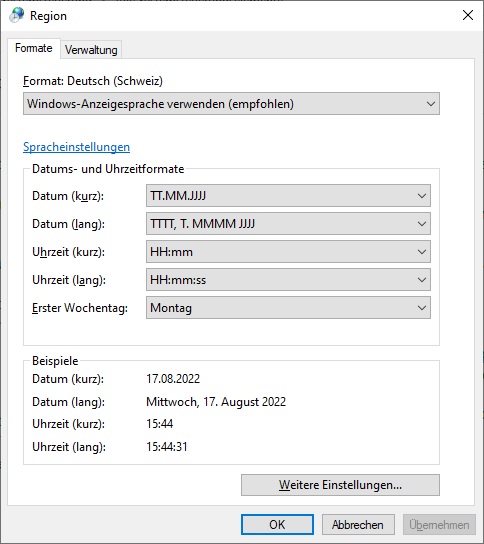
231979-2.jpg

231980-3.jpg

Quintessence: They [M$] wrote a total crap - that's the problem.

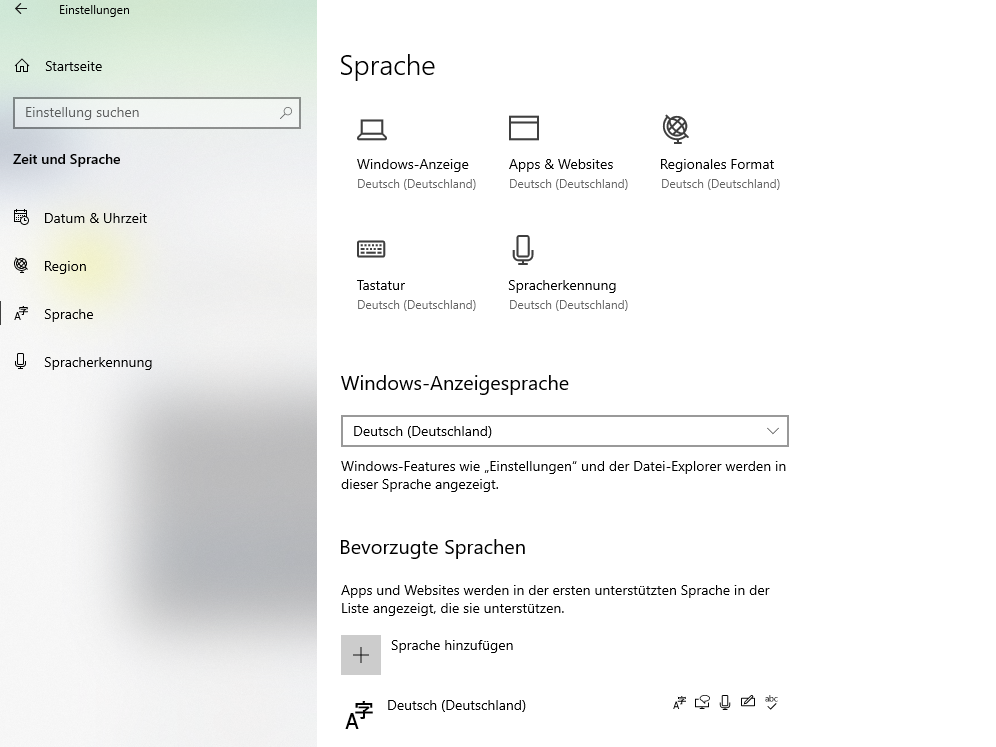
QUESTION: How to solve that!? I can't see any different (combination of DE-DE and DE-CH language setting - neither in the old control panel nor in the Win10 new one with white/grey/blue design)

I can't take that serious, a software that costs the same price (in productive enterprise edition) as a luxury car - WTH?!?

Thank you for your feedbacks....

Best regards from Switzerland, Hans

SQL Server | Other
0 comments No comments
{count} votes

Answer accepted by question author
  1. Bjoern Peters 8,921 Reputation points
    2022-08-17T14:05:59.93+00:00

    No, there is no special version for DE-CH, just the "GERMAN" one.
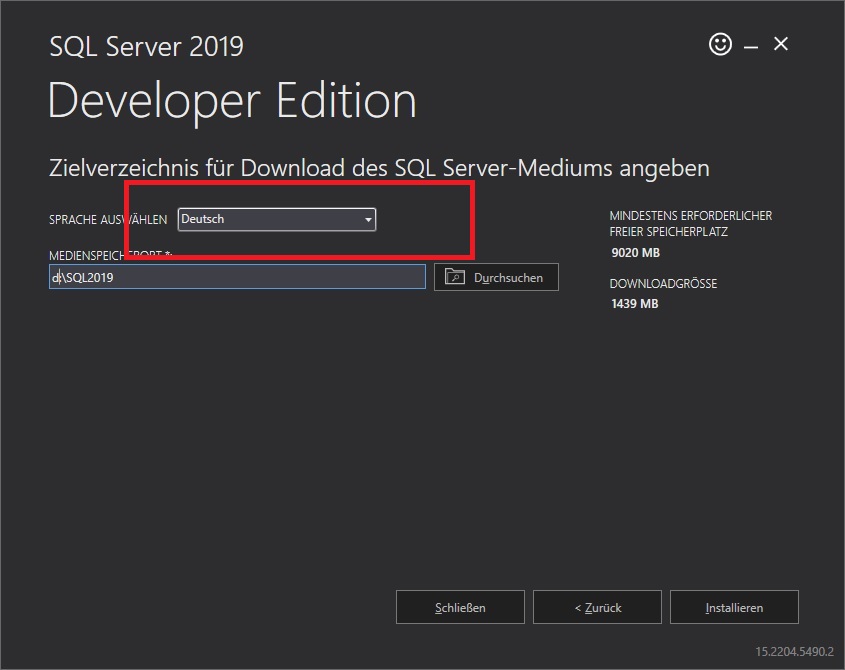
    And the error message from your last post... not having the English version... you just downloaded the GERMAN one and now trying to install ENGLISH, that's what the installer is complaining about.

    The easiest way might be - installing the SQL Server with "Deutsch (DE-DE)" or download the English version and install that ;-)

    Or you are trying it a different way by installing "Deutsch (DE-DE)" as additional language and try again.
    231998-image.png

    Hope that helps you getting forward

    0 comments No comments

4 additional answers

Sort by: Most helpful
  1. Hans Müller 21 Reputation points
    2022-08-17T13:50:51.917+00:00

    Or should ignore that crap and and just install it - anyway...!?

    Hmmm.....???

    0 comments No comments

  2. Hans Müller 21 Reputation points
    2022-08-17T13:51:39.227+00:00

    Or is there a special installer for DE-CH instead of https://download.microsoft.com/download/d/a/2/da259851-b941-459d-989c-54a18a5d44dd/SQL2019-SSEI-Dev.exe

    IF YES: Where to download it??

    0 comments No comments

  3. Hans Müller 21 Reputation points
    2022-08-17T13:56:58.86+00:00

    When i try to ignore the problem and continue install, iget that error here:

    232081-4.jpg

    So WT... is that st!?**

    0 comments No comments

  4. Hans Müller 21 Reputation points
    2022-08-17T14:20:56.073+00:00

    Thank you very much for your feedback, but no, i did not select "English" after i just ignored that language warning:

    232016-5.jpg

    ...to be truthful, i have problem to trust a software that is not able to handle such trivial problems like that and has in enterprise edition the same price like a luxury car. If M$ is not able to handle that issue (it occured a few years ago too!!!!) - then how much other (more significant) problem are in that software - hmm...?

    But thank you, if i decied anyway to use it, i will temporary switch to DE-DE and the switch back to DE-CH... and i don't hop i will do stress again after i switched back to DE-CH.

    Regards, Hans


Your answer

Answers can be marked as 'Accepted' by the question author and 'Recommended' by moderators, which helps users know the answer solved the author's problem.