Microsoft Security | Microsoft Entra | Microsoft Entra ID
A cloud-based identity and access management service for securing user authentication and resource access

This browser is no longer supported.
Upgrade to Microsoft Edge to take advantage of the latest features, security updates, and technical support.
' cx='32' cy='32' r='32' /%3E%3Ctext x='50%25' y='55%25' dominant-baseline='middle' text-anchor='middle' fill='%23FFF' %3EYT%3C/text%3E%3C/svg%3E)
Hi,
I have an app authenticating using AAD App proxy. It sends a user's properties in headers to the backend application for authorization.
Is there a way to capture what it is being sent to the backend application using the browser dev tools?
Thanks,
Regards
A cloud-based identity and access management service for securing user authentication and resource access

@Youcef Tazairt
Since it's been a few days, I just wanted to check in and see if you had any other questions or if you were able to resolve this issue?
If you have any other questions, please let me know.
Thank you for your time and patience throughout this issue.
----------
Please remember to "Accept Answer" if any answer/reply helped, so that others in the community facing similar issues can easily find the solution.
@Youcef Tazairt
Thank you for your post and I apologize for the delayed response!
Adding onto what @Cristian SPIRIDON mentioned, when it comes to capturing a browser trace using Dev Tools, you should be able to do this by following our Capture a browser trace for troubleshooting documentation.
Note: This'll only capture browser traffic.
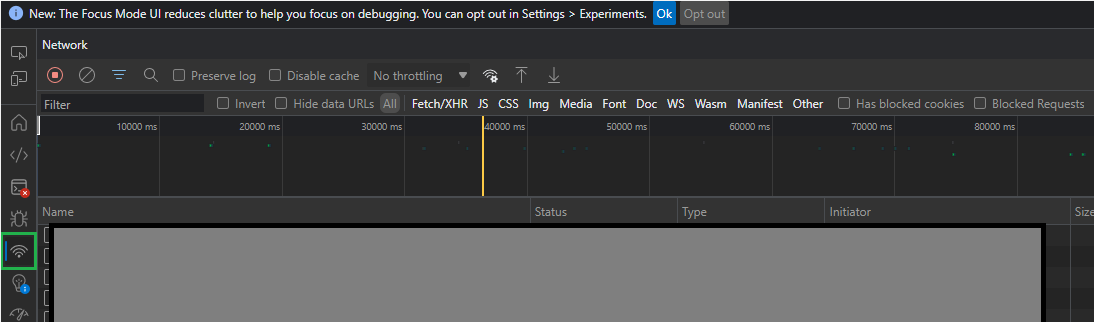
If you'd like to capture HTTP traces you can also try Collecting a network trace with Fiddler.
Additional Links:
How to collect a network trace
Telerik Fiddler
Troubleshoot Application Proxy problems and error messages
Debug Application Proxy connector issues
If you have any other questions, please let me know.
Thank you for your time and patience throughout this issue.
----------
Please remember to "Accept Answer" if any answer/reply helped, so that others in the community facing similar issues can easily find the solution.
@Youcef Tazairt
I just wanted to check in and see if you had any other questions or if you were able to resolve this issue?
' cx='32' cy='32' r='32' /%3E%3Ctext x='50%25' y='55%25' dominant-baseline='middle' text-anchor='middle' fill='%23FFF' %3ECS%3C/text%3E%3C/svg%3E)
Hi @Youcef Tazairt ,
Azure AD Aplucation Proxy will handle only the communication between the Web app and your browser. You can see in the Web dev tools only that communication. If your Web app communicate with some APIs, then you need other means to see that.
Hope this helps!