Microsoft 365 and Office | SharePoint | For business | Windows
A group of Microsoft Products and technologies used for sharing and managing content, knowledge, and applications.

This browser is no longer supported.
Upgrade to Microsoft Edge to take advantage of the latest features, security updates, and technical support.
' cx='32' cy='32' r='32' /%3E%3Ctext x='50%25' y='55%25' dominant-baseline='middle' text-anchor='middle' fill='%23FFF' %3EHN%3C/text%3E%3C/svg%3E)
Hi Team
I have a SP list that has a field called "Primary Contact/Project Lead" which connects to our organisations name search and is a mandatory field.
I'm looking at wanting to change this to a free text field and I'm worried if I do this, it'll delete all the existing names that have been entered into the SP List site which I don't want to happen.
Is there a way where I can change field type which doesn't delete the existing names in the SP list?

Regards,
Harry

Hi @Harry N Nomikos ,
Thank you for your question. We will give you an update as soon as possible. Thank you for your understanding and support.
Thank you- if I can avoid creating a new field and changing the existing one to a free text with it keeping all the data, that would be my ideal goal
Look forward to hearing from you.
Regards,
Harry
Hi @Harry N Nomikos ,
May I know if you want to enter a text to match the contact you want?

You could duplicate your list, fill it with test data, then see what happens to the test the change to your custom field.
How to duplicate list:
1) Go to Site Contents
2) Go to + New > List

3) Choose From existing list
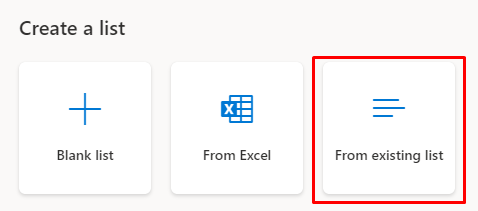
4) Choose the list from your team (this site) and press Next > Give the list a name and press Create
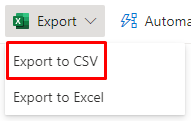
5) (if you want your exact data from the other list) Go to your list with data > Export to CSV
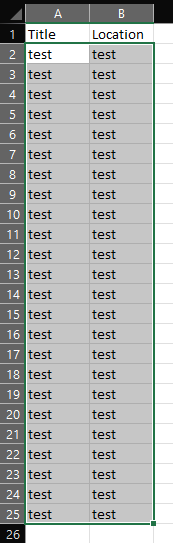
6) Open up the CSV
7) Choose the data from the list (you may have more columns) and copy it (CTRL+C)
8) Go the the new list > Edit in grid view

7) Press to the left of the first cell (you can hit the plus sign) > Press paste (CTRL+V)
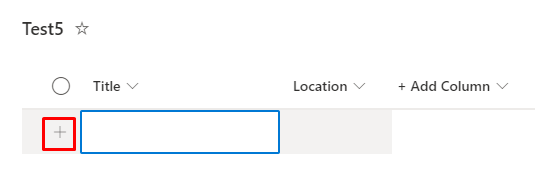
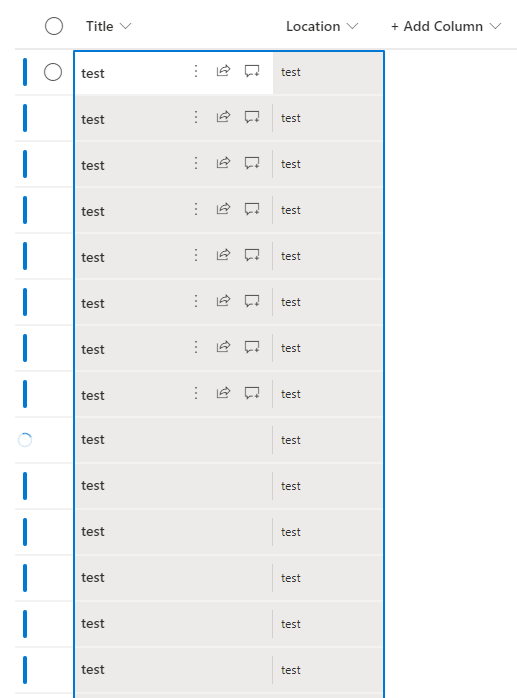
You will now have your other data set to work with. You are now free to test if this will work with your custom field .
If this is helpful please accept answer.

@Harry N Nomikos Have you tried the above answer? Do you still have any questions about this thread?