The Microsoft Japanese IME has been updated with the Windows 10 Year Update (version 2004). Since then, this problem has been occurring.
If I try to use an earlier version of the IME, it will work.
However, we cannot force users to use the previous version of the IME because we want to use it in the applications we sell.
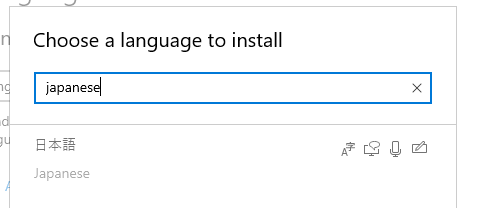
ImmConfigureIME doesn't work.
HKL hkl = GetKeyboardLayout(0);
REGISTERWORD regWord;
regWord.lpReading = NULL;
regWord.lpWord = NULL;
//if (!ImmConfigureIME(hkl, hWnd, IME_CONFIG_REGISTERWORD, ®Word))
//if (!ImmConfigureIME(hkl, hWnd, IME_CONFIG_SELECTDICTIONARY, ®Word))
if (!ImmConfigureIME(hkl, hWnd, IME_CONFIG_GENERAL, ®Word))
{
::MessageBox(hWnd, _T("failure"), _T("Test"), MB_OK);
}
Windows development | Windows API - Win32
3 answers
Sort by: Most helpful
-
AN 1 Reputation point
2022-09-02T09:32:20.607+00:00 -
AN 1 Reputation point
2022-09-01T09:40:54.743+00:00 The IME I am using is the Microsoft IME that comes standard with the Japanese version of Windows.
I think the IME version is different between Windows 7 and Windows 10.
I think it is a bug of Windows that it does not support ImmConfigureIME by default. -
AN 1 Reputation point
2022-08-29T07:50:43.693+00:00 I want to show the word registration dialog.
HKL hkl = GetKeyboardLayout(0);
REGISTERWORD regWord;
regWord.lpReading = NULL;
regWord.lpWord = NULL;
ImmConfigureIME(hkl, hWnd, IME_CONFIG_REGISTERWORD, ®Word);All of the following fail
ImmConfigureIME(hkl, hWnd, IME_CONFIG_REGISTERWORD, ®Word);
ImmConfigureIME(hkl, hWnd, IME_CONFIG_SELECTDICTIONARY, ®Word);
ImmConfigureIME(hkl, hWnd, IME_CONFIG_GENERAL, ®Word);Nothing is displayed.
The return value of ImmConfigureIME is FALSE.Link is successful even though it's not a problem.
It is a problem with Microsoft IME.
With Justsystems ATOK, there is no problem.
