Microsoft Teams | Microsoft Teams for business | Other
Additional features, settings, or issues not covered by specific Microsoft Teams categories

This browser is no longer supported.
Upgrade to Microsoft Edge to take advantage of the latest features, security updates, and technical support.
' cx='32' cy='32' r='32' /%3E%3Ctext x='50%25' y='55%25' dominant-baseline='middle' text-anchor='middle' fill='%23FFF' %3EI%3C/text%3E%3C/svg%3E)
Hello,
Please i need your help on this.
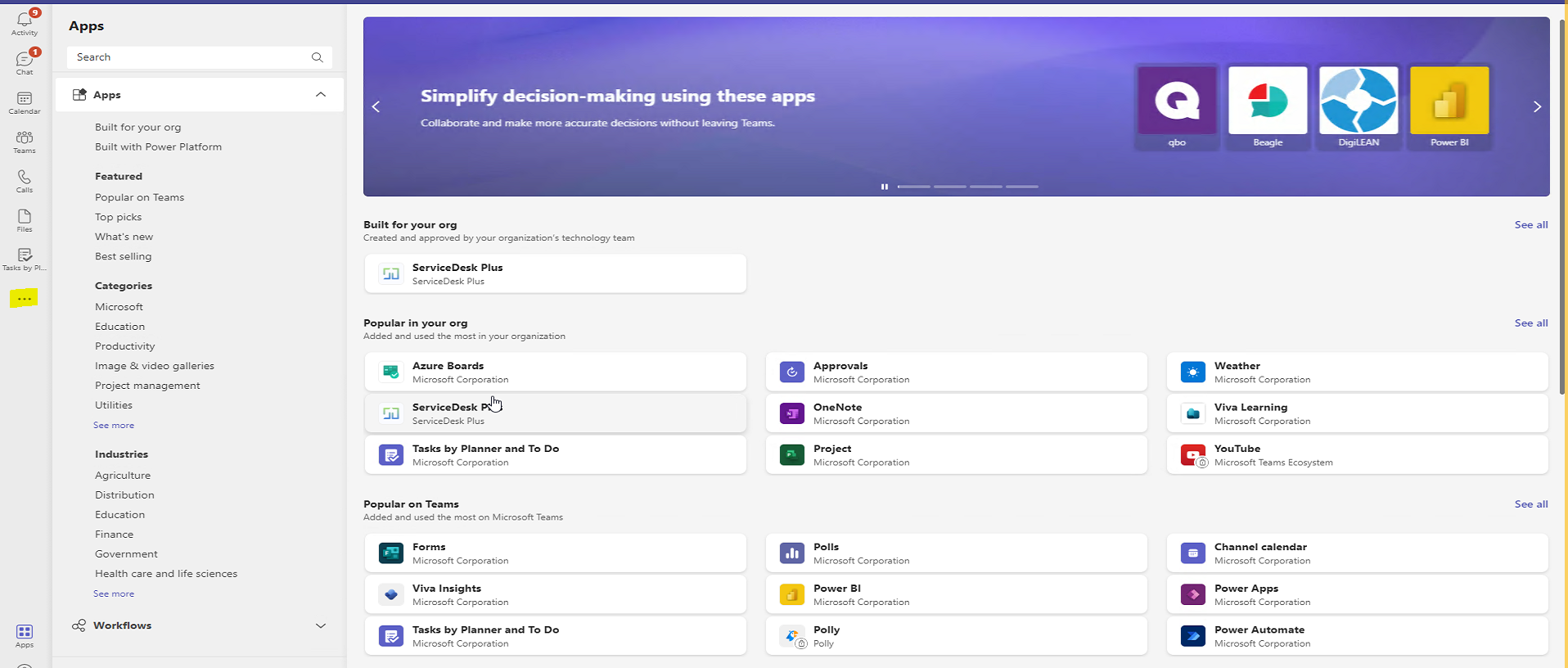
We have a user who is not able to see apps when they click on more apps in Teams Desktop App.
When they click on the three dots >> More apps. They are not able to see all the apps listed here
' cx='32' cy='32' r='32' /%3E%3Ctext x='50%25' y='55%25' dominant-baseline='middle' text-anchor='middle' fill='%23FFF' %3ESM%3C/text%3E%3C/svg%3E)
@IBN
Could you use Teams Web client to add apps?
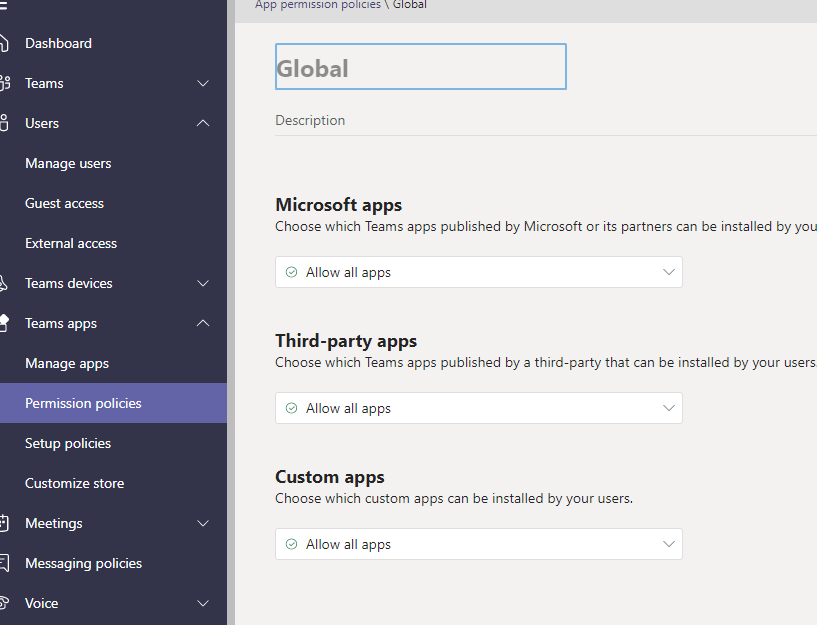
Besides, we recommend you check the app permission policy in Teams admin center. You will be able to add the apps you need and save them.
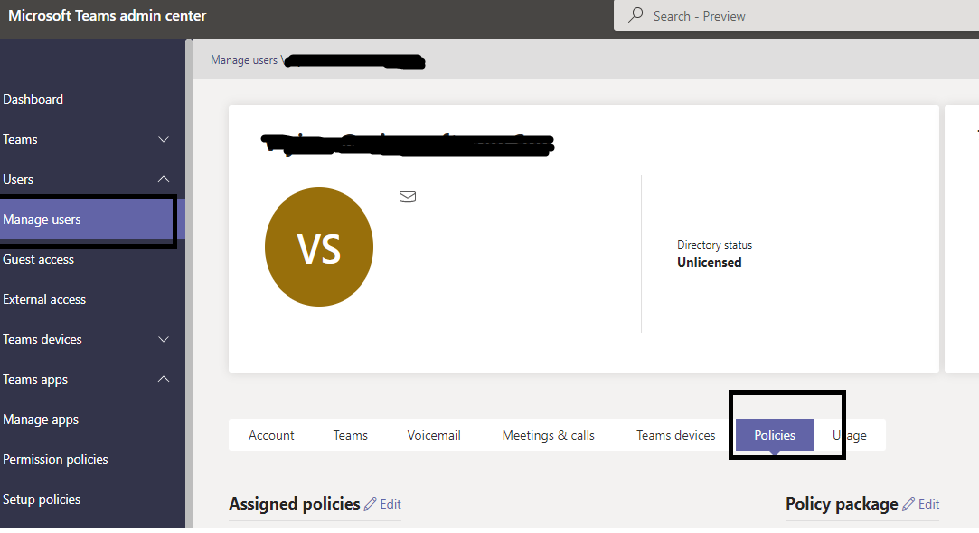
Sign into the admin center > Users > Manage users
Select the affected user > Policies > App permission policies
Check the permission policy is shown as below.
If the answer is helpful, please click "Accept Answer" and kindly upvote it. If you have extra questions about this answer, please click "Comment".
Note: Please follow the steps in our documentation to enable e-mail notifications if you want to receive the related email notification for this thread.
Hi @IBN
It has been a while, how is everything going?
If you have any update about this issue, please feel free to post back.