Unable to install SQL Server 2019 on Windows 11 - Exit Code(Decimal): -2061893606

Nir Strahman 16 Reputation points
2022-08-27T16:13:49.567+00:00

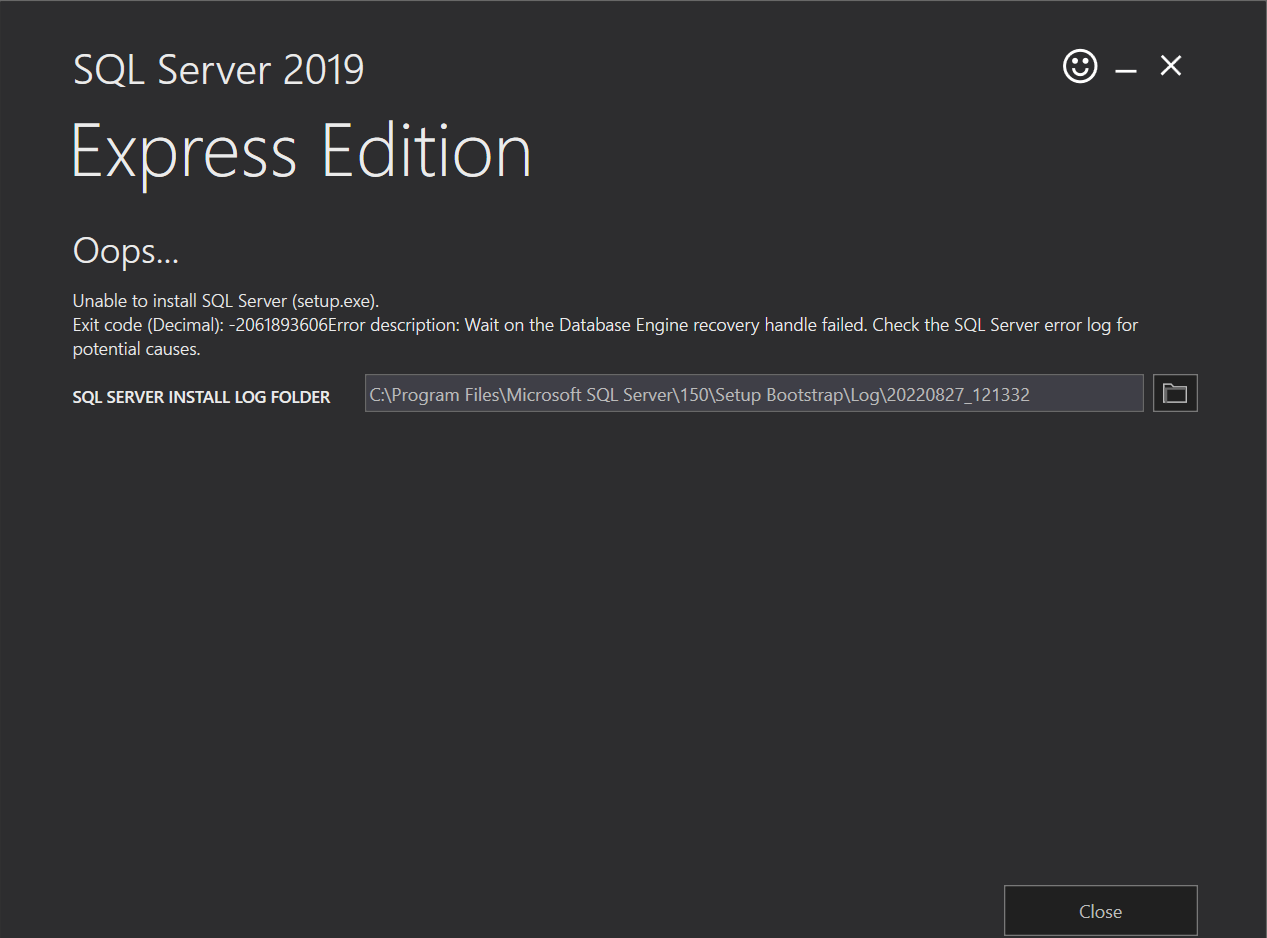
235418-summary.txt235466-detail.txtHi, I'm trying to install SQL Server Express 2019 in a Windows 11 pc but everytime I get the folowing error:

235450-imagen.png

I'll upload the log's summary and details.txt files.

Windows for business | Windows Client for IT Pros | User experience | Other
SQL Server | Other
{count} votes

3 answers

Sort by: Most helpful
  1. Erland Sommarskog 129.6K Reputation points MVP Volunteer Moderator
    2022-08-27T20:20:41.237+00:00

    I see this line:

    2022-08-27 12:39:31.98 spid10s There have been 256 misaligned log IOs which required falling back to synchronous IO. The current IO is on file C:\Program Files\Microsoft SQL Server\MSSQL15.SQLEXPRESS\MSSQL\Template Data\master.mdf.

    This is a known issue with Windows 11 which is discussed in this article from Microsoft which also offers workarounds for the problem.

    1 person found this answer helpful.
    0 comments No comments

  2. Bjoern Peters 8,921 Reputation points
    2022-08-27T16:23:56.687+00:00

    As the error message states... please can you also upload the SQL server errorlog.

    Wait on the Database Engine recovery handle failed. Check the SQL Server error log for potential causes.


  3. PandaPan-MSFT 1,931 Reputation points
    2022-08-29T07:20:49.017+00:00

    Hi @Nir Strahman ,
    troubleshoot-os-4kb-disk-sector-size,this artile shows you the way to fix the bug, and you can try it. If you still have some problems, pls feel free to let me know.

    0 comments No comments

Your answer

Answers can be marked as 'Accepted' by the question author and 'Recommended' by moderators, which helps users know the answer solved the author's problem.