Azure Automation
An Azure service that is used to automate, configure, and install updates across hybrid environments.
This browser is no longer supported.
Upgrade to Microsoft Edge to take advantage of the latest features, security updates, and technical support.
' cx='32' cy='32' r='32' /%3E%3Ctext x='50%25' y='55%25' dominant-baseline='middle' text-anchor='middle' fill='%23FFF' %3ES%3C/text%3E%3C/svg%3E)
I have created VM Called "ONPREMSERVER" after creating this VM
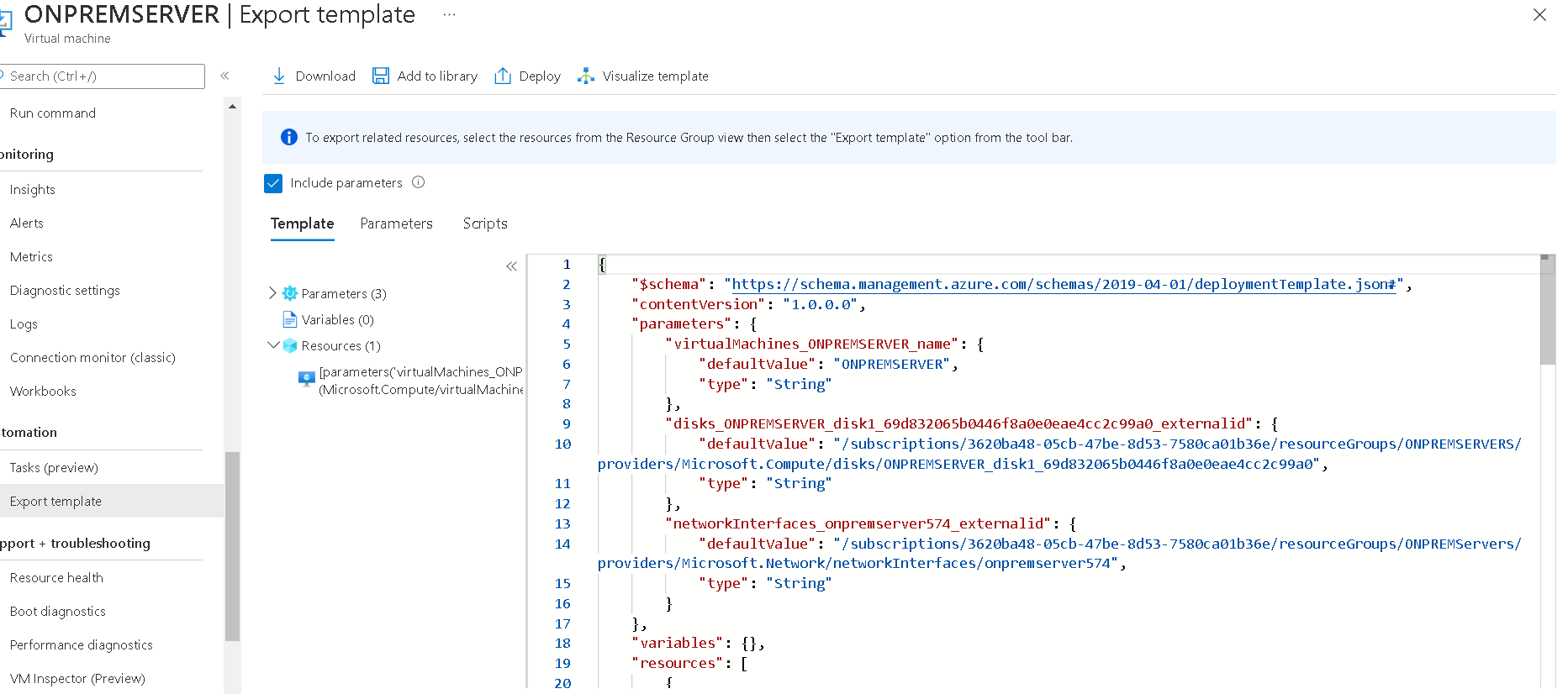
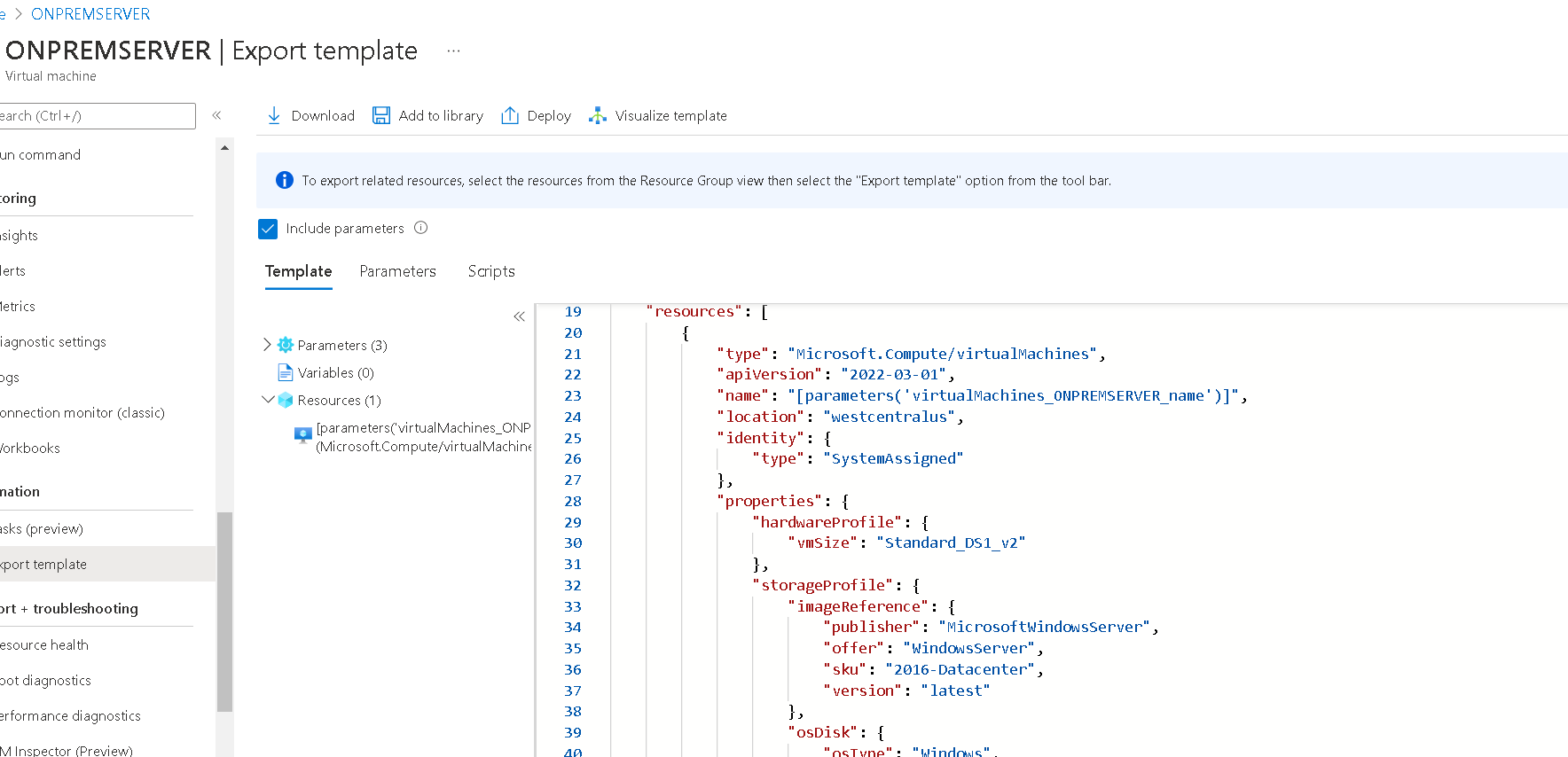
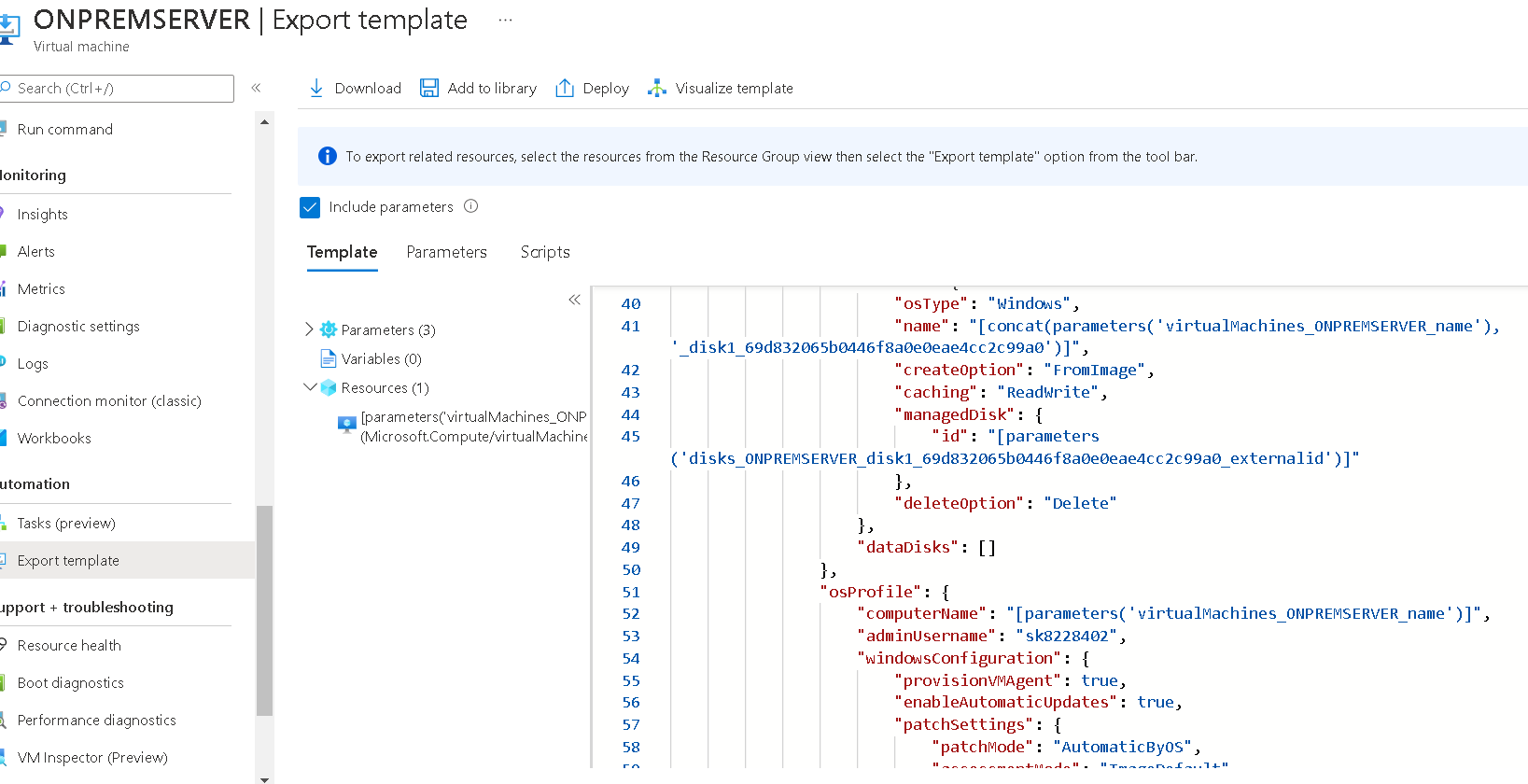
After creation I have navigated to automate section, I have clicked on export template and then Clicked on DEPLOY to create one more VM with name ONPREMSERVER1 but it failed, Please suggest what needs to be done. PFA

and After successful creation of this second VM with "ONPREMSERVER1" , I would like to automate 5 VMS to deploy with names ONRPEMSERVER2,3,4,5 in different regions, but not sure where exactly to change parameters in the export template to achieve this requirement, Please suggest here also. Thanks

Can you post your export?
Hi Dillion JS,
Please find attached screenshots of export template

Hi sns1,
What I would do is create a new VM with the specs you need and then copy the arm template details from there.
I would suggest this is a better method than having someone guess at what's wrong with your existing configuration.
Good luck.
Hi David,
What I am doing is only for testing purpose.
My test plan is below: ( my requirement)
I have VM created in certain region and network.
Now I want to use that template to create 5 VMs in same region and network,
Can you please suggest from where to start with high level steps to achieve this ?