Azure Machine Learning
An Azure machine learning service for building and deploying models.
This browser is no longer supported.
Upgrade to Microsoft Edge to take advantage of the latest features, security updates, and technical support.

I'm trying to create my first compute instance using Azure Machine Learning Studio, but it fails every time with little to no details.
Here are the parameters I use to create a new instance:
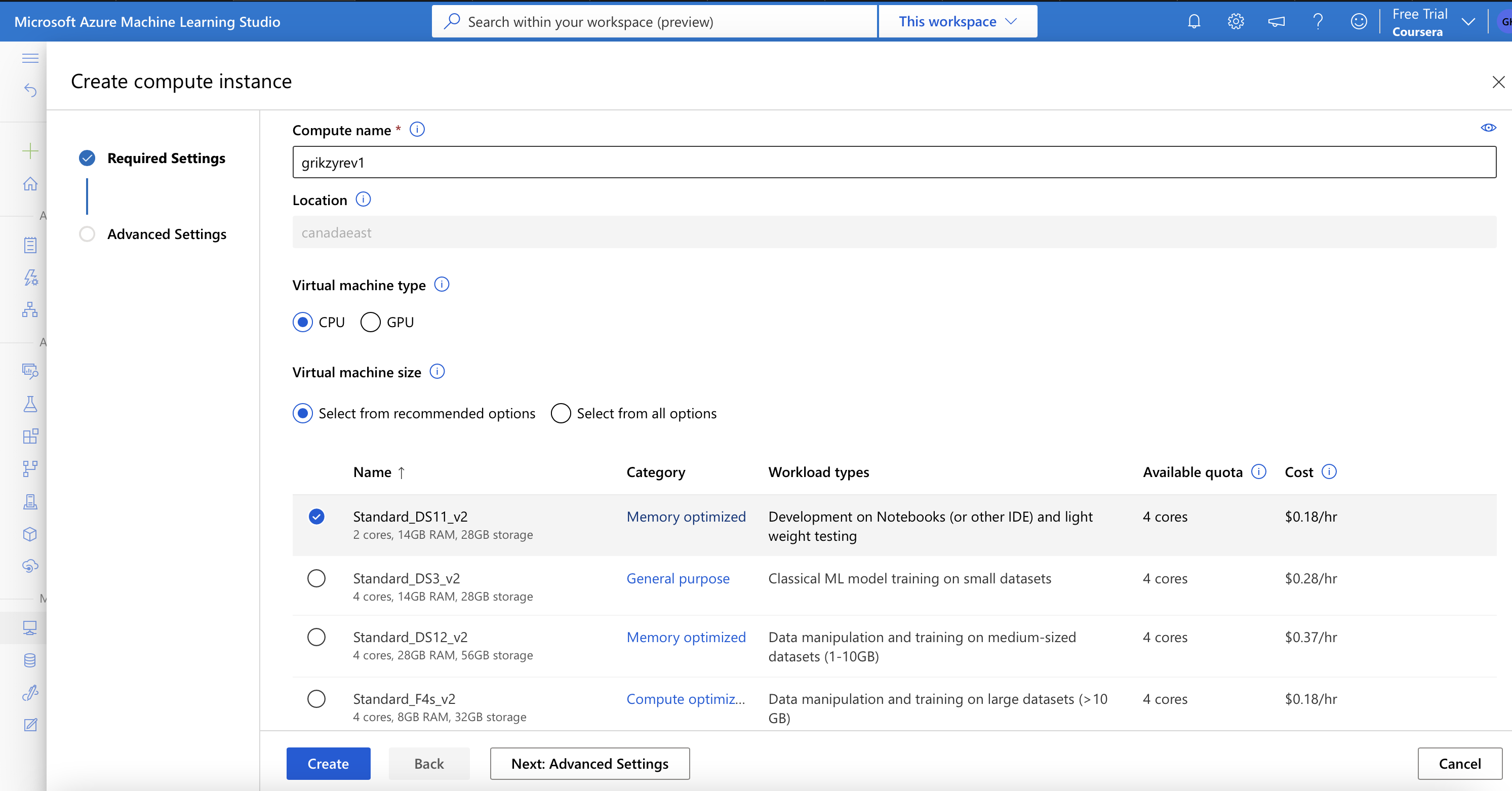
This is what the instance looks like during creation:

As well as additional attributes

It runs like that for an hour or so, and then fails.
This is what the instance looks like after an error:
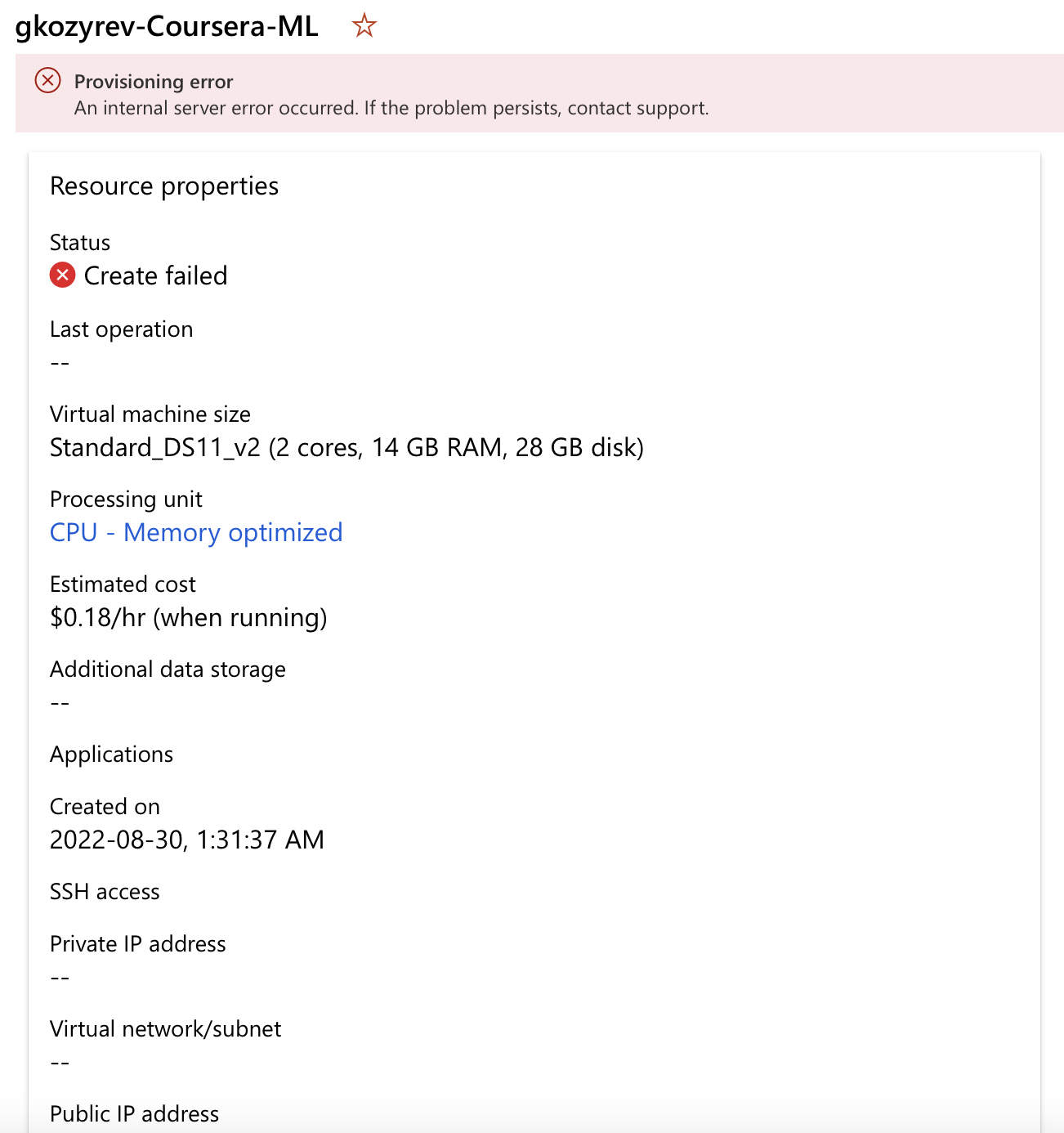
I can also see another error message in the logs:

Can I please get some help to create new compute instance. Everything looks pretty straight forward, I would definitely expect to have no errors there.

@Grigory Kozyrev I think the error in this case is specific to your subscription or request. I am able to create a new compute instance without any errors from the studio.
Is this a managed account by a 3rd party with some restrictions? If Yes, you could reach out to the admin of the team to check if you have all permissions to create a compute instance.
If this is your personal account and since the details of the failure are not obvious, from the message you could report the failure screen shot of the request id by using the smiley icon on the top right-hand corner of the studio. This enables the service team who has access to your request details to contact you for any failures related to the service.
You also have the option to contact support team through Azure portal using the Help + Support blade for 1:1 support from a support team engineer.
I hope this helps!!
@romungi-MSFT thanks for your reply.
This is my personal account. I've being experimenting with Azure resources, and noticed that Azure Machine Learning resource located in US East works just fine. I'm able to create compute instances, models, endpoints, and etc. there.
That solves my problem at the moment, however I would expect Canada East to work as well. How can I report this issue to the Canadian team?
@Grigory Kozyrev I believe this behavior might be because of the quota limits set for your subscription. If you search for "quota" on azure portal you will see a blade that displays quotas for all your services including the region. If you see that the quota is not set for the desired region you could request a quota increase by raising an Azure support request from the Help + Support blade on Azure portal. This request does not need subscription to azure support plan and you can request a quota increase to enable creation of resources in this region.