


Hyper-V Not Showing 'Physical GPU' Option - Windows 10 Build 19044

Pie 311 Reputation points
2022-09-01T16:18:31.487+00:00

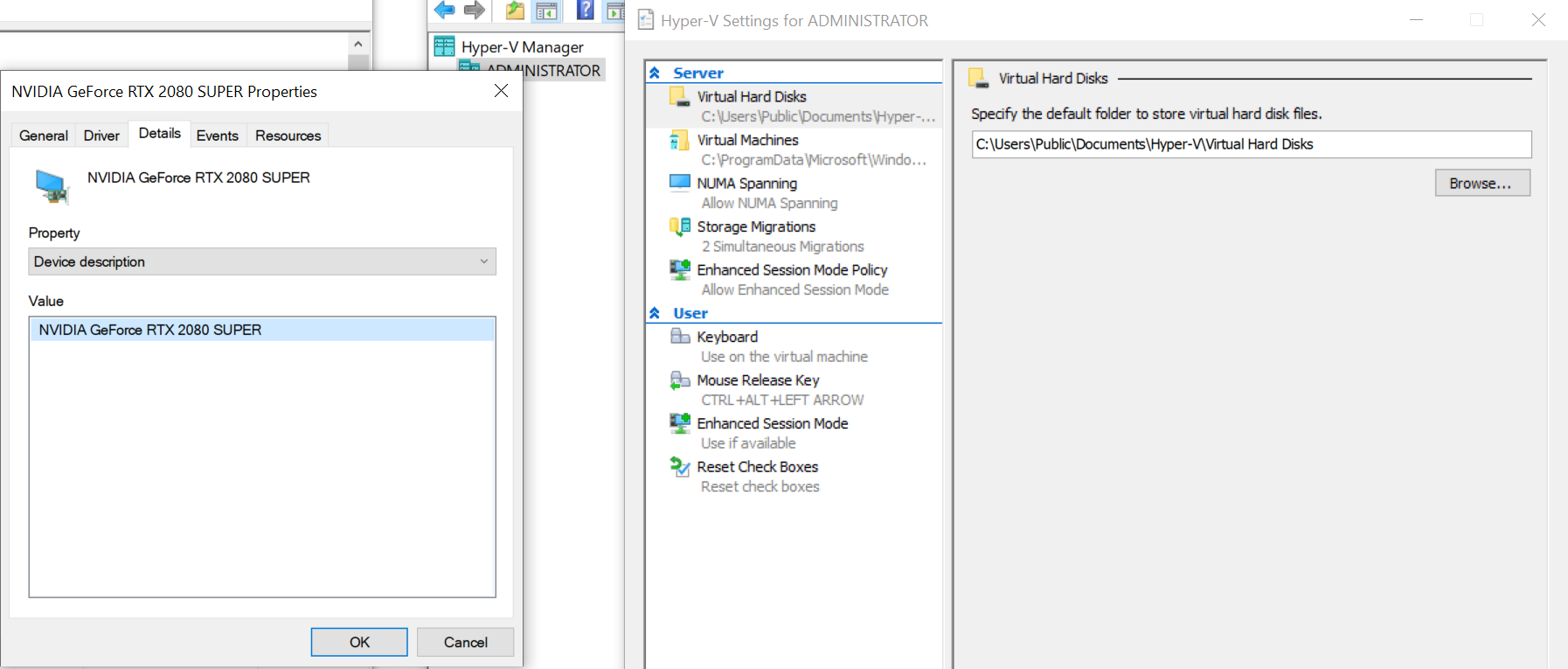
I have the latest version of Windows 10 Version (10.0.19044 Build 19044) and Nvidia 2080 Super GPU. I noticed that the physical GPU option is not showing up when viewing Hyper-V Settings as it should.

Can someone help here?

237062-image.png

Windows for business | Windows Client for IT Pros | Storage high availability | Virtualization and Hyper-V
0 comments No comments
{count} votes

1 answer

Sort by: Most helpful
  1. KurtBMayer 841 Reputation points
    2022-09-01T16:31:56.377+00:00

    @Pie

    According to some articles like this, MSFT has removed the RemoteFX capabilities from newer versions of Windows 10:
    How to use Windows 10 RemoteFX with GPU acceleration and sound in Hyper-v.

    Else, you must use Windows Server with a GPU supporting DDA:
    Plan for GPU acceleration in Windows Server.

    Please upvote or accept this thread as answered if it's helpful, thanks!


Your answer

Answers can be marked as 'Accepted' by the question author and 'Recommended' by moderators, which helps users know the answer solved the author's problem.