Azure AI Custom Vision
An Azure artificial intelligence service and end-to-end platform for applying computer vision to specific domains.
This browser is no longer supported.
Upgrade to Microsoft Edge to take advantage of the latest features, security updates, and technical support.
' cx='32' cy='32' r='32' /%3E%3Ctext x='50%25' y='55%25' dominant-baseline='middle' text-anchor='middle' fill='%23FFF' %3ED%3C/text%3E%3C/svg%3E)
Hi,
I'm using the Azure Form Recogniser studio (v3) Read functionality.
It works fine but i'm encoutering cases where there's some categorisation issues for instance S -> 5 or i > 1.
Do you know if changing the contrast or pre process the image will do the trick ?
I've attached the original image as well as the output from the service.
Thx for your help
Cheers

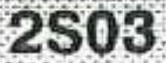

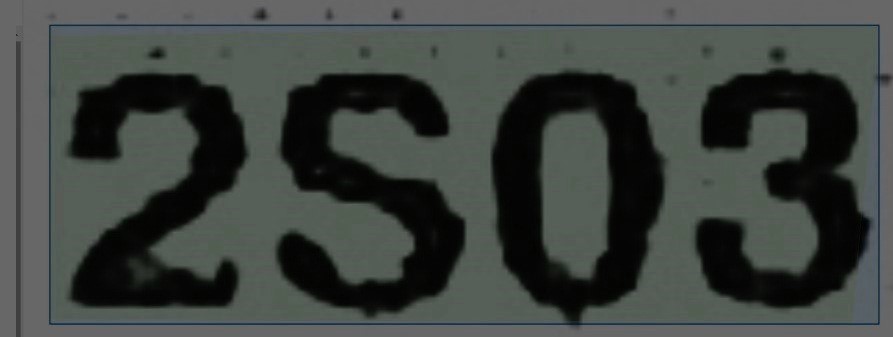
@Dyt13 Changing the image contract, brightness, saturation and other attributes does improve or deteriorate the results of the recognition. In the case of the above image I tried to decrease the brightness, saturation, exposure, contrast and shadows after which the analyze operation does recognize the content correctly. For example:
My recognition result.
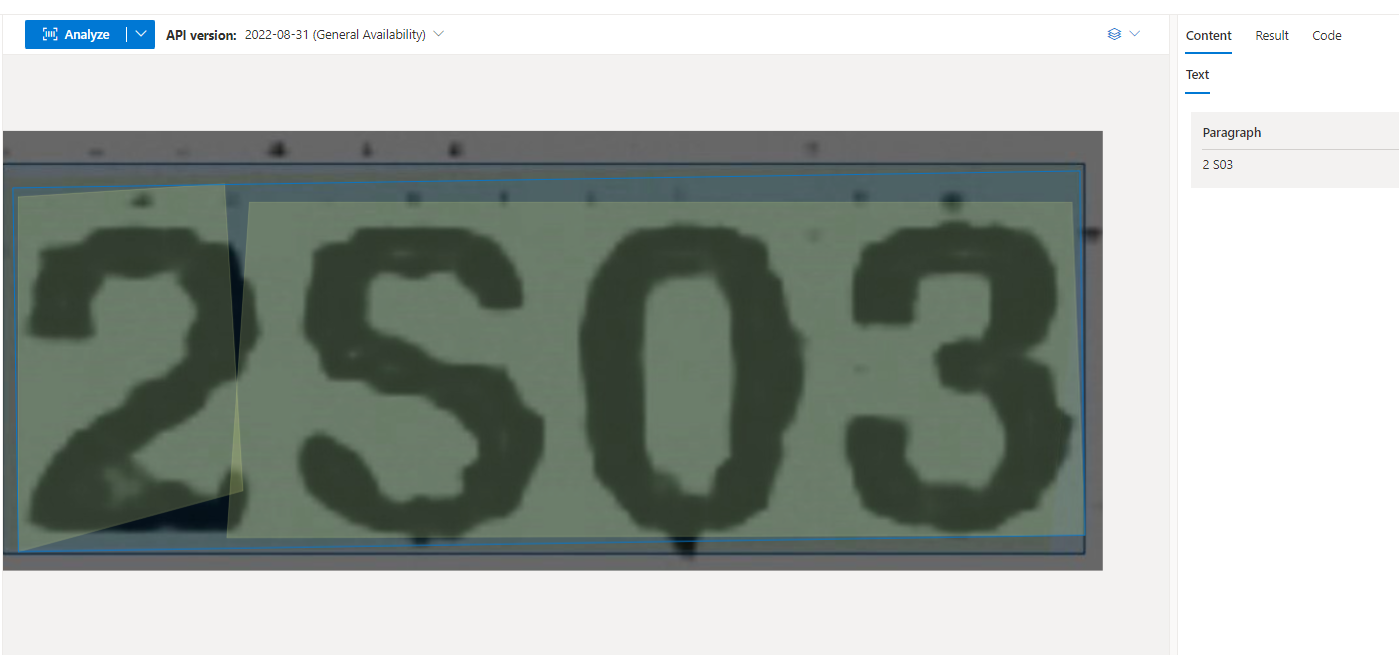
Image used.
Although, it recognizes 2 and the rest of the characters separately it does help if the image quality is better. I would recommend checking the confidence score of the result and decide if you want to keep certain results or review them later manually.
If an answer is helpful, please click on  or upvote
  which might help other community members reading this thread.
@romungi-MSFT : thank you very much for your answer